Postbeam
AI tool that drafts, schedules and manages LinkedIn posts and turns engagement into leads.
Watch my full review
- What it is
- Postbeam is an AI tool focused only on LinkedIn. It drafts posts, schedules them, and aims to turn engagement into ranked warm leads.
- Pricing
- AppSumo lifetime tiers, with LinkedIn seats and monthly content generations increasing by tier.
- Best for
- People who want semi-automated LinkedIn posting with review before publishing, not full set-and-forget automation.
- LearnWire's Rating
- 3.8 / 5
My review
Here is my Postbeam review, covering an AI tool that drafts, schedules and manages LinkedIn posts. The biggest letdown was the onboarding: after a 15 minute talk with its AI, it still filed me under HR and tech. If you are searching for the best AI tool for scheduling LinkedIn posts, the scheduler is where it shines.
I wanted a social tool that writes about the specific software I review, not generic software review content. Most tools read my website and produce a pile of posts about honest software reviews, which isn't my brand. Postbeam came the closest I've seen, though it still isn't there.
Setup and the Marv onboarding
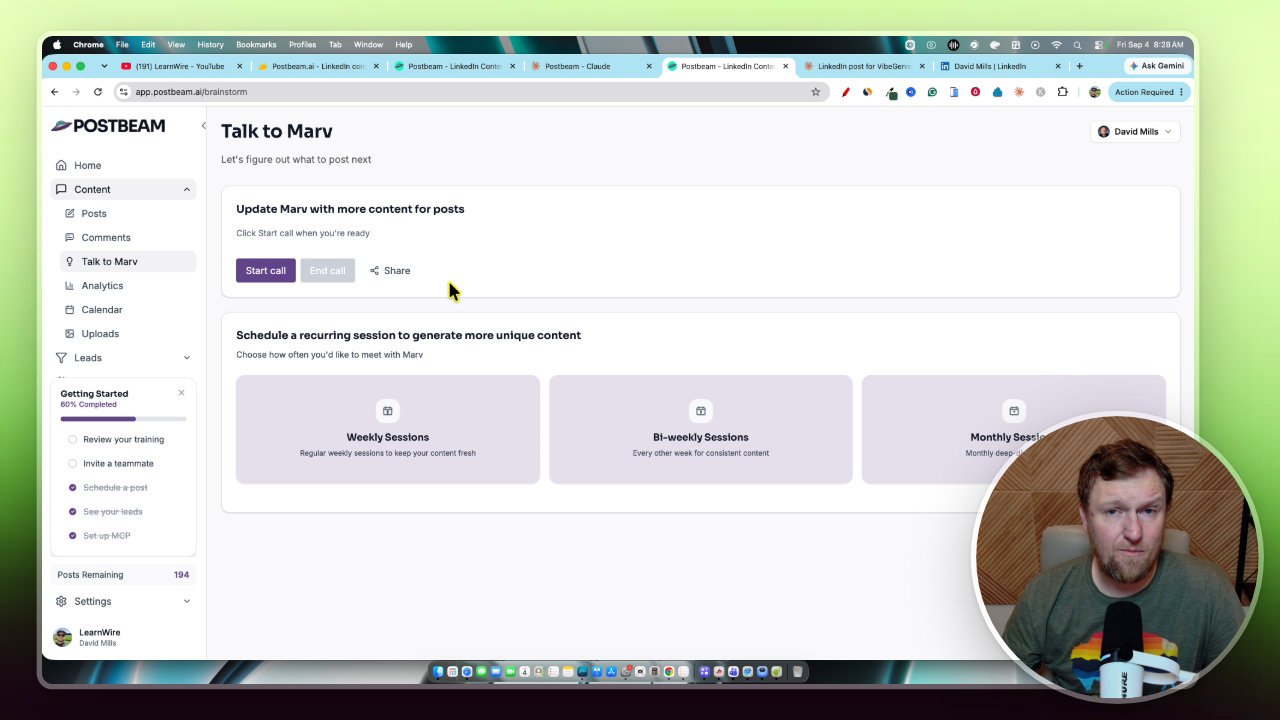
Onboarding runs through a wizard, and part of it is a conversation with Marv, the AI assistant. I spent 10 to 15 minutes talking about my brand, and Marv asked good questions.
Then the next page said it would write for me in the human resources space. That is not what I do. The wizard gave me no option to correct it.
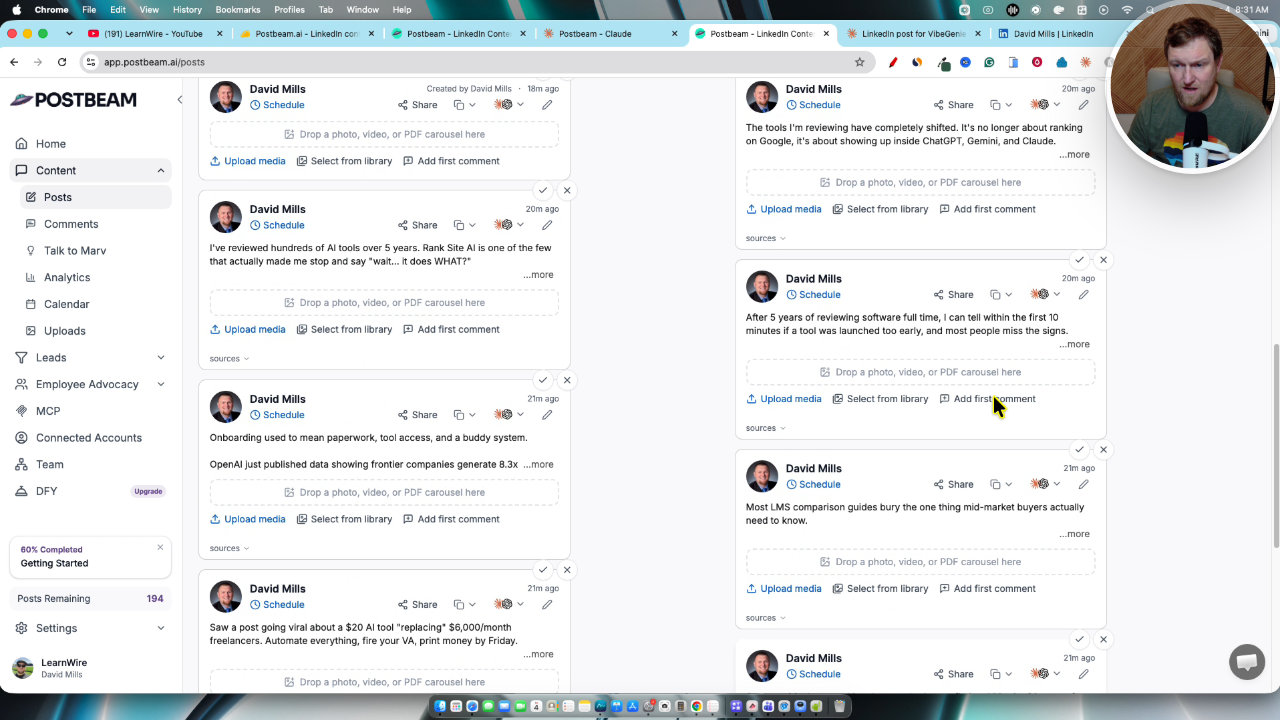
The result shows up in the drafts. Many of them are about LMS vendors, talent learning buyers and HR. That is not my market, and I still don't know where to retrain the AI.
Drafts and the content pool
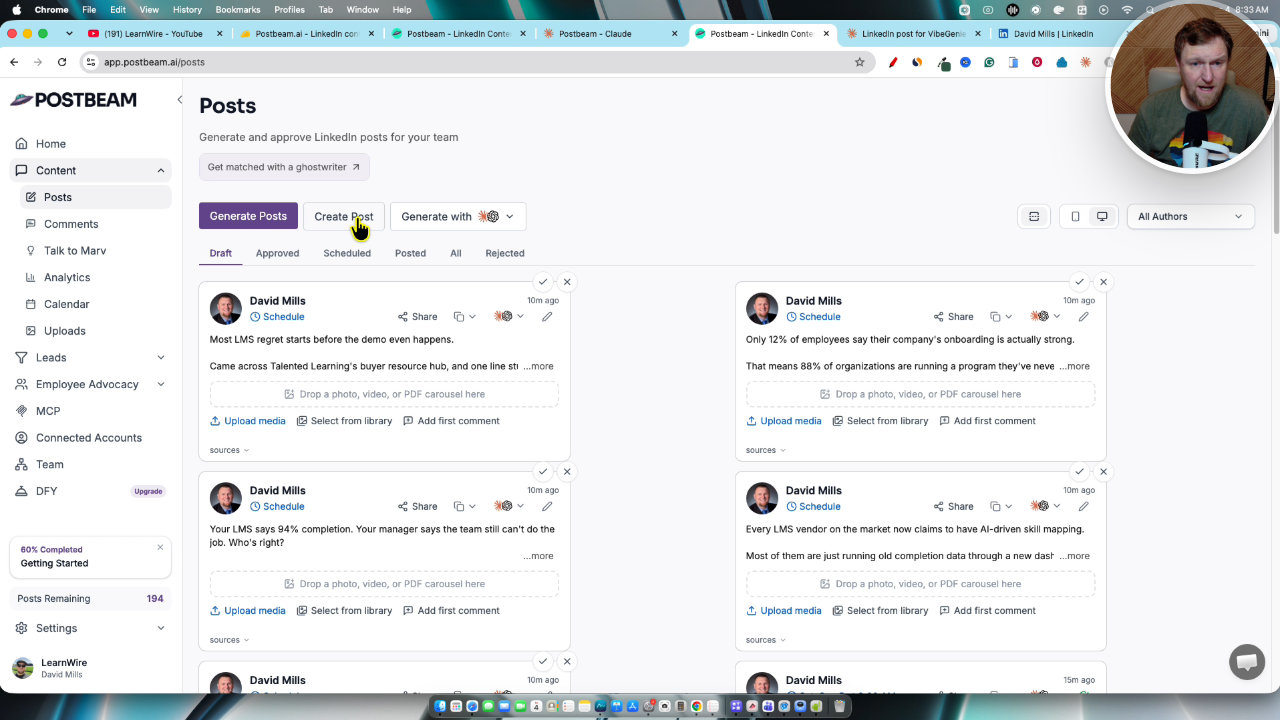
The part I liked most is the generated posts. You click generate and get a pool of drafts pulled from different places: my YouTube channel, X and Marv. The YouTube ones are the best, since they are based on my actual videos.
One draft covered a software tool I had just reviewed, and it read the whole script and did a good job. It was written as if I had watched a video review rather than made it. That is easy to fix by editing a line, but it shows the AI doesn't fully know who I am.
I also want a way to filter the pool by source only, such as YouTube. Some drafts pulled from random sites on the internet.
Editing and scheduling a post
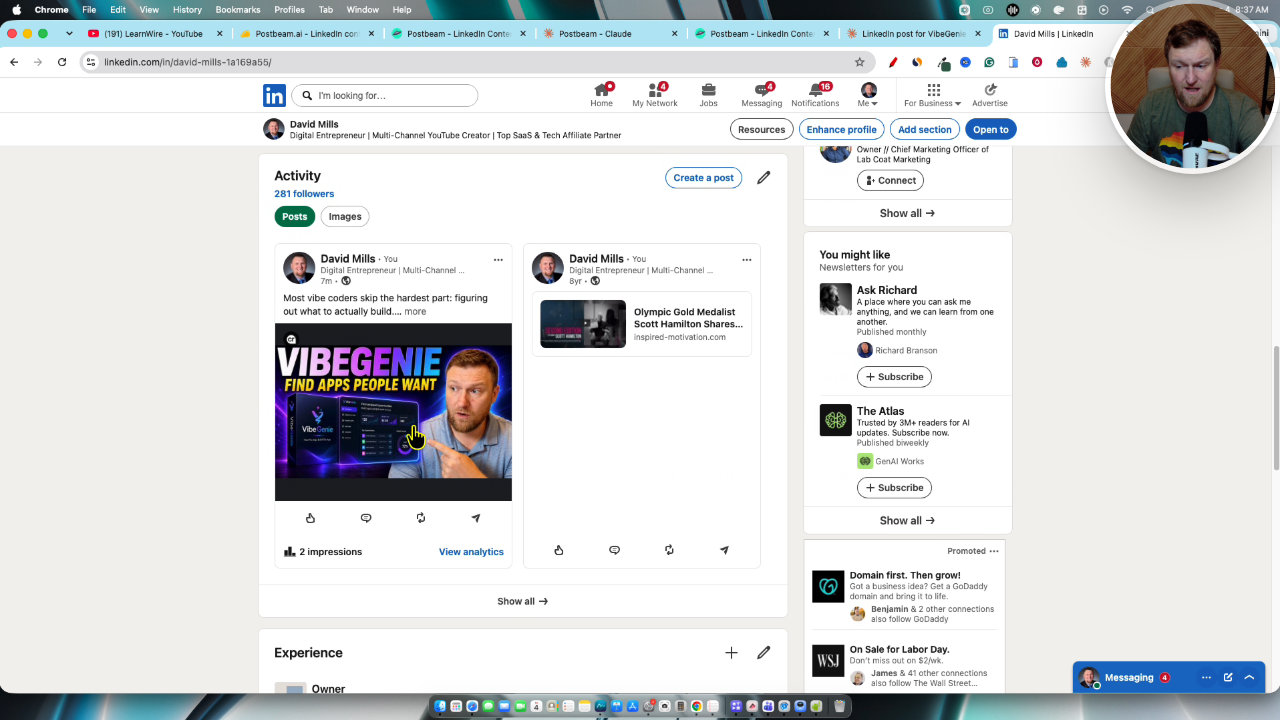
Editing is simple. You open a draft, fix the wording, upload an image and hit schedule. I added my thumbnail and scheduled a post for the next morning.
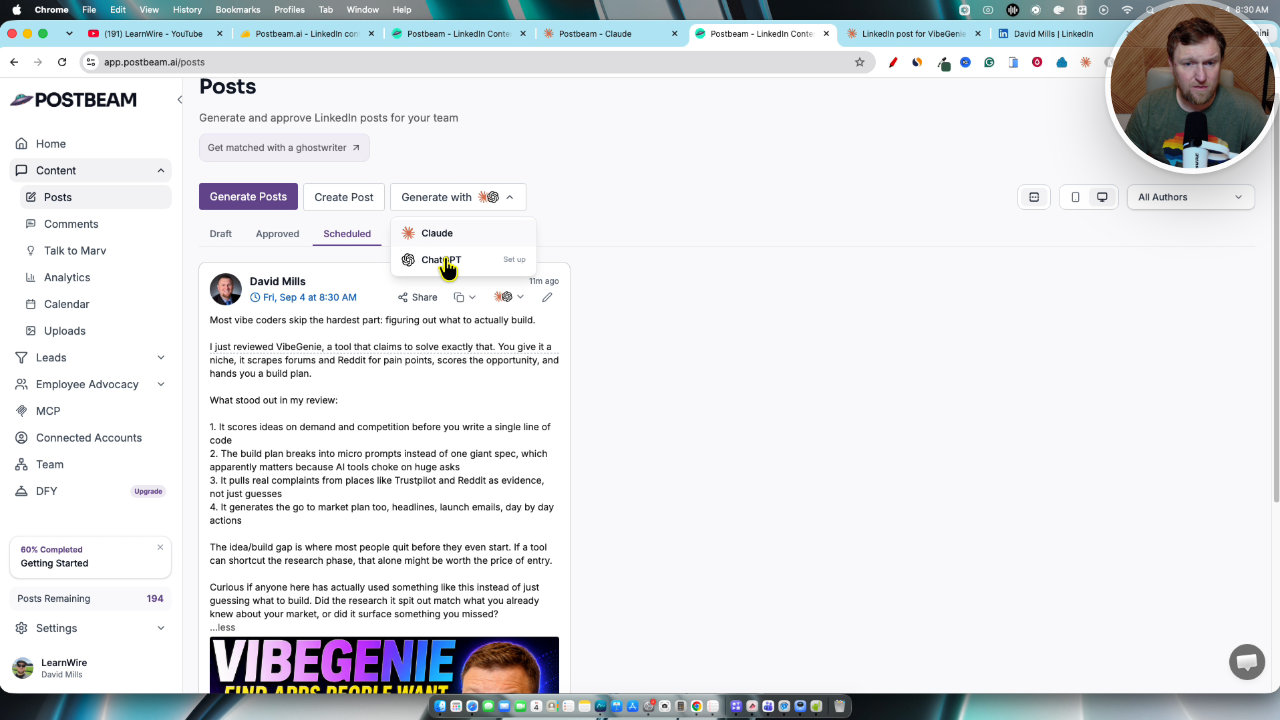
I also had one scheduled for 8:30 am. When I checked, it had posted to LinkedIn, and already had three impressions. I forgot the link to my video, so I edited the post on LinkedIn and pasted it in.
The MCP connection
Connecting to Claude or ChatGPT takes a couple of clicks. But when I asked it to turn my review video into a LinkedIn post, it only loaded the existing drafts instead of writing the one I asked for.
You end up with a box to write in, and I wanted Claude to write it for me. I wasn't impressed. Working directly inside Postbeam felt more intuitive.
Campaigns, leads and the missing database
The pricing page mentions a 130 million business-to-business contact database. I looked through leads and campaigns and couldn't find it. Campaigns asks you to upload connections or choose from existing leads, and there's an automated messaging system.
Other reviewers said the same, and the founder replied that the lead generation features and DM sequences aren't explained clearly and onboarding is being improved. It doesn't look fully launched, so I took points off for that.
My verdict
The scheduling worked really well, and the LinkedIn-only focus is a real plus. The posts based on my own videos were good.
The onboarding, the confusing MCP and the hidden lead features hold it back. If you want full automation, I don't think Postbeam does that, and you wouldn't want to push 30 days of unread posts on a real brand anyway. If you want semi-automation with on-brand LinkedIn posts and a scheduler that performs, it's a solid pick.
I give Postbeam a 3.8 out of 5. I plan to use it for the next month and report back on any LinkedIn growth.
Key features
LinkedIn-only focus
Everything is built around LinkedIn, so the posts and features are meant to perform there instead of being spread across many networks.
AI draft pool
Generate posts and get a pool of drafts pulled from sources like my YouTube channel, X and the AI assistant Marv. You edit, add an image and schedule.
Marv voice onboarding
You can talk to Marv, the AI assistant, in a call about your brand and latest content so the posts get tailored to it.
Scheduler and calendar
Schedule drafts for a set date and time and see them on a calendar. My scheduled post went out on LinkedIn as planned.
Team workflow
Approve topics and assign a team member to polish drafts, add images and schedule them. Seats are LinkedIn accounts or team members.
MCP connection
Connect Postbeam to Claude or ChatGPT in a couple of clicks and send drafts into the tool.
Campaigns and leads
Includes campaigns, lead selection and an automated messaging system aimed at turning engagement into leads.
Done-for-you ghostwriters
A done-for-you option is available where a real person or ghostwriter writes for you.
Pricing
- 1 LinkedIn seat
- 30 monthly content generations (about one per day)
- 3 LinkedIn seats
- 90 monthly content generations (up to three per day)
- 5 LinkedIn seats
- 200 monthly content generations
Pros and cons
What I liked
- Built only for LinkedIn, so the posts are aimed at that platform
- The scheduler worked well and my post went live on time
- Drafts based on my YouTube videos were pretty good
- Easy to edit a draft, add an image and schedule it
- Team approval and assignment workflow
- Good fit if you already make content elsewhere and want to repurpose it
What could be better
- The onboarding wizard put me in an HR and tech category, so many drafts were off topic
- I couldn't find where to retrain the AI
- The MCP workflow was confusing and not intuitive
- The 130 million B2B contact database was never easy to find, and the lead features weren't clearly explained
- Some drafts were written as if I watched a review rather than made it
Who it's for
LinkedIn-focused creators
If LinkedIn is your main growth channel, a single-platform tool makes sense.
Teams and agencies
Seats and approval and assignment workflows help split drafting and polishing.
Creators repurposing content
Drafts pulled from YouTube make it easier to turn videos into LinkedIn posts.
Limitations: when to look elsewhere
- Skip it if you want full automation that schedules 30 days of posts with no review.
- Look elsewhere if you need many social platforms in one tool.
- Be cautious if you are buying mainly for the B2B lead database, since I couldn't find it.
FAQ
Reader reviews
Postbeam alternatives
 AppSumo
AdaptlyPost
Plan, schedule and publish to nine social platforms with AI captions, images and automations.
 AppSumo
RobinReach
Social media scheduler with AI posts, repurposing, automations and MCP for Claude and ChatGPT.
 WarriorPlusMy Product
Creator Lookup
Search 400M+ creators on Instagram, TikTok and YouTube and export verified emails.