What should my small business automate with AI first, and how do I set it up?
Start AI automation with one repetitive, low-risk task, not a long list of tools. Learn how to choose a workflow, set it up with human review, and measure whether it is actually helping.

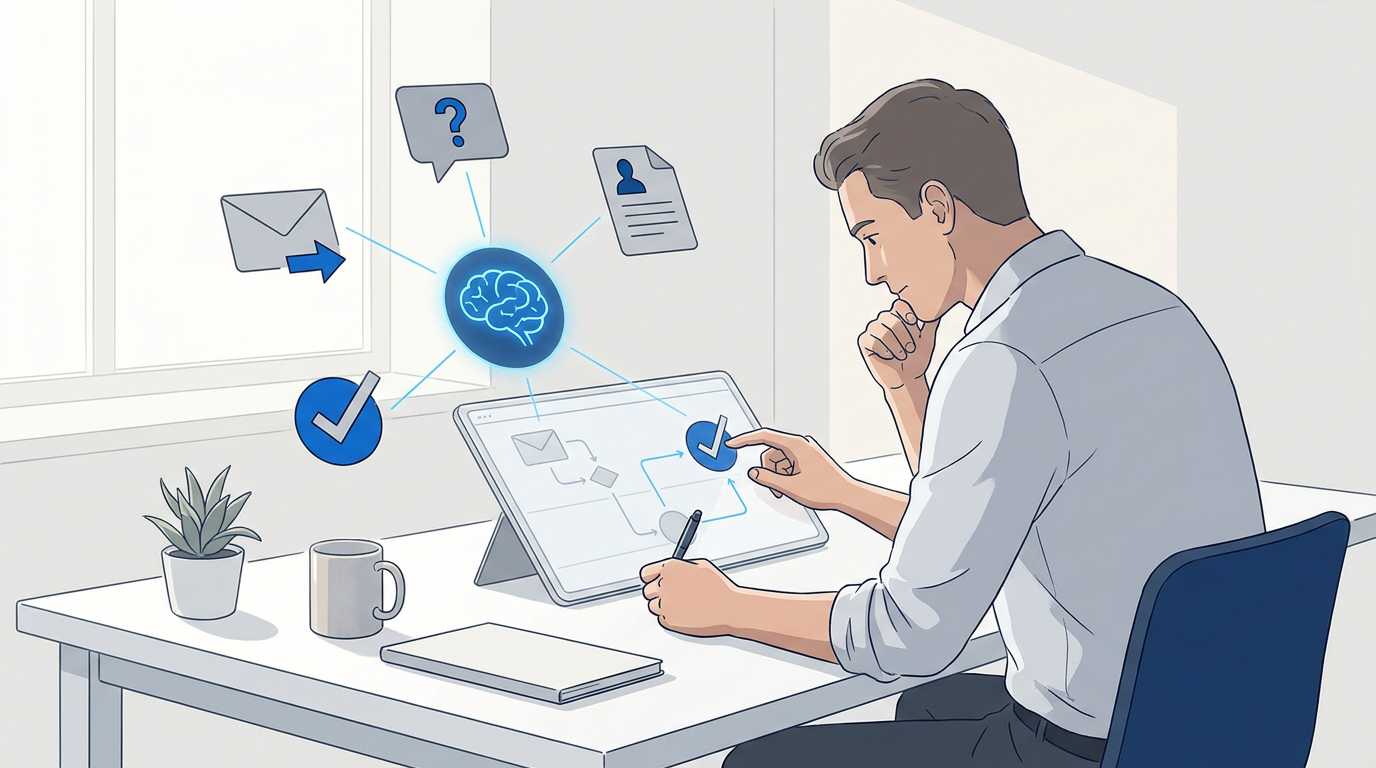
AI automation for small business, including AI workflow automation, works best when you start with one repetitive task that costs time, follows a clear pattern, and is easy for a person to check. For many small teams, that means sorting routine email, drafting replies for review, organizing new leads in CRM systems, or answering straightforward customer service questions. It usually does not mean handing an AI system control of payments, sensitive records, or every customer conversation on day one.
The first goal is not to automate as much as possible. It is to find one workflow where process automation can reduce busywork without making mistakes harder to catch. Then test it on a small scale, keep a person responsible for the outcome, and expand only if the results justify the cost and effort.
Choose the task before choosing the tool
Start by listing the recurring tasks that interrupt work or get delayed when the team is busy. Look for work that happens often, takes several steps, and has a result you can verify.
For each candidate, ask:
- How often does this task happen?
- How much staff time does it take each time?
- Does it follow a repeatable pattern, or does it require judgment about every situation?
- What would happen if the AI made a mistake?
- Can someone review the result before it reaches a customer or changes a record?
- Can you measure whether the process improved?
A good first task is frequent, fairly predictable, low-risk, and reversible. A task is a poor first candidate if a mistake could create a financial, legal, safety, or customer-trust problem and nobody would notice before it caused harm.
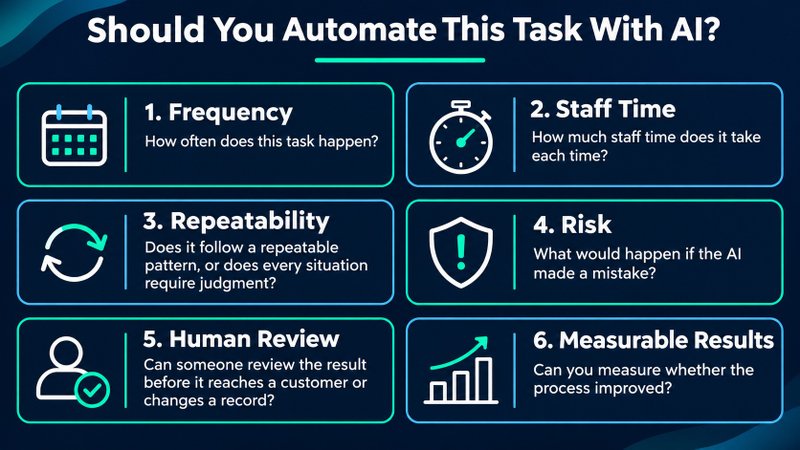
To compare candidates, use a quick scorecard. Rate frequency, time burden, repeatability, and ease of human review as high, medium, or low. Also rate the possible harm from an error. Start with a task that scores high on the first four and low on error risk. This is a practical screening aid, not a formal ROI formula.
Good first AI workflows for a small business
The right starting point depends on where work piles up in your business. These are patterns to consider, not a claim that every business needs each one.
Sort routine email and prepare reply drafts
An AI assistant can group incoming messages, summarize long threads, identify likely follow-ups, or prepare a reply draft. These tools can help with repetitive tasks, but keep the final send with a person at first. Review drafts for tone, accuracy, promised dates, prices, and any commitments the AI may have inferred.
LearnWire has a hands-on Snoooz AI email assistant review covering email categorization, routing, and drafts. Use it as a product example, not as a substitute for checking whether a tool fits your own inbox and data requirements.
Capture and route new leads
When someone submits a form, AI can summarize the request, label its topic, and prepare a task for the right person. A person should confirm the category and follow-up before you automate anything customer-facing. This is especially useful when leads arrive through multiple channels or the same questions recur.
Answer simple, repeated customer questions
If customers regularly ask about opening hours, shipping, service areas, or basic policies, a website assistant or chatbot may help find and present approved information. Start with a narrow set of questions and a clear handoff to a person when the answer is uncertain, unusual, or sensitive. AI chatbots can support customer interactions and customer support, but should not replace that review and handoff.
For a related example, see LearnWire’s SiteSpeakAI chatbot review. Before deploying any chatbot, check the source material it uses, the escalation path, what information it collects, and how you can correct a wrong answer.
Turn existing content into first drafts
AI can help transform a webinar transcript into a summary, turn product notes into a draft FAQ, or adapt an approved announcement into social copy. AI copywriting assistants can speed up the first draft, but a person should verify facts, brand claims, and audience fit before publication.
Summarize meetings or long documents
AI meeting summaries can provide a draft summary, extract action items, or help find key points in material your team is authorized to share with the tool. Review names, dates, decisions, and assignments before treating the summary as a reliable record.
How to set up your first workflow
Use this simple sequence to keep the project manageable, whether you use built-in features or workflow automation tools.
1. Record the current process
Write down what happens today, step by step. For example: a customer submits a contact form, someone reads it, identifies the request, copies details into a tracker, and assigns a follow-up. Include the tools involved and the points where work gets delayed or information is re-entered, such as during data entry.
If the current process is unclear or constantly changes, tidy it up before automating it. Automation can make a confusing process happen faster without making it better.
2. Pick one result to improve
Choose one outcome you can observe, such as time spent sorting messages, time to assign a new inquiry, number of manual copy-and-paste steps, or how often a routine follow-up is missed. Record a baseline using your own workflow. Do not assume a vendor’s time-saving estimate will apply to your business.
3. Define the workflow in plain language
Map the workflow as four parts:
- Trigger: What starts the task, such as a new form submission or incoming message?
- AI step: What should the system summarize, classify, extract, or draft?
- Action: What should happen next, such as creating a task or preparing a reply?
- Human check and fallback: Who reviews the result, and what happens if the AI is uncertain or the process fails?
For a lead inquiry, the first version might summarize the form and suggest a category, then create a draft follow-up for a staff member to review. It does not need to send the response automatically.
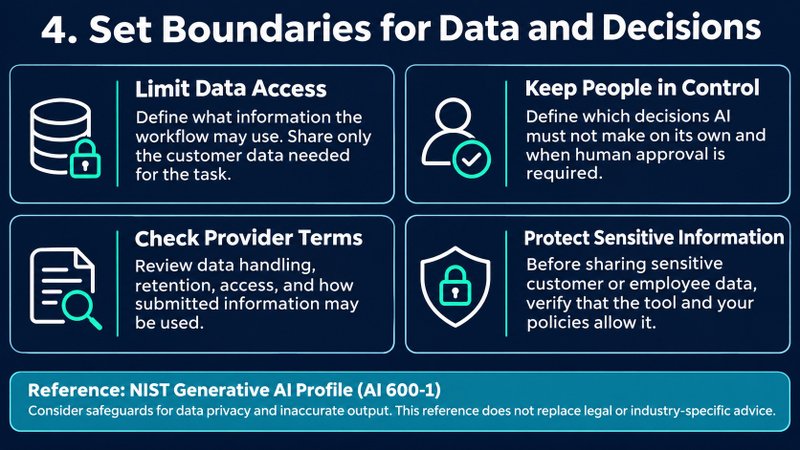
4. Set boundaries for data and decisions
Decide what information the workflow may use and what decisions it must not make on its own. Check the provider’s terms for data handling, retention, access, and use of submitted information. Share only the customer data necessary for the task, and avoid sending sensitive customer or employee information unless you have checked that the tool and your policies allow it.
NIST’s Generative AI Profile discusses managing risks such as data privacy and inaccurate output. It is a useful reference for thinking through safeguards, though it is not a substitute for legal or industry-specific advice.
5. Test with examples before going live
Try the workflow with a small set of realistic past examples or a limited internal test. Include ordinary cases and awkward exceptions. Check whether the AI used the right information, left out important details, invented anything, or routed a request incorrectly.
Keep a person in the approval step while you learn how the workflow behaves. Do not move to automatic sending, refunds, payments, or record changes just because the first few examples look good.
6. Run it alongside the existing process
For an initial period, compare the automated suggestions with what your team would have done manually. Note errors, missed edge cases, time spent reviewing, and any extra work created by the automation. Give the team a clear way to pause the workflow and return to the manual process.
7. Review the result and decide whether to expand
Compare the new process with your baseline. Consider time saved, reliability, customer experience, subscription and usage costs, and the time needed to maintain the workflow. Time recovered is not automatically cash saved, so be clear about what benefit matters to your business. Tracking these results can also help you make data-driven decisions about whether to expand.
If the workflow is dependable and useful, improve it or apply the same approach to another task. If the review effort, errors, or costs outweigh the benefit, simplify it or stop using it.
How do you know whether AI automation is worth it?
A practical starting calculation is:
Estimated monthly value = time recovered × your estimated hourly labor cost − monthly tool and operating costs
Treat this as a planning estimate, not guaranteed savings. Include the time people spend checking results, maintaining connections, correcting errors, and training staff. Also consider benefits that are harder to price, such as fewer missed inquiries or faster access to information, but track those separately from direct cost savings.
What should you avoid automating first?
Avoid starting with tasks where an undetected mistake could have serious consequences. Examples include making final decisions about payments or refunds, giving legal or medical advice, changing payroll or financial records, and sending sensitive or high-stakes messages without review.
Be cautious when a task depends on context the AI cannot reliably access, when policies change often, or when exceptions are more common than the normal case. In those situations, use AI to organize information or prepare a draft for a qualified person instead of delegating the final decision.
Common questions about small-business AI automation
Do I need technical skills to automate a business task with AI?
Not always. Some tools offer built-in automation or visual workflow builders, while more complex integrations may need technical help. Start with the simplest option that works with the systems you already use, and verify that you can test, monitor, and pause the workflow.
Should I buy an AI tool before choosing a task?
No. Define the problem and the desired result first. Then compare tools based on the task they solve, how they connect to your current software, what data they handle, what human review they support, and the full cost at your expected usage. Check current pricing and plan limits directly with the provider before committing.
Should AI send customer replies automatically?
Keep a person in the loop while testing. Only consider automatic replies for a narrow, low-risk set of questions after you have checked the answers, set a clear escalation route, and decided how you will monitor mistakes. Many businesses may prefer to keep approval in place.
Start with one task, then earn the next step
The best first AI automation is not necessarily the newest tool or the most impressive demo. It is a real, repetitive task with a clear owner, a measurable outcome, and a safe way to catch mistakes. Choose one workflow, test it with human review, and use what you learn to decide whether it deserves a bigger role in your business.