SiteSpeakAI Review: The Chatbot That Found My Affiliate Links Without Being Told To

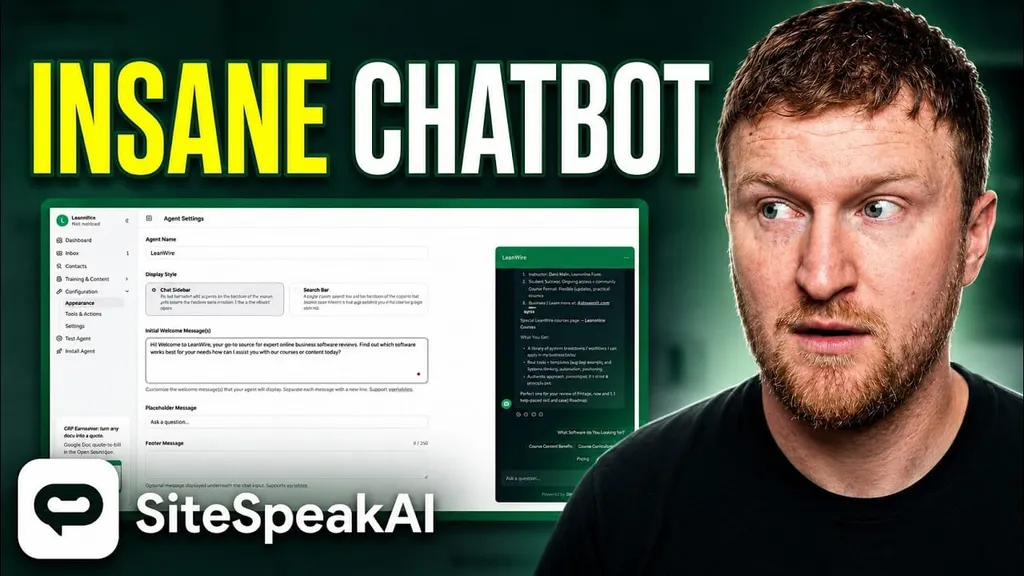
I test a lot of software on this site, and most AI chatbots fall into the same trap. They look great in the demo, then you install them on a real website and they start making things up or giving answers so generic they're useless. So when I sat down to write this SiteSpeakAI review, I did what I always do: I installed it on my actual website, trained it on my real content, and let it loose.
What happened next genuinely surprised me. But before I get to that, let's cover the basics.
If you want to try it yourself, you can start with SiteSpeakAI here. If you are comparing it with other AI tools for content and business workflows, I’d also look at this guide to advanced SEO strategies using AI tools and this roundup of AI text generation tools.
What Is SiteSpeakAI?
SiteSpeakAI is an AI chatbot for website owners that trains on your own content, including your pages, blog posts, help docs, and PDFs, then answers visitor questions in real time. It's a custom trained chatbot, meaning it only knows what you feed it, so answers stay specific to your business. Over 1,000 companies across SaaS, ecommerce, and agencies are using it right now.
One thing worth noting up front: this is not an AppSumo product and it's not a lifetime deal. It's a standalone SaaS with monthly billing, which honestly tells me the founders are building for the long haul rather than chasing a quick cash grab.
SiteSpeakAI Pricing: Free Plan With No Credit Card Required
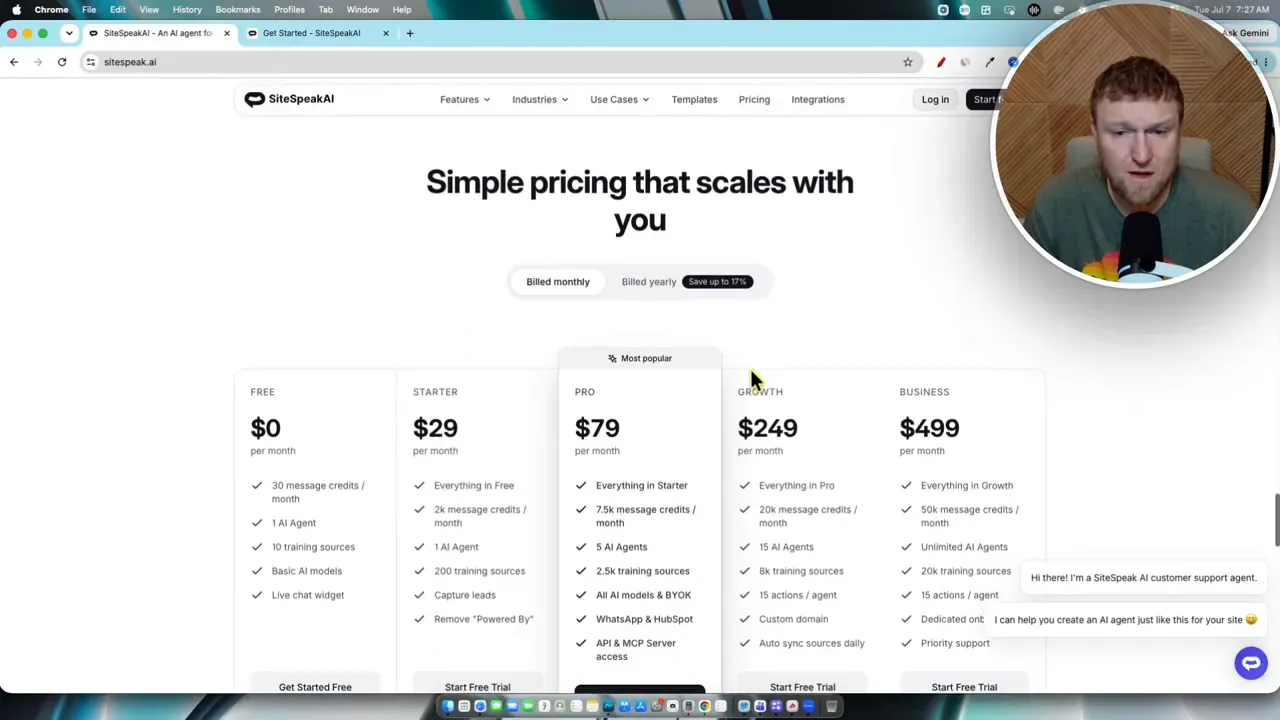
The chatbot pricing plans start at free, and the free chatbot plan is the real deal. There's no credit card required to sign up, which removes the biggest barrier for anyone who just wants to test it today. You get 30 message credits per month, 1 AI agent, and 10 chatbot training sources on the free tier.
The paid tiers break down like this:
- Starter: $29/month. 1,000 message credits, 200 training sources, lead capture, and it removes the "Powered by SiteSpeakAI" branding.
- Pro: $79/month. 3,000 credits, 5 agents, 2,500 sources, all AI models plus bring your own API key (BYOK), WhatsApp chatbot support, HubSpot integration, and API/MCP access.
- Growth: $249/month. 10,000 credits, 15 agents, custom domain, and the ability to auto sync website pages daily.
- Business: $499/month. 20,000 credits, unlimited agents, dedicated onboarding, priority support.
Pricing is based on message credits rather than traffic, though obviously more traffic means more conversations. For most content sites and small businesses, the $29 Starter plan is the sweet spot.
On the AI side, you can run the included models, which give you a choice of OpenAI, Anthropic Claude, Google, and xAI, or plug in your own key. Having AI models (GPT, Claude, Gemini) all available in one dashboard is a nice touch, and the OpenAI integration is set as the default.
If you want a broader look at software pricing and tool selection strategy, the AI Software Workflows resource is relevant here because one of the biggest mistakes people make is stacking too many overlapping AI subscriptions.
Setting It Up: My Real Onboarding Walkthrough
I named my bot for LearnWire, my software review site, and started with a template. The chatbot templates cover a customer support bot, lead qualification bot, FAQ bot, SaaS onboarding chatbot, ecommerce product guide, booking assistant, and an education helper. Since LearnWire is a content and review site, I went with customer support.
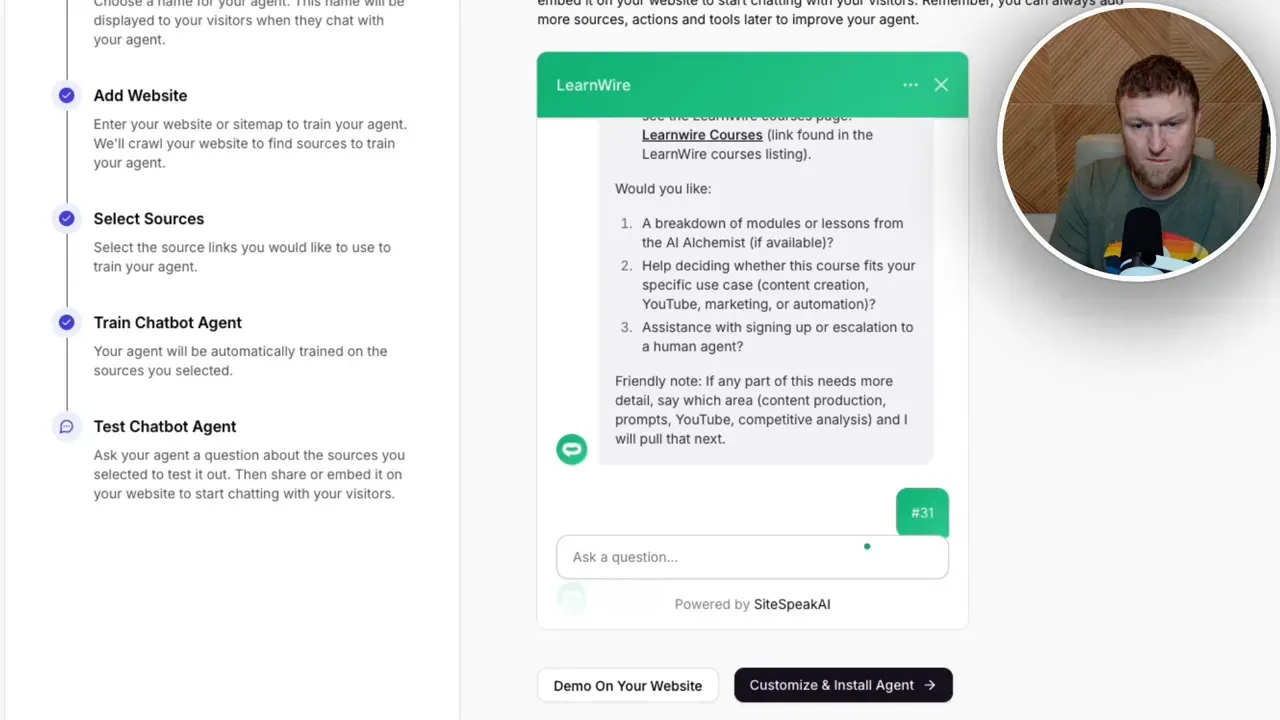
The setup steps are dead simple: name your chatbot, add your website, select your sources, train, and test. I added my URL, picked the pages I wanted, and the website crawling kicked off. Within minutes it had trained on my homepage, my recommended tools page, and my courses page. This is a no-code chatbot in the truest sense. I didn't watch a single training video or open a help doc.
Testing Chatbot Accuracy on My Own Content
Here's where most tools fall apart, so I tested it immediately. I asked about my courses, and it pulled up my AI Alchemist course with the correct length (three hours), an accurate summary, the right price, and a working link straight to my sales page. When I asked for a module breakdown, it nailed the course structure and even named the instructor correctly.
I've tested other chatbots where even this basic retrieval failed. The chatbot accuracy here was the best I've seen right out of the box.
The Dashboard: Your Conversation Inbox Is a Goldmine
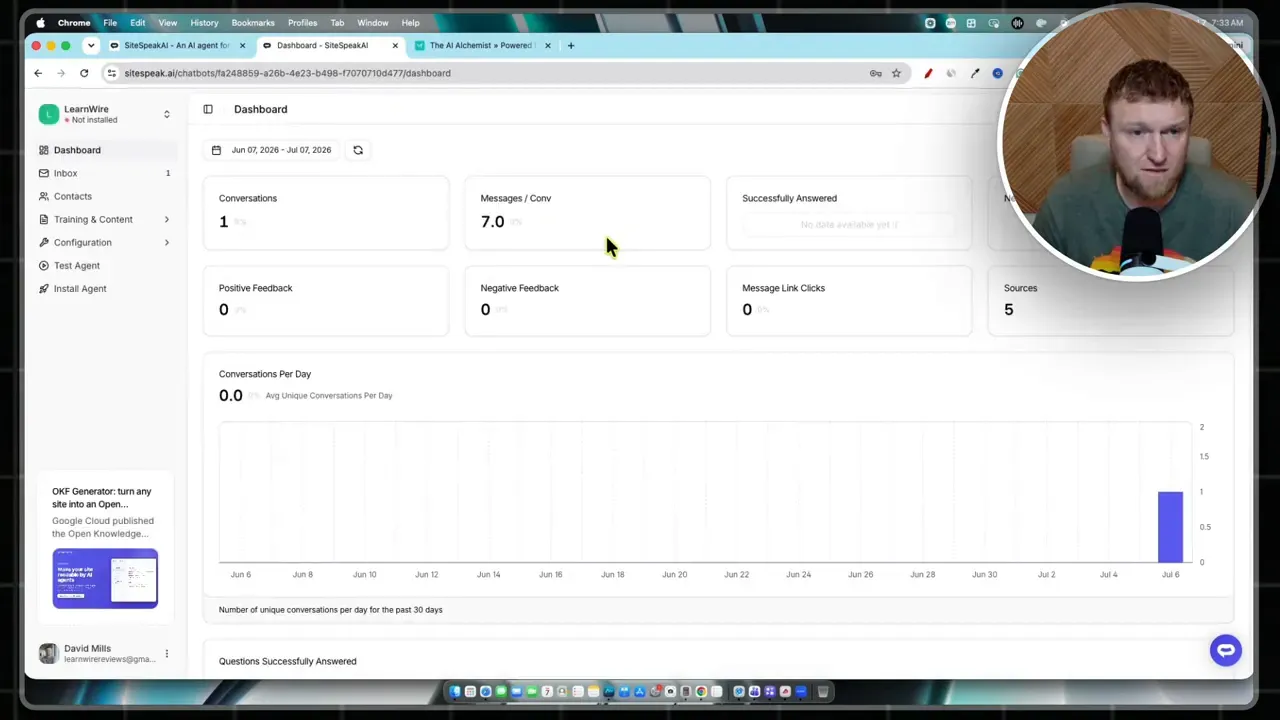
The chatbot analytics dashboard shows conversations, clicked links, and performance stats. But the feature I'd actually log into every week is the conversation inbox. Every chat visitors have with your bot gets saved here, and you can export it as a CSV.
Think about what that means. You get to read the exact visitor questions people are typing on your site. That's market research handed to you for free. Those questions can steer your next course, your next product review, or your next promotion. If you run any kind of content business, this alone might justify the price.
It also works as a lead capture chatbot. You can train it to ask for an email after answering a question or two, and collected leads show up right in the dashboard.
Training Controls and Suggested Messages
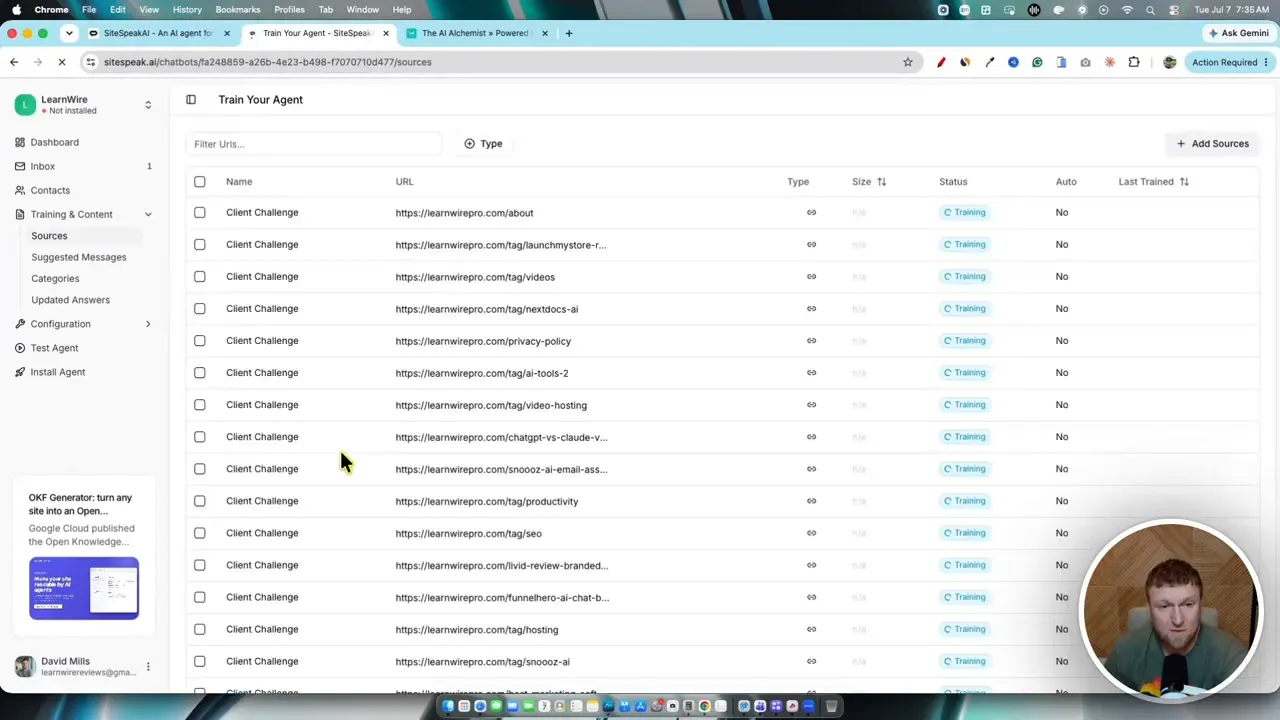
Under training and content, you manage all your sources. I set mine to sync with my website, and it immediately pulled in dozens of pages, turning it into a full knowledge base chatbot for my entire site. It even trains on my tags, so when someone asks about hosting, it knows to reference pages I've tagged with that keyword.
You also get suggested messages, which are the clickable prompts visitors see when the chat opens. Each one can trigger an AI response, send an email, redirect to a link, or escalate to a human. There are question categories to keep everything organized, plus an "updated answers" section where you can hard-code the exact response to a specific question. That level of control is exactly what I want.
Chatbot Customization: Good, With One Gripe
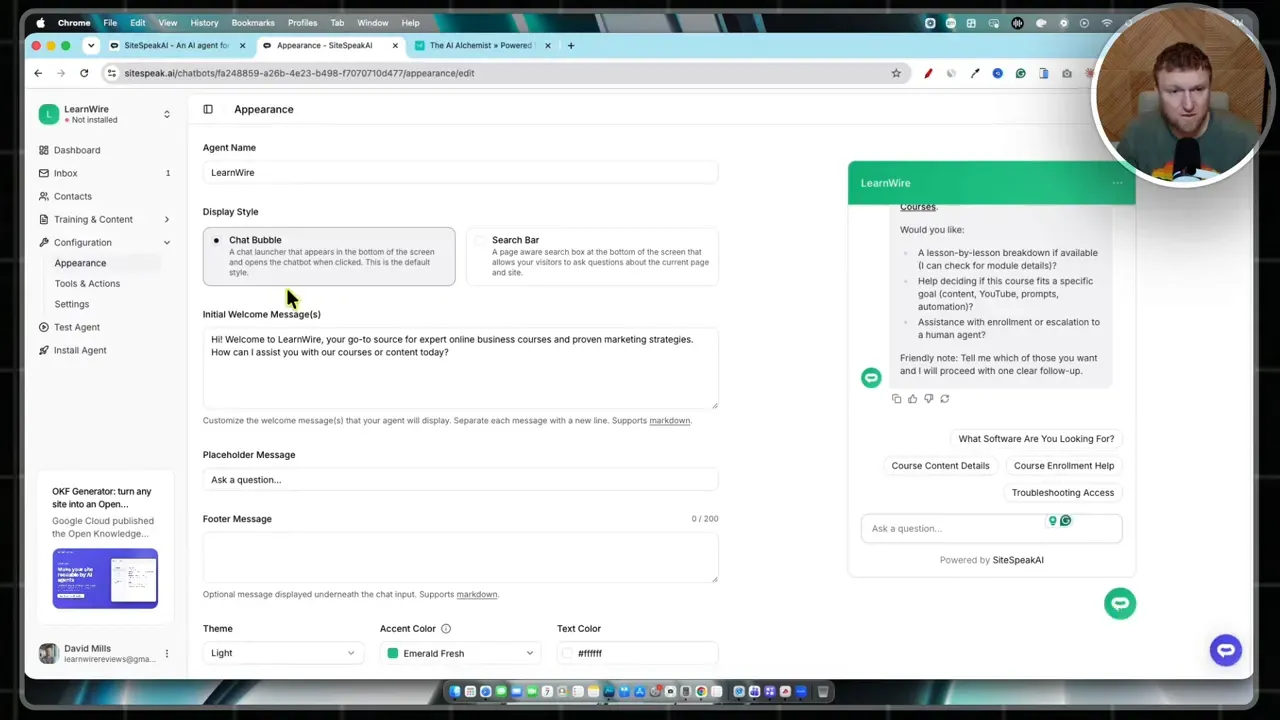
If you're in the middle of your own SiteSpeakAI review research, here's the honest take on appearance options. You can choose between a chat bubble and a search bar, edit the welcome message, adjust the header, buttons, and max height, and switch between light and a dark mode theme.
My one complaint: the color options are limited to presets. I couldn't match my exact brand colors, and the forest and emerald presets look identical, which needs fixing. I ended up going with the dark theme, which honestly works better on my site anyway. But true custom color and logo control should be table stakes for chatbot customization, and I'd like to see that added.
Installing on Ghost (Yes, It Actually Works)
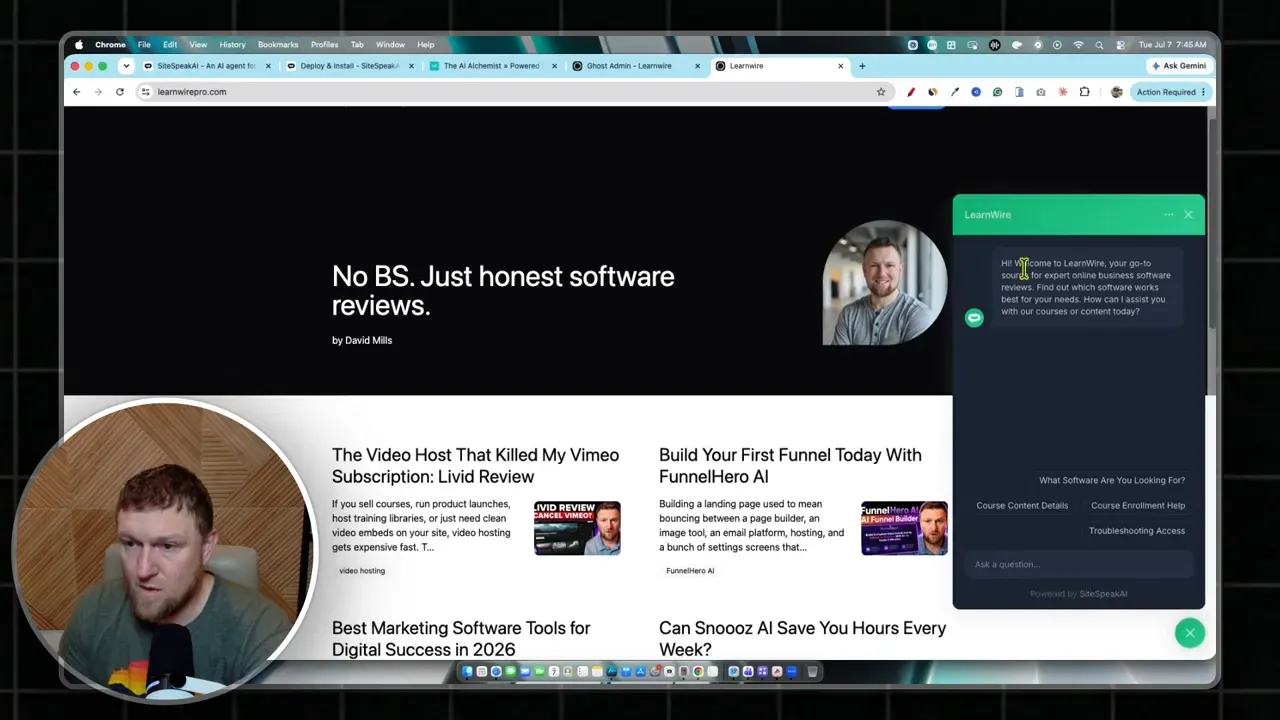
My site runs on Ghost, which plenty of tools ignore. Installation took under a minute: I copied the chatbot embed code, dropped the JavaScript code injection into Ghost's settings, and the bot appeared instantly. So Ghost website integration is confirmed working.
If you're on another platform, there's a WordPress chatbot plugin, Webflow integration, Shopify chatbot support, plus Wix, Framer, Notion, Carrd, and more. Beyond websites, you get Slack and Telegram integration, Discord, WhatsApp, and an iframe option. Wherever your audience is, you can put this thing in front of them.
The Moment That Sold Me
Now for the part that impressed me most. With the bot live on my site, I typed: "I'm a YouTuber and need the best YouTube tool. Can you help?"
It asked a smart follow-up question about which tasks I needed help with. I said keyword research, thumbnails, and video editing. It came back recommending vidIQ for keyword research, 1of10 for thumbnails, and Descript for editing, and every single link was my affiliate link, pulled straight from my own content.
I never instructed it to do that. It read my site, understood my affiliate link recommendations, and routed visitors directly to them. For anyone running a review site or affiliate business, that's the whole game. Someone lands on your site, asks a question, and gets sent to your monetized recommendation in one step instead of three.
Human Handoff Works Out of the Box
I also tested the live chat widget's escalation. I typed "can I talk with a human?" and the bot collected my email, a short description of my issue, and my preferred contact method, then forwarded everything to the support queue. I didn't configure any of this. The human handoff was already built in, and it's part of what makes this feel like real customer support automation rather than a toy.
What Could Be Better
No review is complete without the downsides. The email integrations are thin right now, with just HubSpot and Drip, and I'd love to see ConvertKit, ActiveCampaign, and other popular providers added. The color presets need work, as mentioned. And I didn't spot an obvious logo upload during setup, though white label chatbot and agency options do exist on higher tiers.
It's also a strong SiteGPT alternative. I reviewed SiteGPT months ago, and SiteSpeakAI's out-of-the-box experience beats it. As a bonus, it's a multilingual chatbot (95+ languages), automatically detecting and replying in your visitor's language.
Final Verdict: 4.8 Out of 5 Stars
To wrap up this SiteSpeakAI review: I'm giving it a 4.8 out of 5. As a website chatbot builder, it's the best I've tested, period. Setup took minutes, the answers were accurate, installation on Ghost was painless, and it found my affiliate links on its own. If you're getting real traffic, especially 20,000+ visitors a month, this tool starts paying for itself in leads, sales, and audience intel almost immediately. Start with the free plan, kick the tires, and upgrade to Starter at $29/month when you're ready to remove the branding. There's a link below to try it free.
FAQ
Is there a free plan? Yes. The free tier includes 30 message credits per month with no credit card required.
Does SiteSpeakAI work with Ghost and WordPress? Yes. I installed it on my Ghost site via code injection in under a minute, and there's a dedicated WordPress plugin.
Which AI models does it use? You can choose between OpenAI, Anthropic Claude, Google, and xAI models, or bring your own API key on the Pro plan.
Can it hand off conversations to a human? Yes. Built-in human handoff collects the visitor's email and issue details, then routes the conversation to your team.
How much does SiteSpeakAI cost? Plans start free, then run $29 (Starter), $79 (Pro), $249 (Growth), and $499 (Business) per month, priced by message credits.