Lunacal
Booking pages, paid sessions and client portals for coaches and consultants
Watch my full review
- What it is
- Lunacal is appointment scheduling software with customizable booking pages, payments, reminders, client portals and analytics. It aims to give coaches and consultants more than a plain Calendly link.
- Pricing
- AppSumo lifetime deal tiers run from $59 (Tier 1) to $899 (Tier 6), and I demoed Tier 4 at $449.
- Best for
- Coaches, consultants, creators and service businesses that want branded booking pages and paid sessions.
- LearnWire's Rating
- 5.0 / 5
My review
This Lunacal review covers the scheduling tool that gives coaches and consultants branded booking pages with payments built in. What stood out right away was how fast it built my page, including an about section and FAQs I didn't write myself. If you're hunting for the best Calendly alternative for coaches and consultants, it deserves a look.
I first looked at Lunacal about two years ago. It's back on AppSumo for the 2026 Black Friday event, so I logged into my old account to see what's changed. A lot has.
Why I Came Back to It
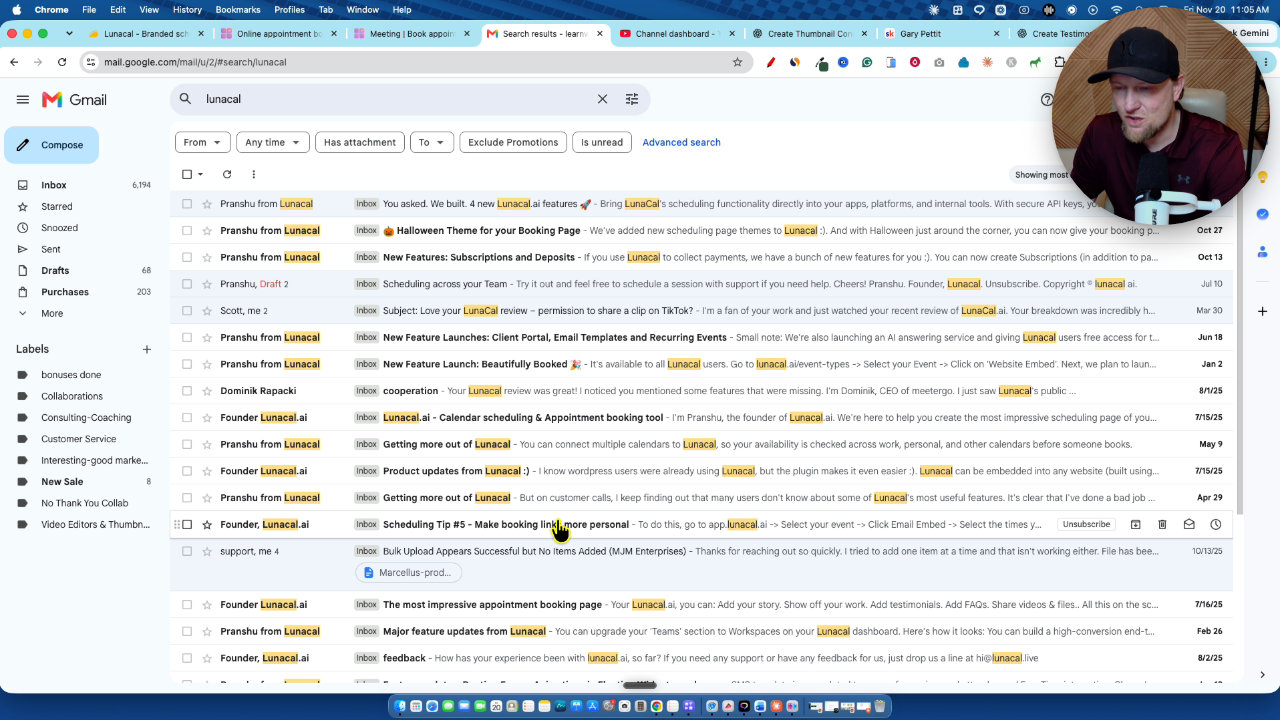
What I liked originally was that it adds value beyond sending someone a Calendly link. Two years on, the company is still shipping. My old account's inbox showed update emails going back months: API, MCP, subscriptions and deposits, a client portal, recurring events and booking widgets.
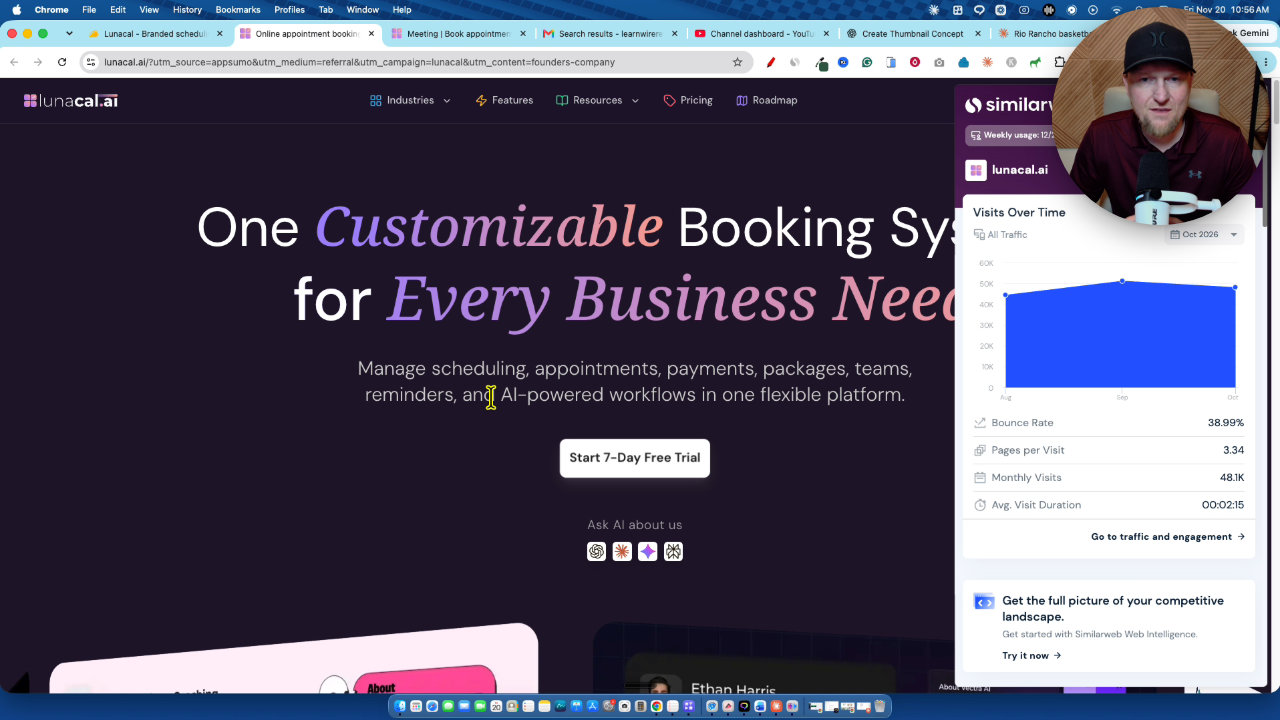
That kind of steady output is what I want from a lifetime deal. The company is a small, bootstrapped team in India, and its site pulled almost 50,000 visitors over two years, mostly from its own efforts.
Setting Up a Booking Page
Onboarding asked for my name and company, then dropped me on a ready page. A quick tour shows the basics: edit content, show or hide widgets, change the design, publish.
I swapped in my logo and cropped it. I'd already connected Google Calendar and Google Meet through the wizard.
Auto-Generated Content and Testimonials
Lunacal built the about section and FAQs automatically, and they were good. It also pulled in two testimonials. One matched a real course participant, and I don't know where the other came from.
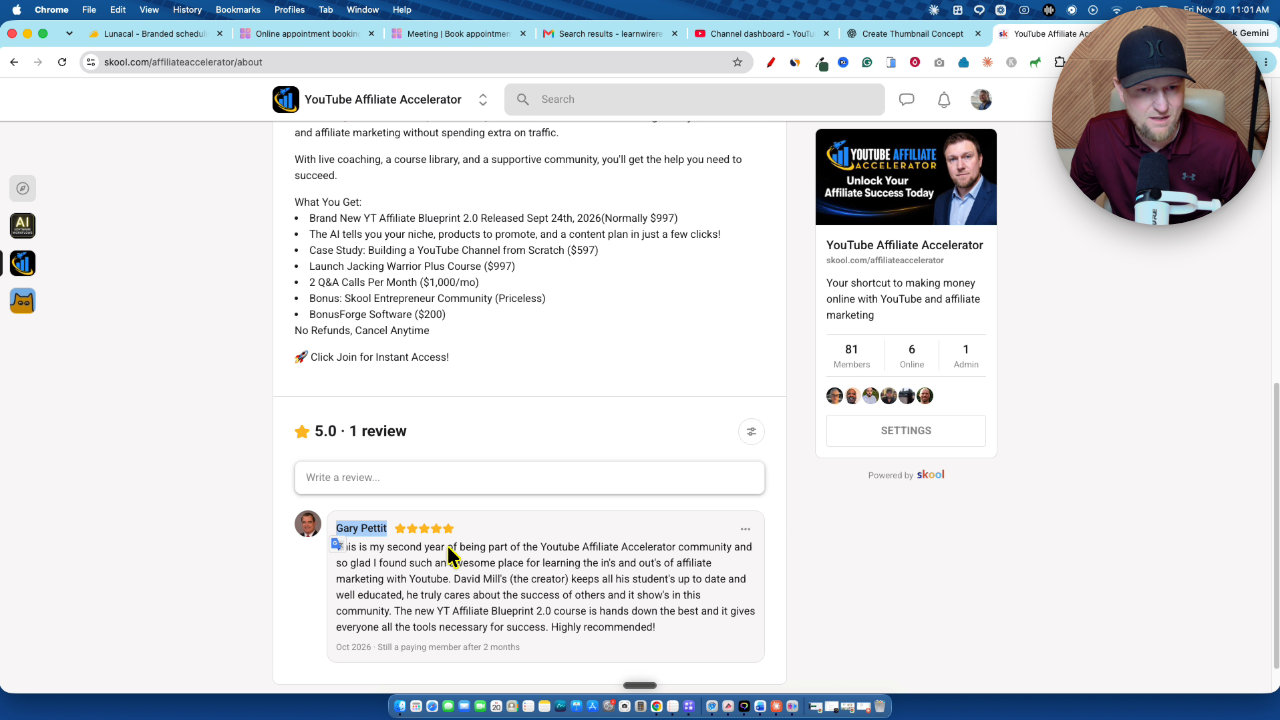
I replaced them with a real public review from my school community. Adding one is simple, and the cards drag and drop into the order you want.
Themes, Colors and Widgets
There are 9 main themes, including Bold, Professional, Playful and Doodle, plus seasonal ones like Halloween and Christmas. Switching takes one click.
My complaint: the color options felt limited at first, and switching themes resets your custom colors. Once I found the color settings I set my exact LearnWire green and a lighter background, and that worked well.
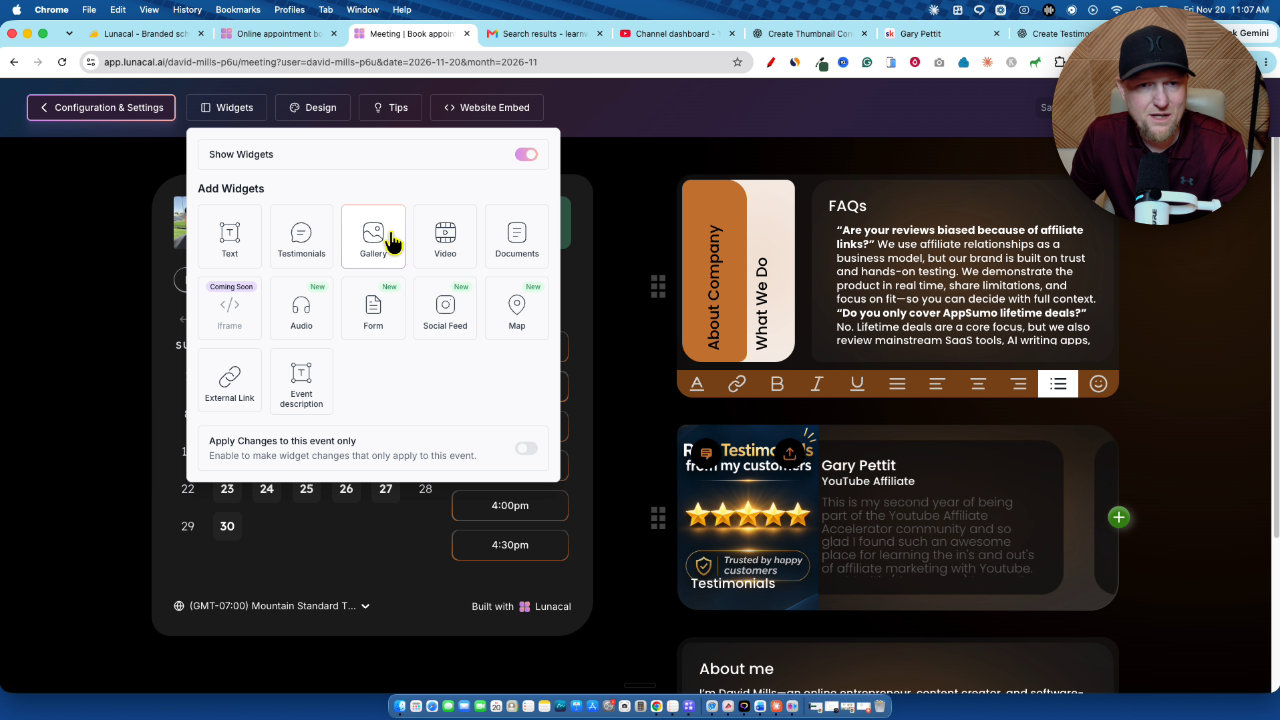
The widget list covers gallery, video, map, social feed, forms, audio and external links. I liked the simplicity of what I had, so I didn't add many.
Embedding on Your Website
The embed tool lets you show the booking page inline with styles like chalk line, midnight, void and cosmos. You can load it lazily so the page stays fast, or let AI choose a theme, then copy the code.
When I opened the live link, I didn't love the gray-on-gray look, so I'd tweak the theme. That's a quick fix.
Events, Payments and Workflows
Under configuration you set events, availability, booking questions and reminder workflows. You can charge through Stripe or PayPal, and the tier I demoed has 0% commission and coupons. There are bookings views, packages like a 6-session coaching bundle, and subscriptions.
Routing forms ask questions and send attendees to the right event or person. They're simple, not a full form builder.
Analytics, Integrations and the Client Portal
Insights show revenue, bookings in the last 30 days and completed bookings, with CSV downloads and a customer list. Integrations include Zapier, PayPal, Stripe, Pipedrive and HubSpot.
My wish: direct email integrations like SendFox so I don't need Zapier just to add bookers to a list.
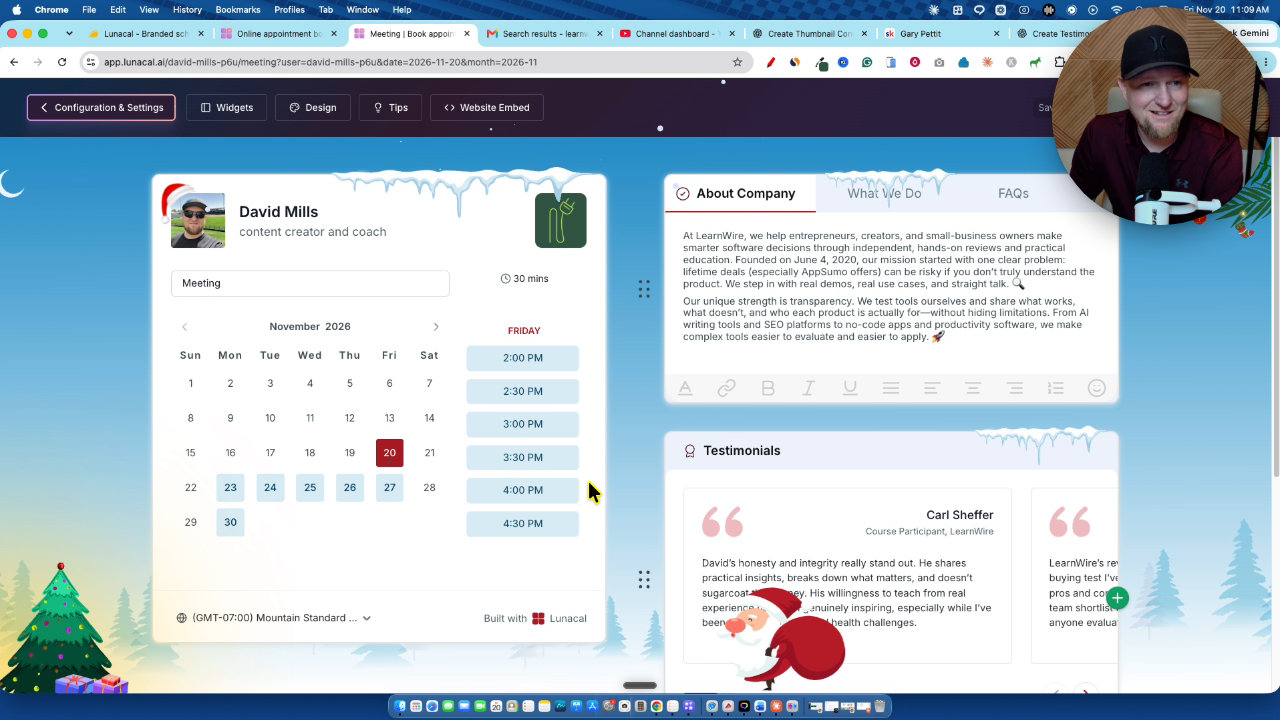
The client portal is a private space for bookings, packages, subscriptions, resources and notes. The preview was slow to click through for me, but the idea is solid for coaches selling courses or ongoing support.
Pricing Thoughts
Tier 1 is $59 and still includes payments. You don't get a custom domain until Tier 2. I picked Tier 4 for the API and MCP access, since I'd want Claude or ChatGPT to handle setup. I don't understand the rebrand and sell Lunacal item, and a tooltip would help.
My Verdict
I'm giving Lunacal 5 out of 5. I hit no bugs, the pages look better than Calendly, payments work, and the update pace is real. Add the 4.7 rating, 0% refund rate and a fair Tier 1 price, and I genuinely like it.
Key features
Customizable booking pages
Drag and drop widgets like testimonials, FAQs and about sections. There are 9 themes, plus custom colors and backgrounds.
Stripe and PayPal payments
You can charge for meetings so people prepay before booking. Payments are available even on Tier 1.
Google Calendar and Meet
I connected my Google Calendar and used Google Meet for the meetings, set up through the onboarding wizard.
Workflows and reminders
Trigger email reminders and workflows before and after meetings, set per event type.
Client portal
A private space where clients see bookings, packages, subscriptions, resources and notes.
Packages and subscriptions
Create things like a 6-session coaching package or a recurring subscription (higher tiers).
Website embeds
Embed the booking page inline on your site with styles, lazy load and an option to let AI pick a theme.
Routing forms and analytics
Routing forms send attendees to the right event or person, and insights show revenue and bookings. Zapier, Pipedrive and HubSpot integrations are available.
Pricing
- Payments included
- No webhooks, packages, subscriptions, team scheduling or routing
- First tier with a custom domain
- More users, companies and custom domains
- API and MCP access
- Only rebrand and sell Lunacal is locked
- Up to 30 workspaces
- No feature limitations
- Up to 7 custom domains
Pros and cons
What I liked
- Booking pages look far more polished than a basic Calendly link
- Payments via Stripe and PayPal, even on the entry tier
- New updates roughly every month for two years
- Client portal, packages and subscriptions in one tool
- I hit no bugs during testing
- Strong AppSumo track record: 4.7 from 127 reviews and a 0% refund rate
What could be better
- No custom domain until Tier 2
- Changing the theme resets colors, so I had to redo them
- Limited email integrations, so I'd need Zapier to add bookers to a list
- The rebrand and sell Lunacal feature is unexplained and has no tooltip
Who it's for
Coaches and consultants
Paid sessions, packages and a client portal let you run the business from one place.
Creators and service businesses
Branded pages with testimonials, FAQs and embeds make booking look professional.
Agencies and multi-brand owners
Higher tiers add workspaces, custom domains and team scheduling.
Limitations: when to look elsewhere
- If you need a custom domain, Tier 1 won't do it
- If you want direct integrations with email tools like SendFox, you'd currently need Zapier
FAQ
Reader reviews
Lunacal alternatives

 AppSumo
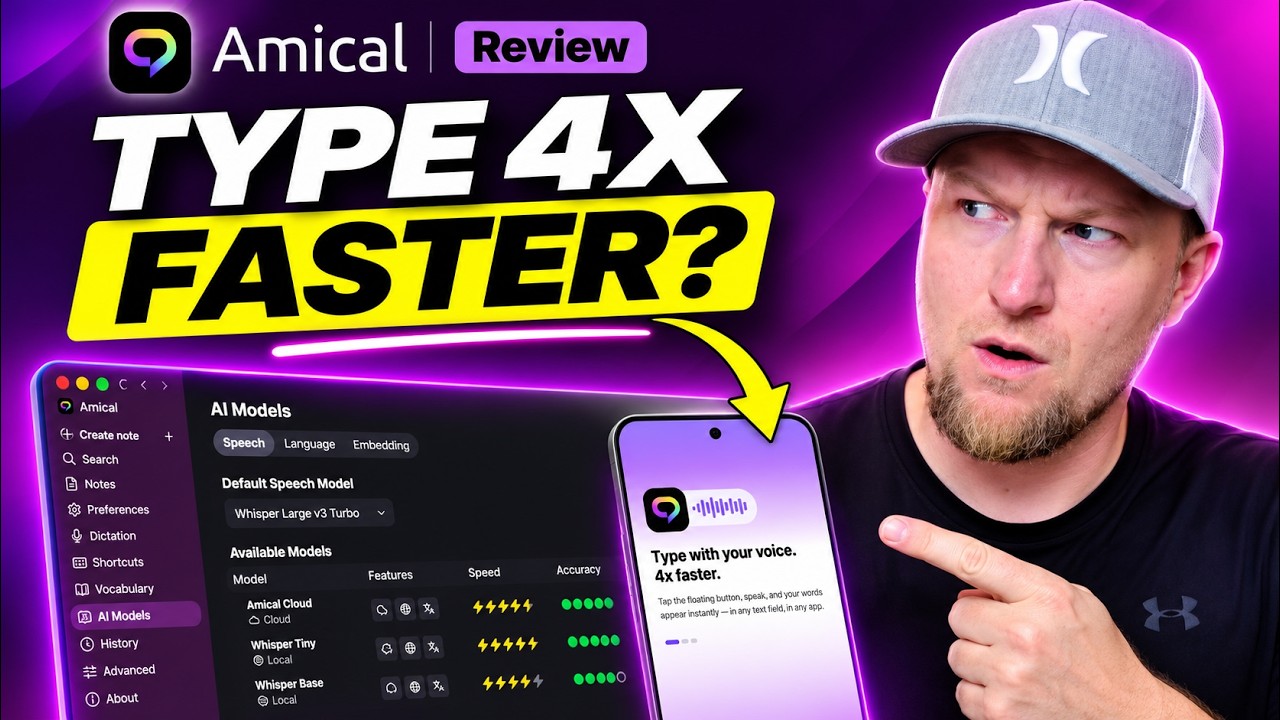
Amical
Desktop AI dictation that turns speech into polished text or drafted emails in any app.