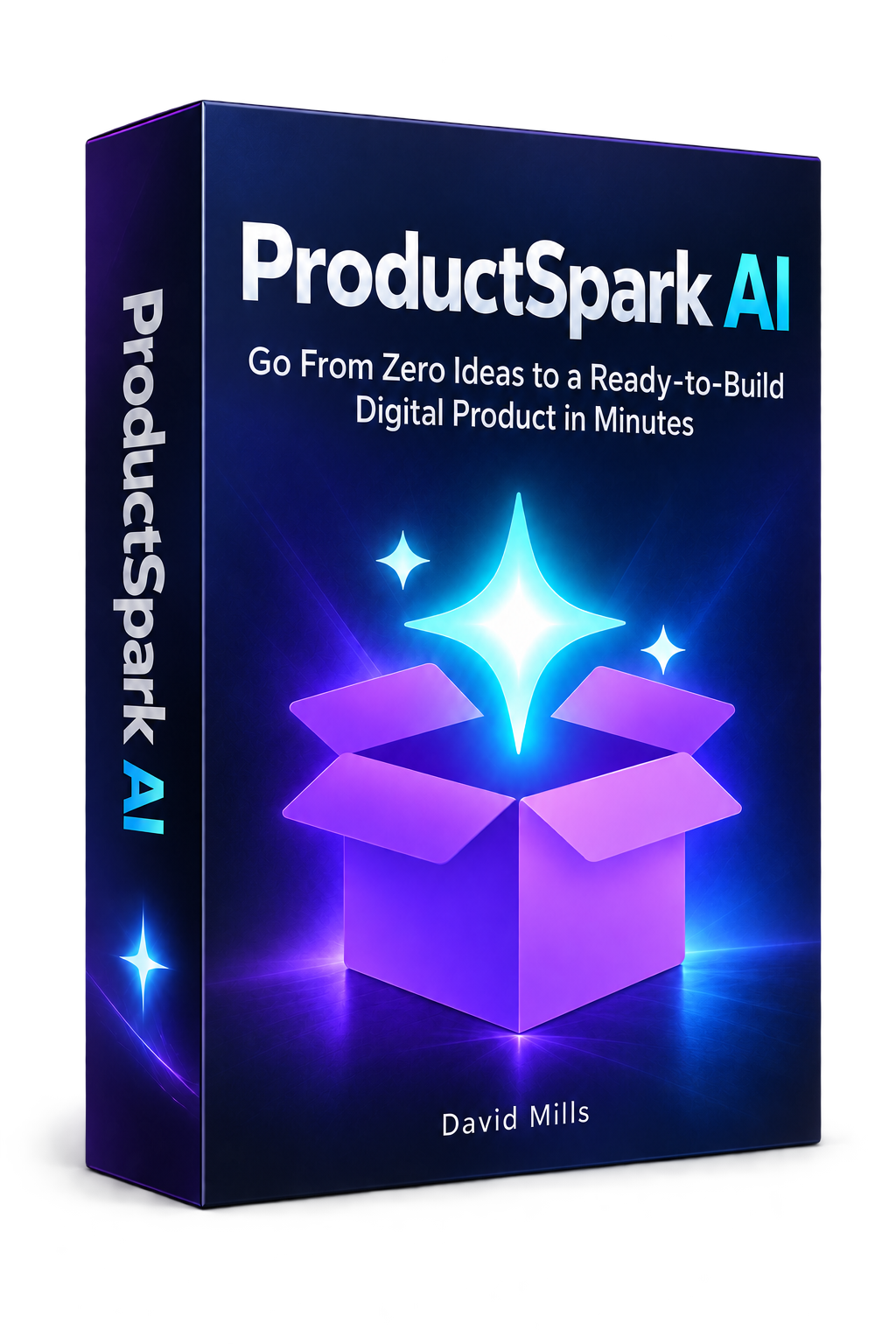
ProductSpark AI Review: Build and Launch Digital Products With AI

A good digital product starts with a specific problem and a clear buyer. The tricky part is turning that starting point into something useful, then creating the emails, graphics, and content needed to sell it. I built ProductSpark AI to make that process less intimidating.
The software begins with a niche and a product format, generates ten ideas, and creates a detailed prompt for the idea I choose. Optional modules extend that workflow into complementary offers, email campaigns, branding prompts, and an organic traffic plan. It can be useful for a product I want to sell, but also for a lead magnet, an affiliate bonus, or a client deliverable.
There is an important distinction here: ProductSpark AI is not a one-click business. It handles much of the brainstorming and planning. For some simpler formats, an external AI assistant can also produce a substantial draft of the product. I still need to check the work, make it genuinely helpful, and put it in front of the right people.
Table of Contents
- What ProductSpark AI actually does
- From a niche to ten product ideas
- The master prompt is the bridge to a finished product
- Pro turns one product into a connected funnel
- The email sequencer works for my products and affiliate offers
- Graphics prompts keep the branding connected
- A traffic plan gives the product somewhere to go
- Access, saved projects, and pricing
- My take: start with the product you can actually finish
What ProductSpark AI actually does
The core generator supports PDF reports and guides, prompt packs, email series, single-video trainings, online courses, and software or simple app concepts. I can enter a niche myself or ask the tool to choose one. Then I set the product’s purpose, audience level, and desired scope.
That purpose matters more than it might seem. A free lead magnet should solve one focused problem and encourage a next step. An affiliate bonus should complement the offer I am promoting. A paid product needs enough substance to justify its price. The generator gives me options for a product to sell, a lead magnet, an affiliate bonus, a low-ticket offer, an upgrade, or a client deliverable, so I do not have to treat all those jobs as interchangeable.
I can also choose a beginner, intermediate, or advanced audience, or let the AI decide. For the scope, I can request something fast and easy, balanced, or more detailed and premium. Those settings help keep a simple giveaway from becoming an oversized course idea, or a paid offer from feeling too thin.
From a niche to ten product ideas
To test the workflow, I chose yoga for beginners, selected a PDF report or guide, and set the goal to a product for sale. I left the audience decision to the AI and chose the fast and easy scope. The generator returned ten concepts to compare.
The ideas were more useful than a list of titles alone. Each included details such as the target buyer, the intended outcome, why the concept might work, and an indication of how difficult it would be to create. One option was a 30-day beginner yoga challenge planner. Another was a seven-day daily yoga plan aimed at flexibility and calm.
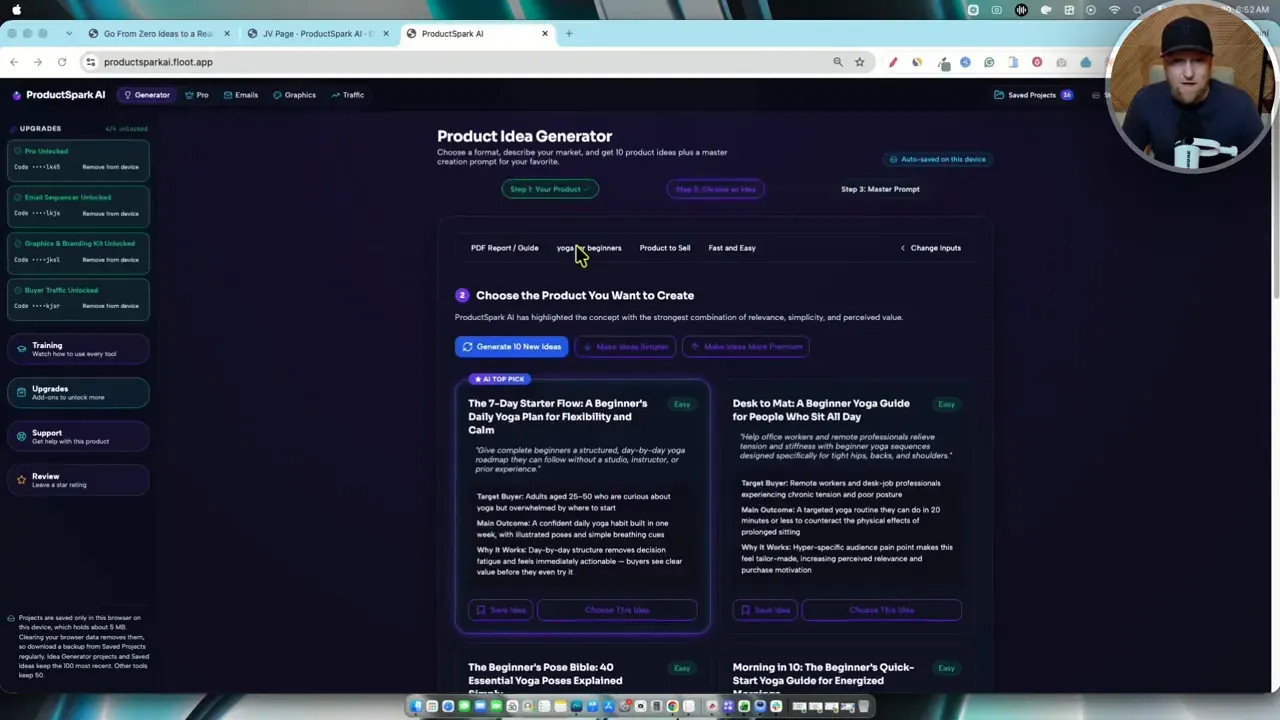
I can generate ten fresh ideas, ask for simpler concepts, or push the suggestions toward a more premium product. I can also save an interesting idea without committing to it. That is handy when I find several possibilities but only want to build one right now. For broader help choosing a market before reaching this stage, I have also covered finding a blogging niche with NicheFinder.
For this example, I picked the seven-day starter plan. The selection became the foundation for everything that followed, so I would pause here in a real project and ask a basic question: Would a beginner know exactly what they will get and why it helps? If the answer is vague, I would refine the idea before generating more assets around it.
The master prompt is the bridge to a finished product
Once I choose an idea, ProductSpark AI produces a master product-creation prompt. It retains the concept and its positioning, and the project is automatically saved when I reach this stage. I can generate an alternative prompt if I want another approach.
The next step happens outside ProductSpark AI. I copy the prompt into an AI assistant such as Claude. In the yoga example, the assistant developed the product concept, examined the intended buyer and their pain points, suggested positioning, and worked toward a document for the guide. I could then download the document, request improvements, and convert it to a PDF.
This division of labor is worth understanding before buying. ProductSpark AI creates the concept and instructions; an external AI tool carries out the prompt. For a PDF guide, that process can get me remarkably close to a usable draft. It does not mean every product format becomes finished in minutes. A course still needs lessons developed, and a video training still needs to be recorded. A software concept needs actual building and testing.
I would review any AI-created guide before selling it, especially one involving physical activity. The value is in having a structured first version to improve rather than starting with an empty document. If protecting and delivering a finished download is the next hurdle, my ProductDyno review explores a separate tool for managing digital products.
Pro turns one product into a connected funnel
The Pro upgrade takes an existing front-end idea and proposes complementary products for a sales funnel. I can start from scratch, but using the saved yoga concept makes it easier to keep the offers connected.
The tool allows up to six upsells. I would rarely want that many. Three or four is a more comfortable ceiling for me because a long chain of offers can become frustrating. In the demonstration, I asked for three additions to the seven-day starter plan:
- A habit tracker and progress kit: a spreadsheet or calculator concept to help someone follow the original plan.
- A breathing and body-scan audio guide: a companion concept involving recorded sessions.
- A 30-day follow-on plan: a way to extend the beginner’s practice beyond the initial week.
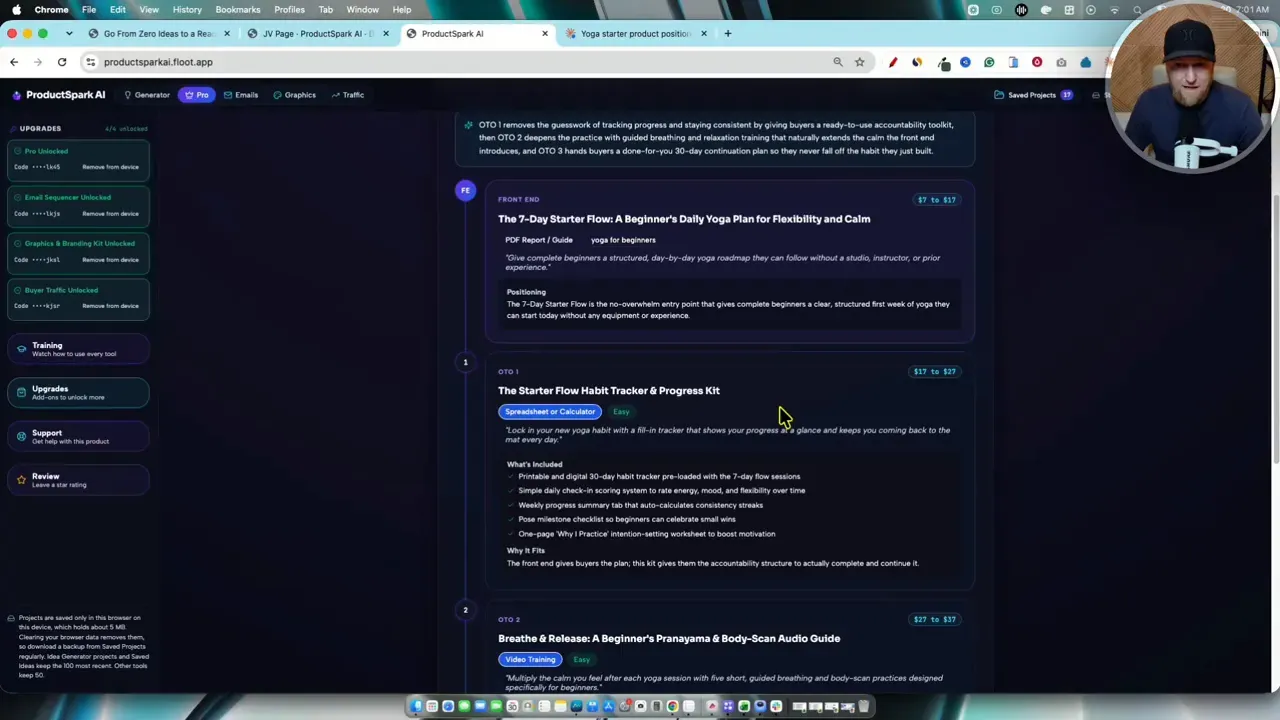
I like the logic of these offers. Each addresses a plausible next need rather than attaching an unrelated product simply to add another checkout step. The tool also suggests what an offer might include and provides price ideas. Those numbers are starting points, not proof that customers will pay them.
After proposing the funnel, Pro creates a master prompt for each additional product. A spreadsheet may be feasible to draft with an AI assistant. For an audio or video offer, the prompt can provide direction and an outline, but I still need to make the recordings. I can save the whole funnel and return to its ideas and prompts later.
The email sequencer works for my products and affiliate offers
Once a product exists, I need a way to explain it to potential buyers. The email sequencer can build a campaign from a saved offer, or I can start with a separate product I am promoting as an affiliate. For that second route, I enter the offer and relevant sales-page information rather than pretending I created the product myself.
I can set a campaign length from one to ten days and choose one, two, or three emails per day. I can select short, medium, or long copy and choose among direct-response, story-based, and practical benefits-and-features styles. There is also an option to include an affiliate bonus in the messages.
One detail reflects how I actually run some promotions. A call to action does not have to point to only a sales page. I can include a review video link, an affiliate link, or both, with options to alternate or vary the links across emails. I can customize greetings, sign-offs, my name, and my brand as well.
For the yoga offer, I generated a five-day campaign with one email per day. The resulting messages had subject lines and product-specific copy, and I could copy the campaign into an email autoresponder or save it to the library. I would still edit each message for accuracy and voice. Generated copy is most valuable when it gives me a strong draft, not when I send it without reading it.
If I am judging the results after a launch, I would look beyond whether the emails were sent. Opens and engagement can tell me where a campaign needs work. I have a separate guide on email open rates and ways to improve them.
Graphics prompts keep the branding connected
The graphics and branding upgrade uses a saved product, or a new concept, to generate prompts for visual assets. Available options include a logo, product box, YouTube thumbnail, Pinterest pin, ebook cover, prompt-pack graphic, and course banner. I do not have to create all of them at once.
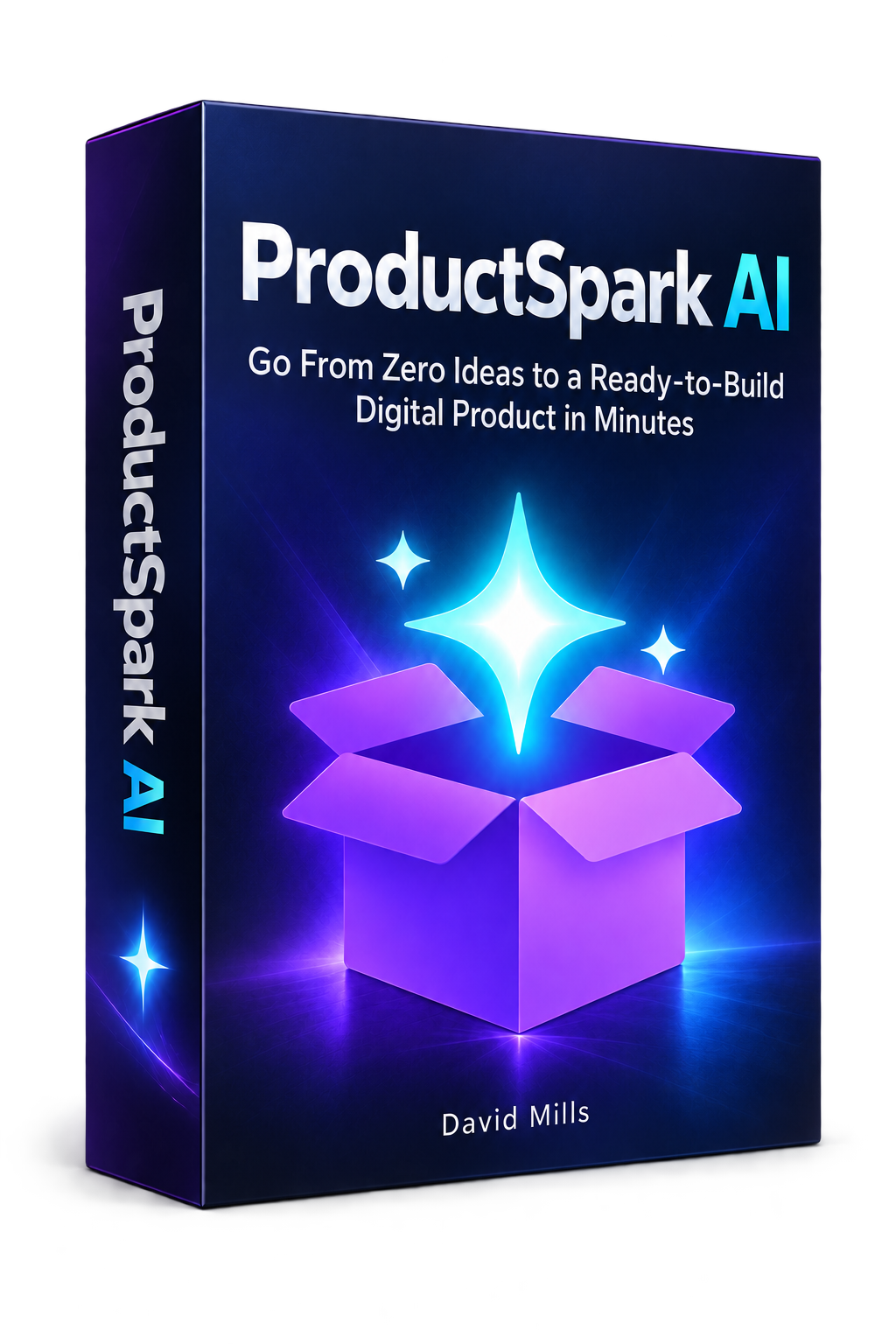
For the seven-day yoga product, I selected a logo and a product box. I could choose a preset color palette, use a color picker, or describe the colors I wanted. The tool then produced prompts that I copied into ChatGPT to generate the images. The resulting logo and box shared a recognizable visual direction.
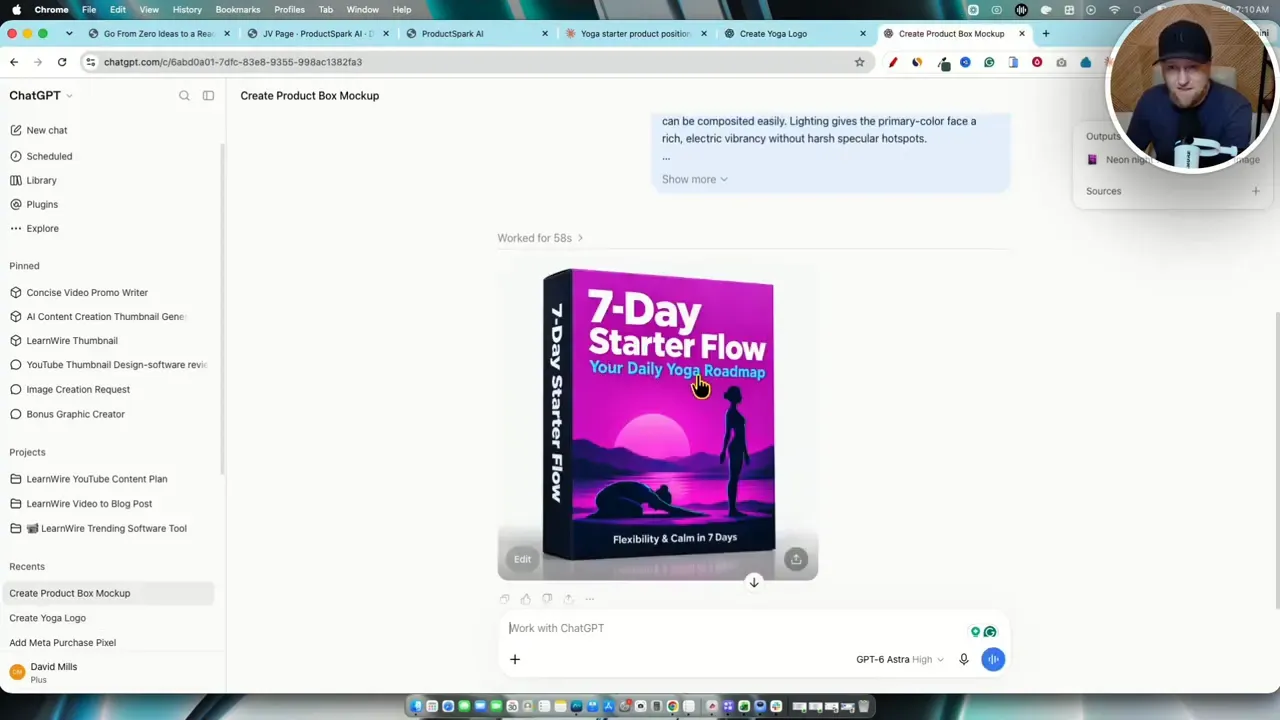
These graphics are a useful starting point, not a substitute for a final inspection. I would check that the text is legible, the design suits the audience, and the image represents the product honestly. The main advantage is that I can carry the same product name and palette into several assets without writing every image prompt from scratch.
A traffic plan gives the product somewhere to go
Building a product is only half the job. The buyer traffic upgrade focuses on organic promotion through YouTube, Pinterest, and Instagram. It includes training on free traffic and attracting affiliates, plus a tool that can build a plan from a saved product or a fresh idea.
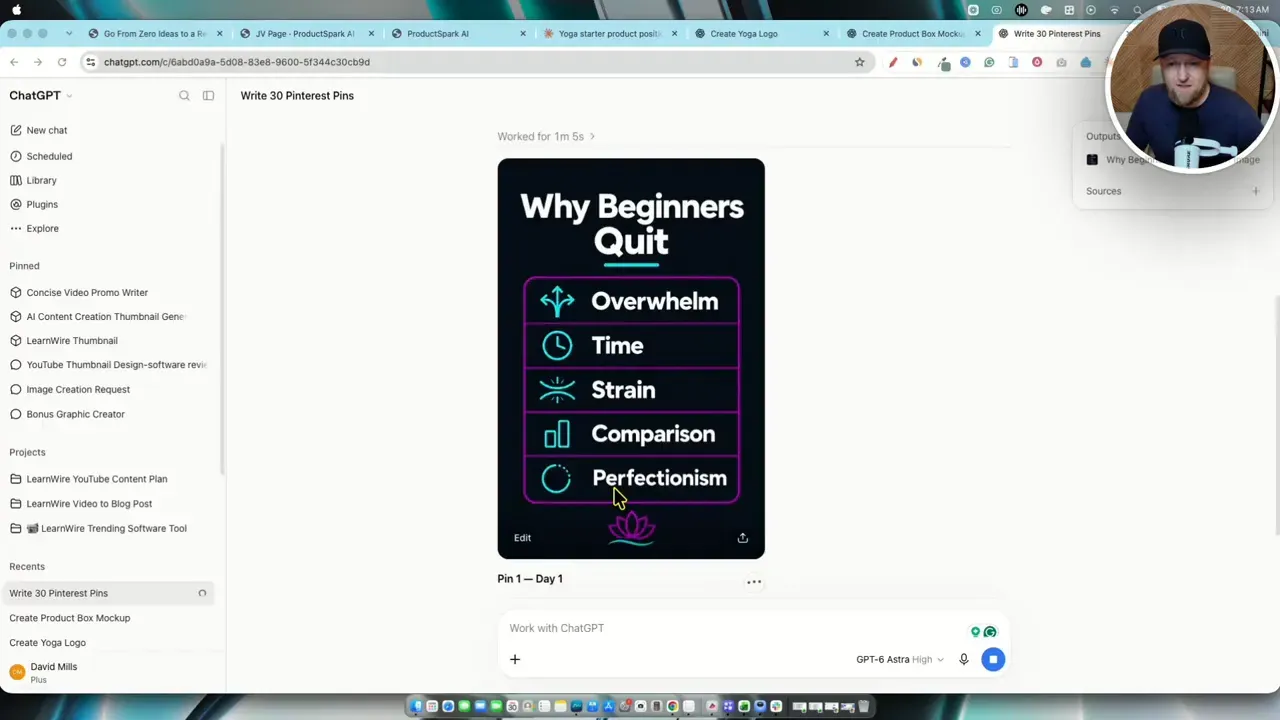
For the yoga guide, the generated plan included ten YouTube video concepts, with titles and angles connected to the intended audience and product. It also created a 30-day Pinterest plan and an Instagram Reels plan. The Pinterest instructions could be copied into an AI assistant to draft an individual pin, including an image idea, title, description, and suggested board. In the example, the first generated pin used the product branding and addressed reasons beginners might give up.
I like having a connected set of content ideas, but I would not treat any traffic plan as a promise of views or sales. I still have to make and publish the videos, check the pins, create or record the short-form content, and learn what resonates. The plan solves the question of what should I make next? It does not remove the work of distribution.
Access, saved projects, and pricing
ProductSpark AI uses license keys to unlock the modules rather than a conventional account password. The generator is the front-end product; Pro, the email sequencer, the graphics and branding pack, and buyer traffic are separate upgrades. The interface includes training for each module, along with support and an area for saved work.
The storage setup deserves special attention. Projects are saved in the browser on the local device, not in a cloud account. I can browse saved ideas, funnels, campaigns, and other projects, and export the data as a CSV file for backup or import. If I clear the browser data that stores those projects, I risk losing work that I have not exported. I would make a habit of downloading a backup after an important session, particularly before clearing browser data or changing computers.
At the launch described here, the front-end generator was priced at $9.95 as a one-time purchase, and the complete funnel was described as costing about $84.95. The offer was presented without a recurring subscription or monthly credit packs, subject to fair use. Those were launch prices, not permanent price guarantees, so I would check the current ProductSpark AI offer for the terms available now.
My take: start with the product you can actually finish
ProductSpark AI is most useful when I already know roughly whom I want to help but need a quicker route from idea to a workable product plan. The generator can narrow the options, the master prompt can produce a substantial draft of a simpler digital product, and the upgrades keep the funnel, promotion, and branding tied to the same original concept.
I would start small. A focused guide, prompt pack, or single-video training gives me a chance to assess the quality of the idea and finish something useful. Then I would add an upsell, email sequence, or traffic plan only where it serves that product. A full funnel built around an unhelpful front-end offer is still an unhelpful funnel.
The biggest time saving is not that AI eliminates judgment. It is that I can spend less time staring at a blank page and more time improving the product, checking the details, and finding out whether the intended buyer actually wants it.