StoryChief
AI content research, writing, SEO and multi-channel publishing in one workflow.
Watch my full review
- What it is
- StoryChief is a content management platform that takes an article from AI research and draft to published on your website and social channels, all in one workflow.
- Pricing
- The AppSumo lifetime deal starts at $69 for tier 1 and goes up to $699 for tier 4.
- Best for
- Agencies, SEO freelancers and teams who manage content and social posting for multiple brands or clients.
- LearnWire's Rating
- 4.5 / 5
My review
Thanks for checking out my StoryChief review, the content platform that takes an article from AI research and drafting through to publishing on your site and social channels. What jumped out at me right away was connecting my Ghost site plus X, LinkedIn, Threads and Pinterest in under 5 minutes, even though the image generator kept failing on me. If you want an AppSumo lifetime deal for multi-channel content publishing, it's well worth a look.
I don't remember reviewing StoryChief before, and it may have been before this channel even started. It's coming back to AppSumo for the second time after years away, and people have been asking for it. So I spent my time inside the software rather than the sales page.
Getting connected
This is a big tool, so I skipped things like knowledge files and Google Search Console. I went straight to connecting channels, which is where a new user would start.
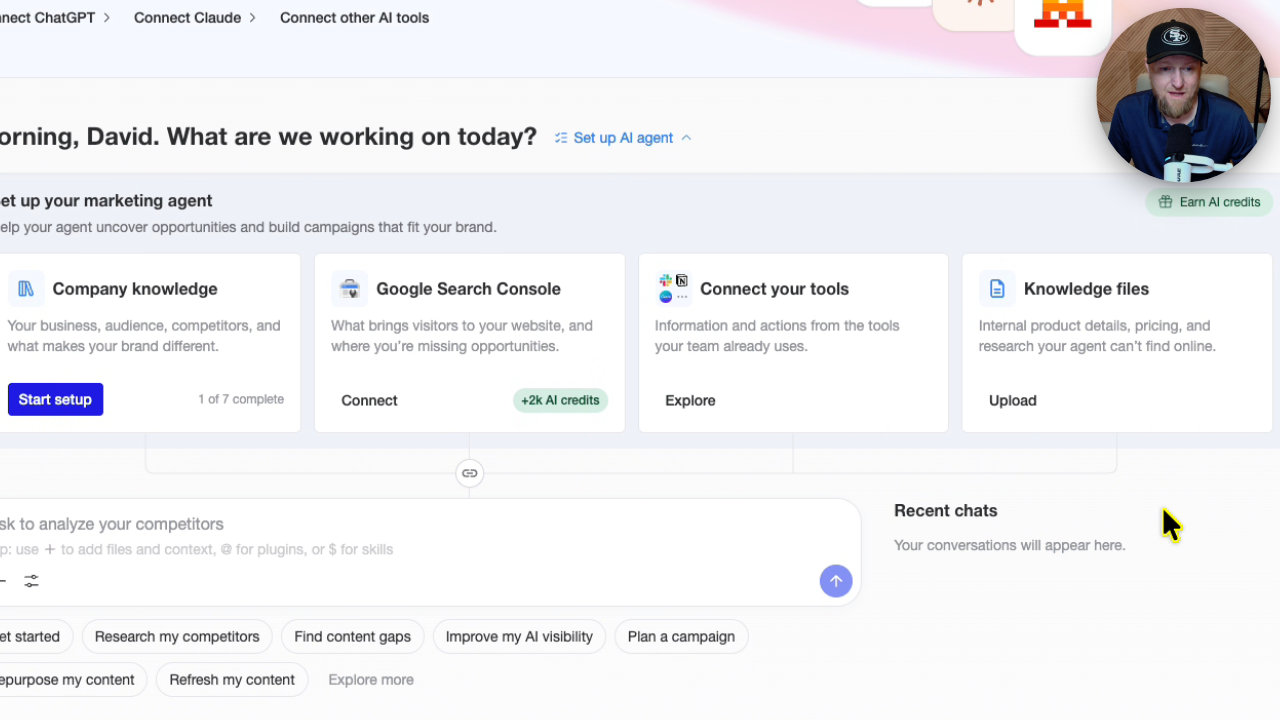
My Ghost site connected easily. Then I hooked up X, LinkedIn, Threads and Pinterest. The whole thing took less than 5 minutes.
Finding content gaps with the AI agent
The chatbot on the dashboard offers prompts like find content gaps, plan a campaign and research competitors. I clicked find content gaps and let it do its thing.
It mapped my published topics, saw that my library leans toward software reviews, and flagged broader advice gaps. It even showed a search volume figure, 880 monthly searches for one small business AI topic.
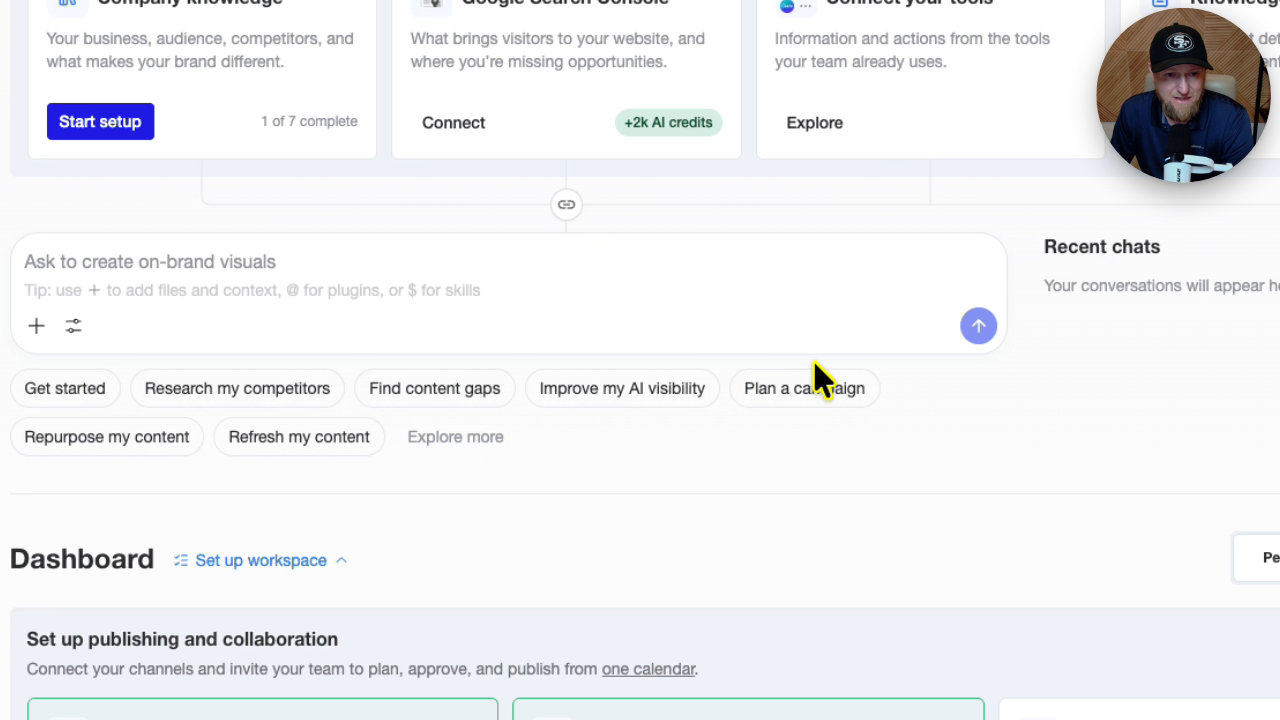
The results land on a canvas that works like a whiteboard. I liked that, because the research, images and drafts stay in one chat.
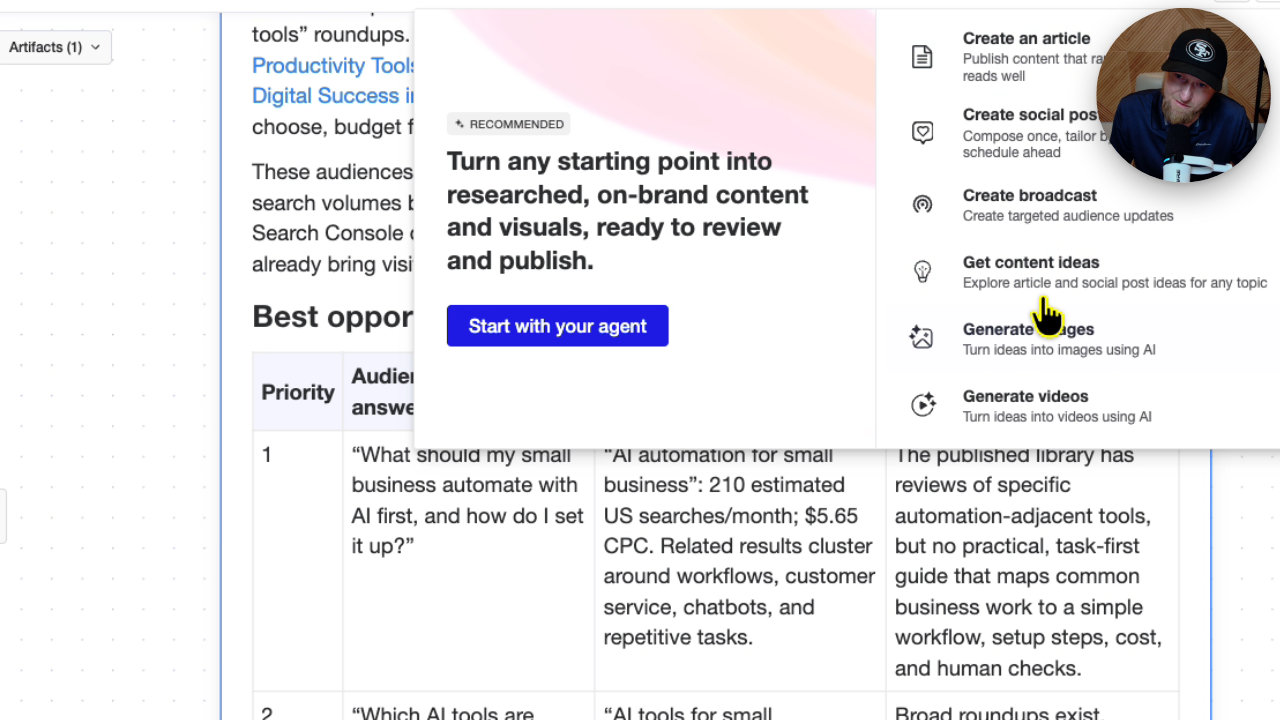
Where it felt confusing
After the research, I wasn't sure what to do next. There's planning, the plus button, the agent and more, and it felt like a little too much going on. I'd love a wizard that says, here's what I suggest, want me to write and publish this now?
Writing the article
I asked it to write the top recommended article. It showed each step: reviewing rankings, finding internal links on my site, then writing the slug, meta title, description and excerpt.
The result was about 1,500 words, well formatted, with bullet points. When I hovered over an internal link, it pointed to a real review on my site. There was also a natural external link.
It isn't super human sounding, but I never told it to write in first person or gave it company knowledge. For two clicks, it was a good article.
Optimizing in the editor
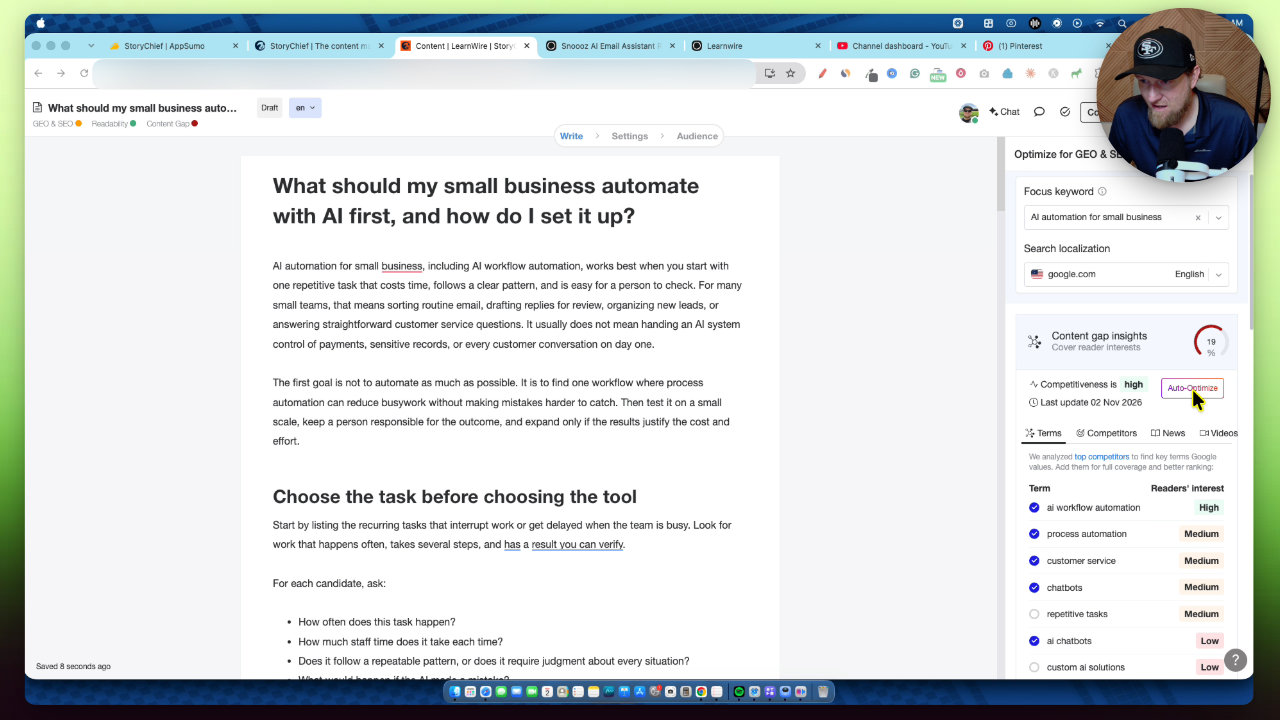
I saved the article and opened it in the editor, which lives under Content and Articles. Click auto-optimize and it adds relevant terms. My score went from 0% to 19%, then to 39% after a second pass.
You also get competitors, GEO SEO basics, a readability score, a plagiarism check and a word count (1,700 for me). If you used NeuronWriter before, this will feel familiar.
The image problem
This is where it fell short. The built-in image generator kept giving me errors, even after I simplified my prompt. I made images in ChatGPT and uploaded them instead. StoryChief did offer to convert PNGs to JPEG, which is a nice touch.
Publishing and social posts
Publishing to Ghost worked. I refreshed my site and the article was live with the cover image, images and links all working. That impressed me.
Social posts were rougher. The AI button inside each channel wasn't connected to the article, so I had to paste in the title and a few sentences. My first attempt gave an X post that was way too long. Pinterest also has two fields, title and description, which tripped me up.
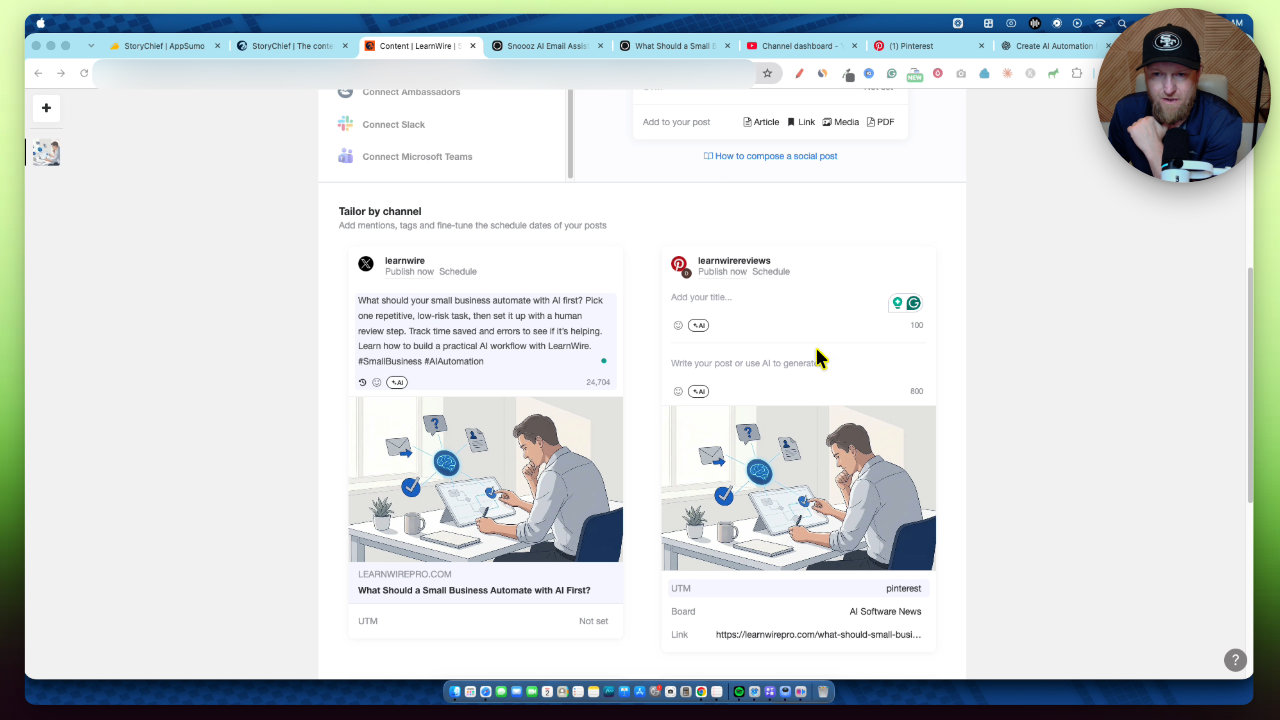
What I want is to paste once, hit go, and get optimized posts for every selected channel. That didn't happen for me, though I may have done something wrong. Still, the posts went live on X, Pinterest, LinkedIn and Threads, and all linked back to my site.
My verdict
It's very impressive for managing content and getting social posts out. I didn't quite get a true all-in-one experience because of the image issues, but the concept is strong and eight years in business gives me confidence the hiccups will get smoothed out.
My score is 4.5 out of 5 stars. I'd knock it down a bit for the overwhelming onboarding and weak image generation.
If you want to run this like a business, tier 4 supports 15 clients. My rough math, if you charged $1,500 a month for 14 clients, is about $21,000 a month. That's an illustration, not a promise. Since they won't likely come back to AppSumo soon, I highly recommend it if you need a content and social posting tool like this.
Key features
AI agent with content gap research
A chatbot analyzes your site and finds unanswered audience questions, including a search volume signal. It then lays out recommended articles on a canvas.
AI article writing
The agent researches top rankings, adds internal links from your own site, and writes a publish-ready article with slug, meta title, description and excerpt. My draft came out around 1,500 words.
SEO and GEO optimization editor
The editor scores your content, suggests terms, and has an auto-optimize button. I took one article from 0% to 39% by clicking it twice. It also includes readability, plagiarism check and word count.
Website publishing
You connect sites like Ghost (and WordPress works the same way) and publish directly from the editor. Connecting my Ghost site was easy.
Social publishing
You can connect networks like X, LinkedIn, Threads and Pinterest, then create AI-written posts for each and publish from one dashboard.
Workspaces, planning and team tools
There is a calendar, tasks, campaigns, reports, and team invites with roles like writer, guest writer and client. Each client or brand gets its own workspace.
Knowledge files and brand style
You can upload company knowledge files and create a visual style for generated images. I didn't test these in the video.
Pricing
- 1 workspace and 1 client
- 25 articles per month
- 6 social channels
- 2 workspaces
- 50 articles per month per workspace (up to 100 total)
- 8 social channels per workspace
- Higher limits than tier 2
- 15 workspaces (15 clients)
- 100 articles per month per client
- 15 social channels
- 25,000 AI credits
Pros and cons
What I liked
- Connected my Ghost site and four social accounts in under 5 minutes
- Content gap research and article drafting worked well from a couple of clicks
- Internal links pointed to real articles on my site
- Auto-optimize makes the SEO scoring quick to improve
- Eight years in business and a 4.6 star AppSumo rating suggest it isn't going away
- Plan limits are clearly explained per workspace
What could be better
- The dashboard is overwhelming for new users, with no clear wizard telling you what to do next
- The built-in image generator kept failing for me, so I used ChatGPT instead
- Social post creation with AI was confusing and the first attempt gave an X post that was far too long
- I couldn't find a scheduling option when publishing social posts, though I may have missed it
Who it's for
SEO agencies and freelancers
Workspaces per client, team roles and content planning make it a natural fit for managing several brands.
Site owners who want one content workflow
If you want research, writing, optimizing and publishing in one place, this covers all of it.
Teams with writers and assigned tasks
Built-in task management and collaborator roles mean you may not need a separate project tool.
Limitations: when to look elsewhere
- If you're a beginner who wants a guided, simple setup, the interface may feel like too much.
- If you need reliable AI image generation inside the tool, plan on using something else for now.
FAQ
Reader reviews
StoryChief alternatives
 AppSumo
 Not on AppSumo now
StealthGPT
AI humanizer, detector, SEO writer and research agent in one content platform.
 AppSumo
TubeOnAI
Turn YouTube videos, podcasts and PDFs into summaries, blogs, slides, infographics and more.