
I counted 47 emails last Tuesday. Not received — sent. Half of them contained some variation of "Thanks for following up" or "Happy to hop on a call." That repetitive typing is dead time, and it adds up to hours every week. So when Typeahead (typeahead.ai) launched on Product Hunt at the end of May 2026 promising system-wide AI autocomplete that runs entirely on my Mac with zero cloud processing, I wanted to put it through its paces. This Typeahead AI autocomplete Mac review covers exactly what this tool does, what it doesn't, and whether that $79 one-time price tag is worth it for your tech stack.
Here's the short version: Typeahead is a native macOS app that adds inline "ghost text" predictions to every text field on your computer. It doesn't generate content from a prompt. It finishes your sentences based on what you're already typing. And it does all of that locally, offline, with no account and no data leaving your machine. That's a genuinely different approach from most AI writing tools on the market right now.
Key Takeaways
- 🔒 100% local and private — no cloud, no account, no telemetry. Your keystrokes never leave your Mac.
- ⌨️ Works in virtually every Mac app — Mail, Slack, Notion, Google Docs, Obsidian, browsers, and more.
- 💰 $79 one-time payment (early access) — no subscription, no usage caps, free lifetime updates.
- 🧠 Three local model choices — Gemma 3 4B (recommended), Qwen 3 4B, and a lighter Qwen 3 1.7B option.
- ⚠️ Mac-only, early-access product — a small number of apps with non-standard text fields won't work, and the AI needs a few days to learn your writing style.
Table of Contents
- Quick Verdict
- What Typeahead Actually Does
- Setup and First Impressions
- The Privacy Angle — And Why It's the Real Story
- Performance and the Models
- Where It Earns Its Keep
- The Honest Drawbacks
- Pricing and Value
- The Bottom Line
Quick Verdict
Typeahead is a native macOS AI autocomplete tool that predicts the next chunk of your sentence as you type, right inside whatever app you're using. Ghost text appears inline. Press Tab to accept, Right Arrow for one word, Esc to dismiss.
Who it's for: Email-heavy professionals, developers who write more Slack messages than code, bloggers who want AI help without losing their voice, and non-native English speakers who want to write faster.
Who it's NOT for: Anyone on Windows or Linux, anyone expecting a full AI content generator, or anyone who needs their AI tool to also handle grammar correction and style editing.
⭐ LearnWire Rating: 4.3 out of 5
What Typeahead Actually Does
Let me be specific, because the AI writing tool space is crowded and confusing. Typeahead is not ChatGPT. It's not a chatbot. You don't give it a prompt and get paragraphs back. It's closer to how your phone keyboard predicts your next word — except it predicts entire sentence fragments, and it works across your whole Mac.
Here's the interaction loop:
- You start typing in any app (Mail, Slack, Notion, whatever).
- After a brief pause, faint gray "ghost text" appears at your cursor suggesting how to finish your thought.
- Tab accepts the full suggestion.
- Right Arrow accepts one word at a time (useful when the first few words are right but the rest isn't).
- Esc dismisses it entirely.
That's it. No sidebar. No popup window. No "AI assistant" floating around your screen. The Typeahead team describes their philosophy as "writes with you, not for you," and their tagline — "the best AI writing tool is the one you can ignore" — tells you exactly what they're going for.
This distinction matters for the LearnWire audience. If you're building niche sites or writing email sequences, you probably already have your voice dialed in. You don't want an AI tool rewriting your paragraphs into generic corporate mush. You want something that finishes the sentence you were already going to write, just faster. That's the pitch here.
Setup and First Impressions
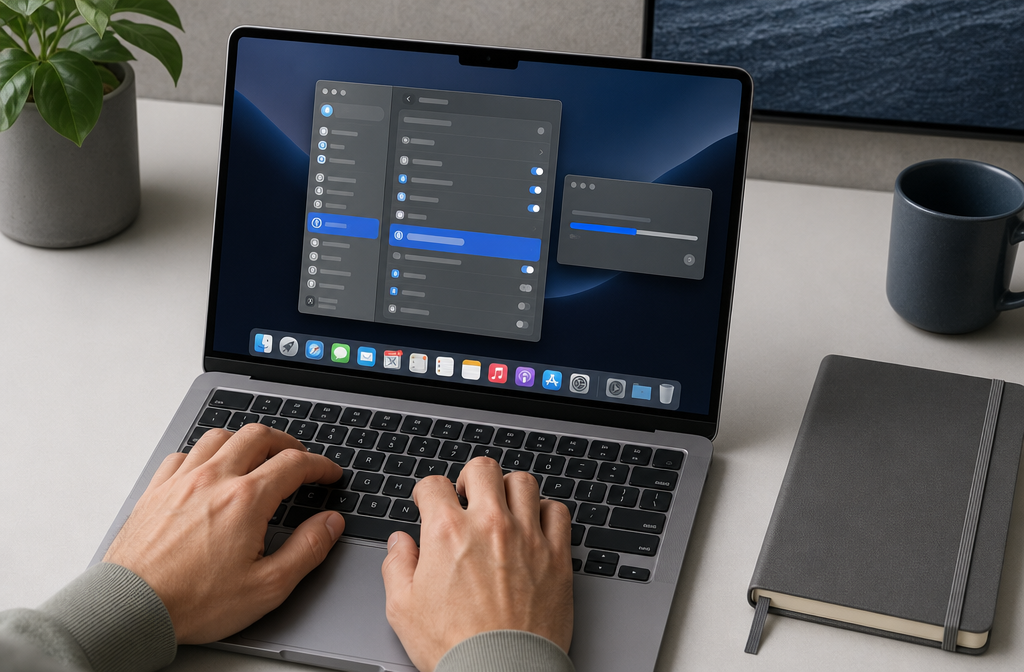
The onboarding is four steps, and I appreciate that they kept it tight:
| Step | What Happens | Time |
|---|---|---|
| 1. License Key | Enter your key (format: TA-XXXX-XXXX-XXXX). Verified once online, then saved in macOS Keychain. Works offline after that. | 30 seconds |
| 2. Accessibility Permission | Grant access in System Settings > Privacy & Security > Accessibility. This lets Typeahead read the active text field and insert suggestions. | 1 minute |
| 3. Download a Model | Choose from Gemma 3 4B (2.5 GB, recommended), Qwen 3 4B (2.5 GB), or Qwen 3 1.7B (1.7 GB). Downloads once. | 1–2 minutes |
| 4. Set Shortcuts | Defaults are Tab/Right Arrow/Esc. Customizable. | 30 seconds |
Total time from purchase to typing with autocomplete: roughly five minutes. That's fast. No account creation, no email verification, no "connect your workspace" OAuth flow. You buy it, download it, grant one permission, pick a model, and go.
The Accessibility permission is the only part that might give people pause. Typeahead needs it to read what's in your active text field so it can predict what comes next. On macOS, this is the standard way apps interact with text inputs — screen readers use the same API. It's a legitimate system-level permission, not a sketchy workaround.
Once you start typing, ghost text appears after a short pause. The suggestions are inline, right at your cursor, in a lighter color than your actual text. It feels native to macOS, which is clearly intentional. The Typeahead team has written about wanting autocomplete to feel like part of the operating system rather than a separate tool bolted on top.
The Privacy Angle — And Why It's the Real Story
I've reviewed a lot of AI writing tools for LearnWire. Most of them send your text to a cloud API. Some are upfront about it. Some bury it in their privacy policy. A few claim "enterprise-grade encryption" as if that's the same thing as privacy.
Typeahead takes a fundamentally different approach: your writing never leaves your computer. Period.
Not "encrypted in transit." Not "anonymized before processing." Not "stored temporarily then deleted." Your keystrokes literally do not touch a network. The AI model runs on your Mac's GPU. The only network calls are the one-time license activation and optional update checks. Everything else happens on-device.
This means:
- ✅ Works on a plane with no Wi-Fi
- ✅ No account required — not even an email address
- ✅ Zero telemetry (they don't know what you type, how often you type, or which apps you use)
- ✅ No data retention because there's no data to retain

Why this matters for the LearnWire audience specifically: If you're an affiliate marketer drafting content strategies, a niche site builder working on keyword-targeted articles, or anyone handling client data in emails and Slack messages, you probably don't want every keystroke flowing through someone else's servers. Cloud-based AI tools create a copy of your work on infrastructure you don't control. Typeahead doesn't.
For researchers and anyone working with sensitive pre-publication content, this is even more relevant. The Typeahead team explicitly markets to researchers for this reason — drafts, data references, and unpublished findings stay on your machine.
I'll be honest: I've become skeptical of privacy claims in software. But the architecture here is verifiable. If the model runs locally and there's no network traffic, there's nothing to trust — it's just how the thing works. That's a stronger privacy guarantee than any policy document.
Performance and the Models
Typeahead offers three local models during onboarding:
| Model | Size | Best For |
|---|---|---|
| Gemma 3 4B | 2.5 GB | Recommended. Best balance of speed and suggestion quality. |
| Qwen 3 4B | 2.5 GB | Alternative style. Same size, different "feel" to suggestions. |
| Qwen 3 1.7B | 1.7 GB | Lighter option for Macs with less RAM (8 GB machines). |
You can also load a custom model if you have a preferred one, which is a nice touch for the tinkerers.
RAM usage: According to co-founder Sam on Product Hunt, the Gemma model uses roughly 300 MB of RAM in practice. That's often less than a single Chrome tab. The model loads once when you launch Typeahead and stays ready in the background. Quit the app, and that RAM frees up immediately.
GPU acceleration: On Apple Silicon Macs (M1 and later), the model runs on the GPU, which is where Apple's unified memory architecture pays off. Intel Macs are supported too (macOS 14+, 8 GB RAM minimum), though I'd expect Apple Silicon to handle this more smoothly given how those chips are designed.
The "learns your voice" claim: Typeahead says the AI adapts to your writing style after a few days of use. I want to be transparent here — this is a vendor claim, and since the product just launched in late May 2026, there isn't a large body of independent long-term testing to confirm exactly how well this works. Based on the model architecture (local fine-tuning or context adaptation), it's a reasonable claim, but set your expectations accordingly. Early suggestions may feel generic. Give it time.
Minimum requirements:
- macOS 14 (Sonoma) or later
- Apple Silicon or Intel
- 8 GB RAM
- ~3 GB free disk space for the model
If you're running a base-model MacBook Air with 8 GB of RAM, the lighter Qwen 3 1.7B model is probably your best bet. Anyone with 16 GB or more should be comfortable with the recommended Gemma 3 4B.
Where It Earns Its Keep
The Typeahead team identifies four core personas, and I think they're spot-on for the kind of work most LearnWire readers do. Let me map these to real scenarios:
📧 The Email-Heavy Worker
You send 50+ emails a day. Half of them start with "Thanks for reaching out" or "Just following up on this." Typeahead should pick up on those patterns quickly and start completing them after a few characters. For affiliate marketers managing outreach campaigns or responding to partnership inquiries, this alone could save meaningful time. The vendor claims 5–8 hours per week on repetitive typing — I'd take that number with a grain of salt, but even a fraction of that adds up.
💻 The Developer Who Writes More Than Code
GitHub Copilot handles your code. But what about the Slack messages, PR descriptions, issue write-ups, and documentation that eat up the rest of your day? Typeahead fills that gap. It works in Slack, Discord, GitHub's web interface, Linear, and other tools developers live in. The positioning is explicit: Typeahead complements Copilot rather than competing with it.
✍️ The Writer Protecting Their Voice
This is where the "writes with you, not for you" philosophy matters most. If you're a blogger or content creator, you've probably tried pasting your draft into ChatGPT for suggestions and gotten back something that sounds nothing like you. Typeahead predicts continuations based on what you're already writing, so the output should stay closer to your natural style. For niche site builders who've spent months developing a consistent brand voice, that's a real advantage over prompt-based generators.
🌍 The Non-Native English Speaker
You know what you want to say. You just want to say it more fluently, faster. Typeahead's inline suggestions can help bridge that gap without the awkwardness of copy-pasting into a translation tool or chatbot.
App compatibility is broad. The official list includes Mail, Slack, Notion, Apple Notes, Obsidian, Gmail, Google Docs, Discord, Cursor, GitHub, X/Twitter, Telegram, Chrome, Safari, Arc, ChatGPT, Linear, Todoist, and more. Native writing apps like Ulysses, iA Writer, and Bear work. Browser-based apps like Notion and Google Docs work in most cases.
The Honest Drawbacks
No BS — here's what you need to know before buying:
❌ Cons
- Mac only. No Windows, no Linux, no iOS/iPad. If your primary machine isn't a Mac, this isn't for you.
- macOS 14+ required. If you're on an older macOS version and can't (or won't) update, you're out of luck.
- Non-standard text fields won't work. A small number of apps use custom text input implementations that the macOS Accessibility API can't hook into. The Typeahead team is upfront about this limitation. You won't know which apps are affected until you try.
- It's autocomplete, not a ghostwriter. If you're expecting it to write entire blog posts or generate content from a topic, that's not what this does. It finishes your sentences. You still have to do the thinking and start the writing.
- The learning curve is real. The AI needs a few days to adapt to your writing patterns. Early suggestions may feel off or too generic. You need to give it time and keep using it consistently.
- Early-access product. Typeahead launched on Product Hunt on May 31, 2026. It's new. The team seems responsive (co-founder Sam is active on Product Hunt answering questions), but you're buying into a young product. That comes with the usual risks — potential bugs, features still being refined, smaller community for troubleshooting.
- ~3 GB disk space for the model. Not a huge deal for most people, but worth noting if you're running a 256 GB MacBook that's already tight on storage.
- Name confusion. There's an older, unrelated product also called "Typeahead AI" that's a screen reader for visually impaired Mac users. Different tool, different use case. Just be aware if you're searching around and find conflicting information.
✅ Pros
- 100% local processing — genuine privacy, not marketing privacy
- Works in virtually every Mac app
- One-time payment, no subscription
- Lightweight (~300 MB RAM per the founder)
- Three model choices plus custom model support
- Learns your writing style over time
- 30-day money-back guarantee
- No account, no email, no telemetry
Pricing and Value
Here's where this gets interesting for the lifetime deal crowd.
Typeahead pricing:
- $79 one-time (early-access price)
- Normal price: $149
- No subscription. No usage caps. No token limits.
- Free updates for life
- 30-day money-back guarantee
- All three language models included
Now let's do the math that every AppSumo deal hunter instinctively does — compare against subscriptions over time:
| Tool | Monthly Cost | 1-Year Cost | 2-Year Cost | 3-Year Cost |
|---|---|---|---|---|
| Typeahead | — | $79 (one-time) | $79 | $79 |
| Grammarly Premium | ~$12/mo | ~$144 | ~$288 | ~$432 |
| GitHub Copilot Individual | $10/mo | $120 | $240 | $360 |
| Notion AI | $10/mo | $120 | $240 | $360 |
Over two years, Grammarly costs you $288. Copilot costs $240. Notion AI costs $240. Typeahead costs $79. Total.
Now, these aren't perfect apples-to-apples comparisons. Grammarly does grammar checking and style editing. Copilot writes code. Notion AI generates and summarizes content inside Notion. Typeahead does something different — it autocompletes your writing across every app. They're complementary tools, not direct replacements.
But if you're evaluating your tech stack and asking "what gives me the best return on investment for faster writing across my whole Mac?" — $79 once is hard to argue with. The Typeahead team's stated philosophy is that subscriptions incentivize retention tricks, while a one-time purchase incentivizes building something good enough that people recommend it. Whether you agree with that framing or not, the pricing structure is genuinely friendly.
For the LearnWire audience specifically: this is the kind of deal structure you'd expect to see on AppSumo. One-time payment, lifetime access, no recurring drain on your monthly software budget. The early-access price of $79 (vs. the planned $149) makes the value proposition even stronger if you're willing to buy into a new product early.
The Bottom Line
Typeahead fills a gap I didn't fully appreciate until I started paying attention to how much of my day is spent typing the same phrases across different apps. It's not trying to replace your AI content generator or your code completion tool. It's trying to be the autocomplete layer that sits underneath everything else on your Mac.
The privacy story is the strongest selling point. Not because privacy is trendy, but because the architecture genuinely delivers on it. Local processing, no account, no telemetry, works offline. That's not a marketing claim you have to trust — it's a technical reality you can verify.
The $79 one-time price is excellent for what you get, especially compared to the subscription treadmill of competing tools. The 30-day money-back guarantee removes the risk.
The caveats are real: it's Mac-only, it's a new product, some apps with non-standard text fields won't work, and you need to give the AI a few days to learn your patterns before the suggestions start feeling natural. If you're expecting a full AI writing assistant that generates content from prompts, this isn't that.
But if you're a Mac user who types a lot — emails, Slack messages, blog posts, documentation, social media — and you want a private, local, one-time-purchase tool that speeds up your writing without changing your voice? Typeahead is worth serious consideration.
⭐ Final Rating: 4.3 out of 5
Buy it if: You're a Mac user who writes heavily across multiple apps and wants private, local AI autocomplete without a subscription. Especially strong for email-heavy workers, developers, and anyone in the lifetime deal / AppSumo mindset who hates recurring software costs.
Skip it if: You're on Windows/Linux, you want a full AI content generator, or you're not comfortable buying into an early-access product that launched in May 2026.