RocketToons
AI cartoon and explainer video generator with characters, voiceover, timeline and scheduler
Watch my full review
- What it is
- RocketToons is a cartoon-focused AI video generator that builds characters, screenplay, scenes, music and voiceover from a prompt. It also includes a timeline editor and a scheduler.
- Pricing
- The front end is $37, with upgrades from $37 to $47 and a $317 bundle that includes everything. Credits run out, so expect to buy more.
- Best for
- Faceless YouTube, Shorts and TikTok creators who want high-quality cartoon or explainer videos and are fine paying for credits.
- LearnWire's Rating
- 4.0 / 5
My review
RocketToons launched on JVZoo today, from Tim Verdough. It is a cartoon-focused AI video generator, and I'd already spent time with it before filming. I'll be upfront: the quality is the highest I've seen from an AI video creator so far.
A couple of weeks ago I looked at Tube OS X, which was also high quality but made a few too many mistakes. RocketToons feels like a step up, though it has one catch I'll get to.
The first result: how bees make honey
I started with a finished project so you could judge the output. It was a 60-second explainer on how bees make honey, built from a prompt I pasted in.
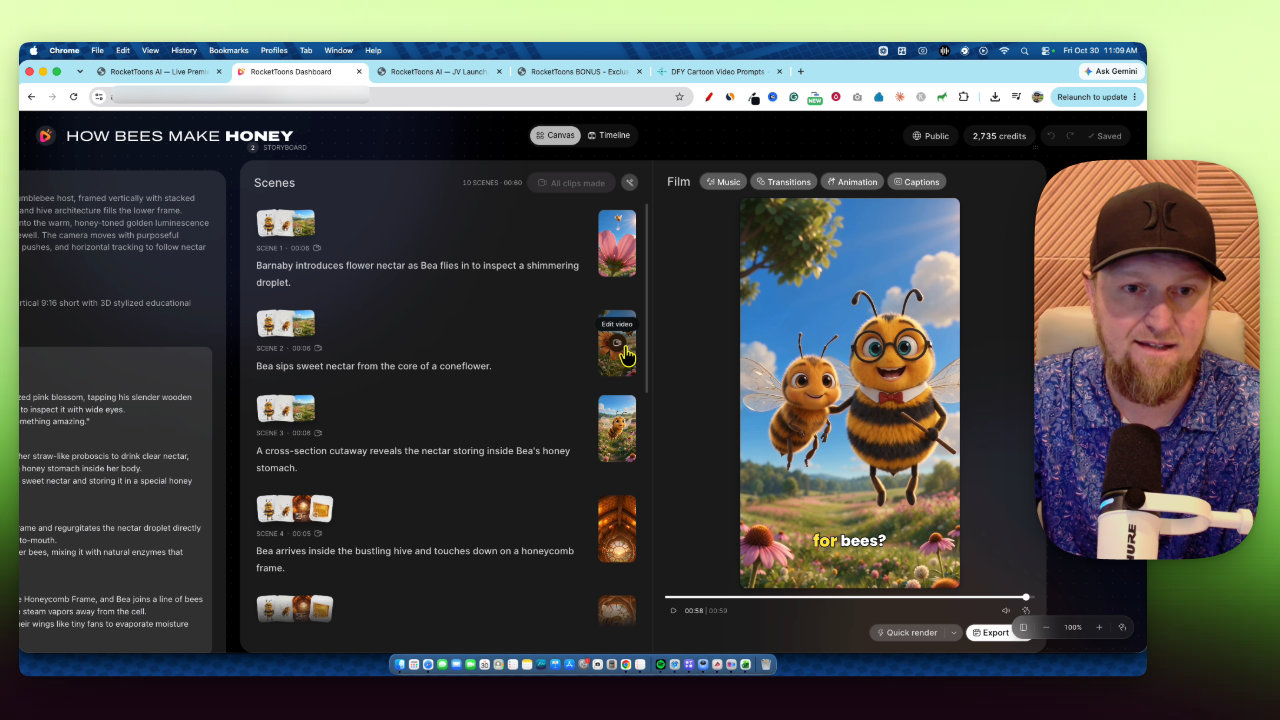
The project screen shows your script, settings, the cast the software created, and all the scenes. You can drag and drop, and you can choose all images or all videos. The layout is a bit funny, and getting out of some screens felt weird at first.
The video looked great. Then the voiceover said "image 1" in the middle of a sentence. That text isn't in my script. I regenerated the scene, got a new version, and it still said it. I don't know how to control that.
Credits: the real cost
I started with 3,000 credits, and that 60-second video used about 280. Videos cost more than images. This uses the best generators available, not cheap AI, so you will burn through credits and have to buy more if you take a channel seriously.
Building a second video from scratch
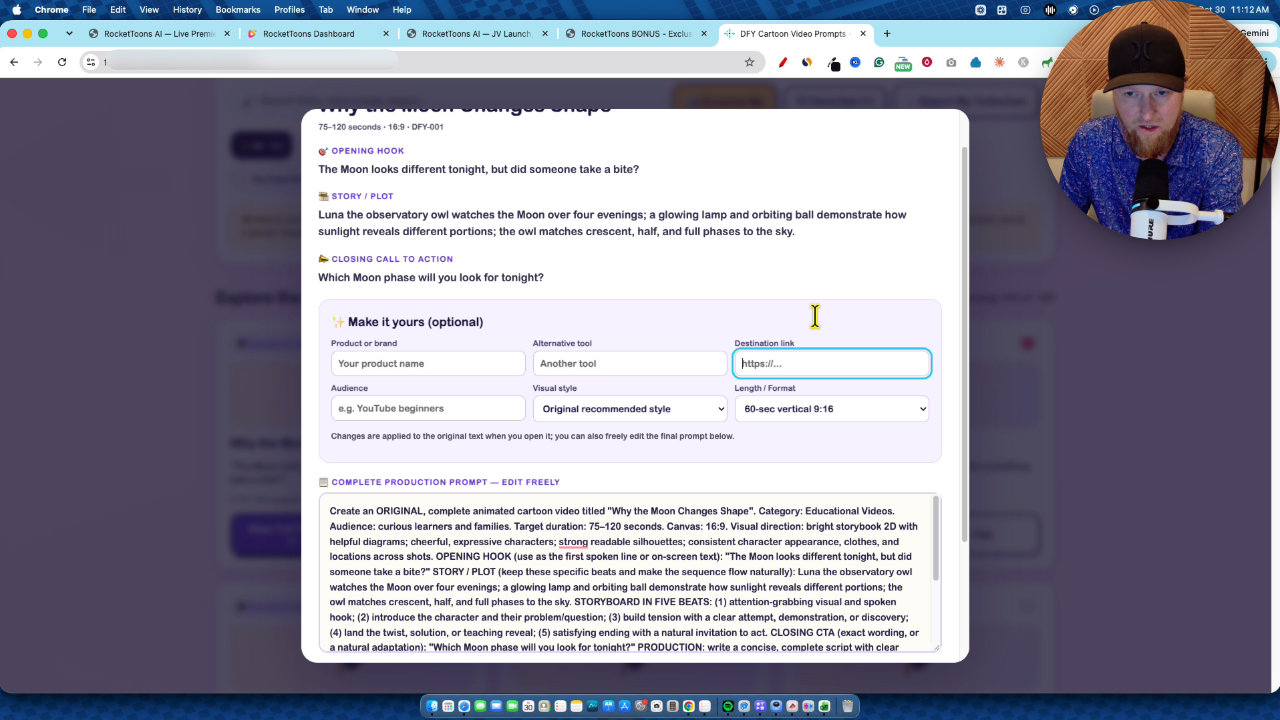
For my bonus, I built a tool called Done For You Cartoon Video Prompts. You can search, favorite and export prompts, and change the length. I picked one on how the heart pumps blood and set it to 30 seconds in 9 by 16.
In RocketToons, I chose the explainer skill and the action anime style. You need a cast before you can start, so I typed a character description and hit draw. It took roughly 30 to 45 seconds and the character looked good.
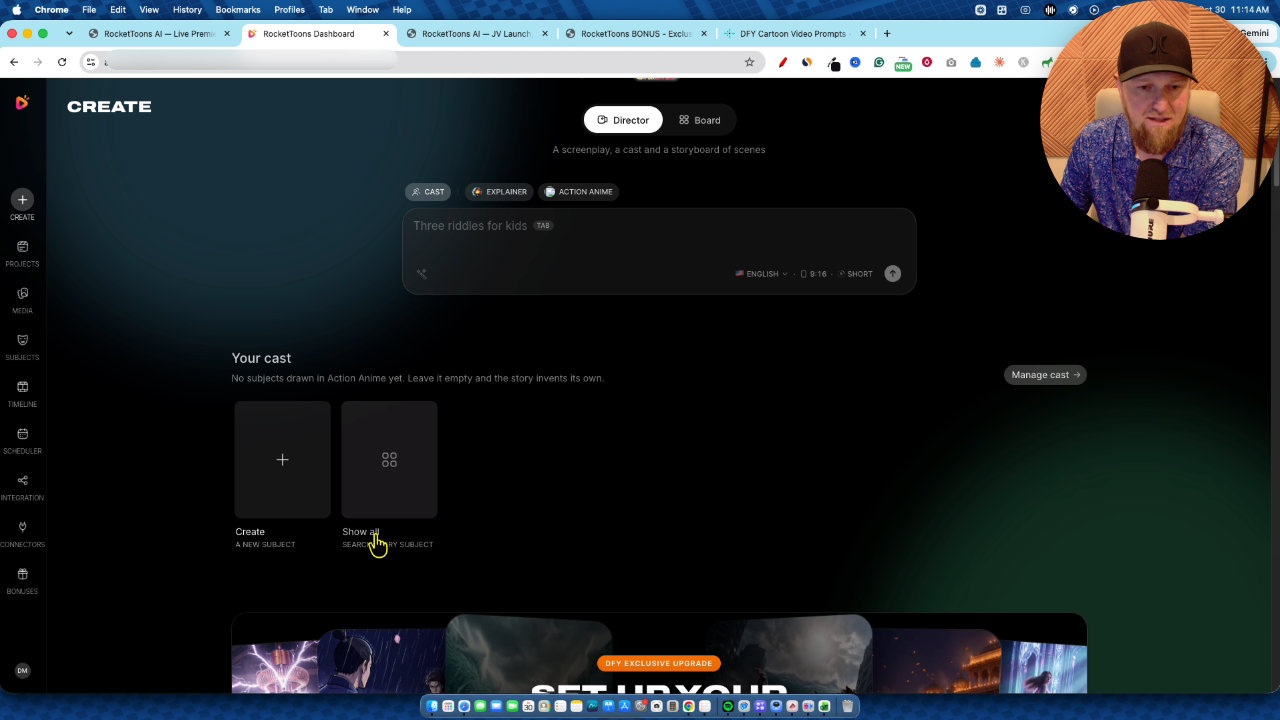
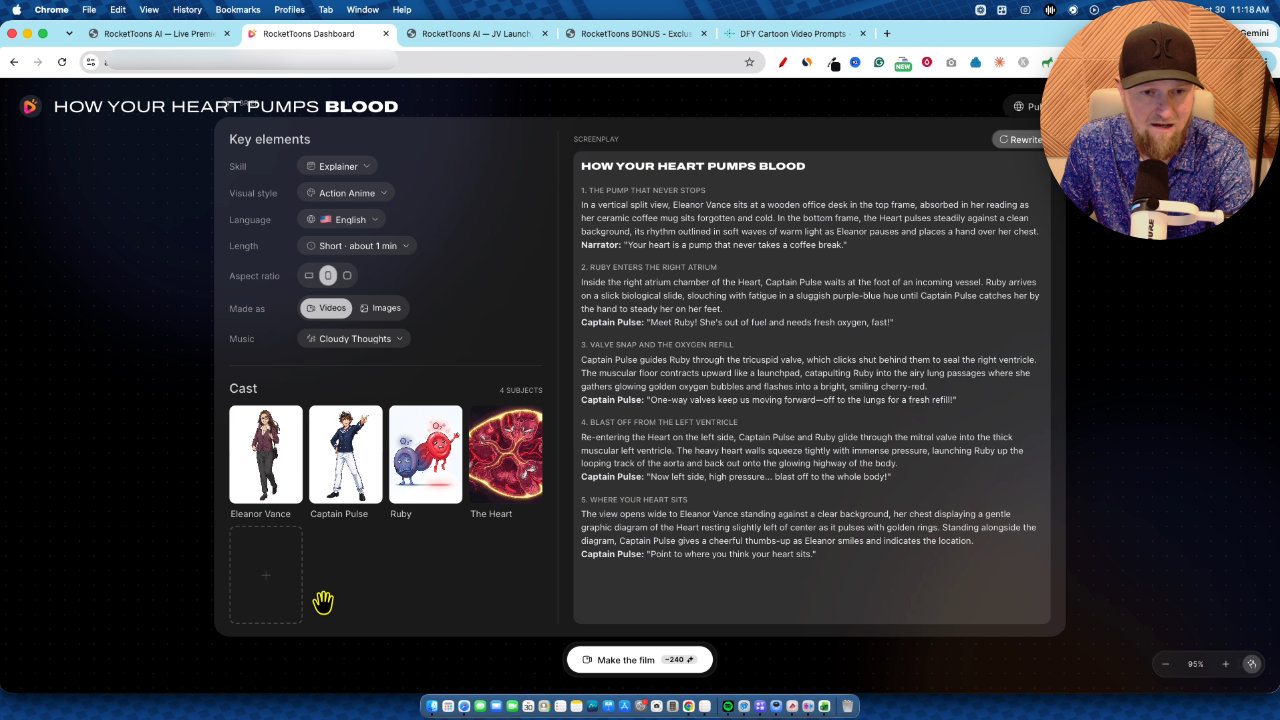
I pasted the prompt, used enhance prompt so the software would clean it up, and hit generate. It created the extra characters and objects, in this case the heart, Captain Pulse and Ruby, then wrote the screenplay before making any visuals.
You can pick images only to save credits, but I chose videos. I also composed music from a suggested prompt. Then it's one click on Make the Film, and it builds the video scene by scene. It is extremely straightforward.
The result and the same bug
The heart video was good quality, but a weird image thing showed up, and the voice said "image 1" again. That is twice now, even with an enhanced prompt. I'm going to message Tim and show him so it gets fixed.
Editor, scheduler and integrations
Beyond generation, there is a media library, subjects for characters, places and things, and a full timeline editor. There is also a scheduler with a calendar and post queue, plus integrations to publish to LinkedIn, YouTube, Facebook and Instagram. Connectors for Claude, GPT, Cursor and MCP agents are there too.
The funnel
The front end is $37, and the funnel has upgrades plus a $317 bundle. I'm on Pro, which raises the image and video engines. On the front end you get 720p, which I think is fine for Shorts, TikTok or Reels. 1080p matters more for long-form 16 by 9 videos.
The 40 voices sound great, but I didn't see a way to upload your own.
My verdict
I didn't give a numeric rating, but my take is clear: this is a solid, very high-quality tool. Other than the "image 1" glitch that happened twice, the videos were some of the best AI video I've made. Budget for credits, and expect the glitch to be fixed over time. If you want faceless cartoon explainers, it's worth a serious look.
Key features
Storyboard and director mode
You paste a script or prompt, pick a skill (like explainer) and a style (like action anime), and it builds the screenplay scene by scene.
Auto-created cast
Type a character description, hit draw, and the software generates a character in about 30 to 45 seconds. It also creates extra characters and objects the video needs.
Images or videos per scene
You can generate images only to save credits, or full video shots. Videos cost more credits but look better.
Prompt enhance and music compose
The enhance button rewrites your prompt for the software, and a compose button creates music from a suggested prompt.
Timeline editor
A full video editor lets you make custom changes to finished projects.
Scheduler and publishing
A calendar and post queue let you publish to LinkedIn, YouTube, Facebook and Instagram without leaving the app.
Connectors
Claude, GPT, Cursor and MCP agent connectors are available in the app.
Media and subjects library
All videos are saved in your media, and you can store characters, places and things for reuse.
Pricing
Prices below are the launch prices from my review. The product is still available, but pricing and bundle deals are usually higher now, so check the sales page for current prices.
- 1,000 credits
- Up to 50 clips of up to 10 seconds each, stored 60 days
- 40 natural AI voices
- 720p exports
- One-click posting
- 2,500 bonus credits
- Unlimited cartoon films (50-film cap removed)
- Smoother motion and consistent faces
- Better image and video engines
- 30 pro voice actors and voiceover studio
- 1080p exports
- Up to 5 team members
- Instant clips from one sentence
- Animate any photo and extend videos
- Product photo to video ads
- 7 directed camera styles
- Run RocketToons from ChatGPT via MCP
- Scene-by-scene clip prompts, characters and props
- All features of the tool
- Loaded account with credits
Pros and cons
What I liked
- Some of the highest-quality AI video I've seen so far
- Workflow is very straightforward from prompt to finished film
- Characters and scenes are created for you automatically
- Built-in editor, scheduler and publishing to major platforms
- Uses top-tier AI generators, not cheap ones
What could be better
- Voiceover said 'image 1' in two videos, even after regenerating and enhancing the prompt
- Credits burn fast: about 280 credits for one 60-second video
- The layout is a little odd and hard to navigate out of at first
- Front end exports at 720p, and 1080p needs the Pro upgrade
- Can't upload your own voices as far as I could see
Who it's for
Faceless YouTube creators
If you want to run channels without being on camera, this gives you cartoon explainers quickly.
Short-form creators
Vertical 9 by 16 videos for Shorts, TikTok and Reels work fine at 720p.
Agencies and teams
The Pro upgrade adds up to 5 team members, and there is a reseller option.
Limitations: when to look elsewhere
- If you need to control the exact voice or upload your own, I didn't see a way to do that.
- If you need perfect, error-free output today, the 'image 1' voiceover bug is a real flaw.
- If you want unlimited use on a tiny budget, credits will keep costing you.