
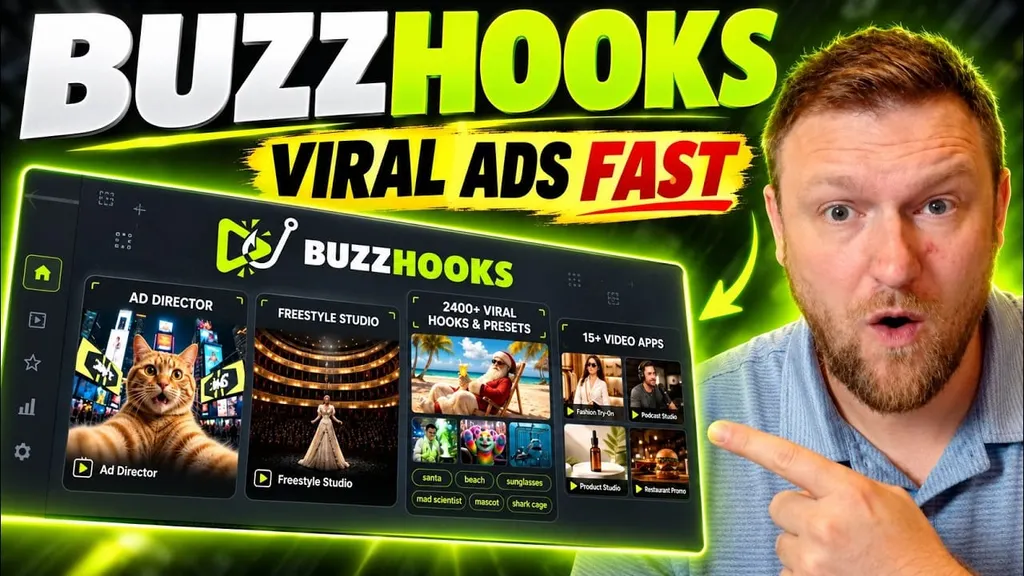
Making an ad is easy enough. Making one that gets someone to pause before scrolling past it is the hard part. BuzzHooks tackles that problem with a library of ready-made visual concepts, then lets me put my own product, copy, and images into them.
After trying its image and video tools with a software product, I came away impressed by how quickly it produced usable creative. I also found a few reasons to check every result carefully before publishing. Here is what BuzzHooks does well, what still needs work, and how I would use it for a real marketing campaign.
Table of Contents
- What is BuzzHooks?
- Pricing and credits: What the test actually showed
- The easiest win: Product images for ads and social posts
- Hook presets and video apps: Fast starts for short ads
- Viral scenes can stand out, but they can also look obviously AI-made
- Finding the right preset
- Ad Director, Cinema, Motion Studio, and Marketing Copilot
- Models and bring-your-own-key options
- What I like, and what gives me pause
- My verdict: Is BuzzHooks worth trying?
What is BuzzHooks?
BuzzHooks is an AI creative platform for product images, short ads, and attention-grabbing videos. Its main attraction is the preset library. Rather than asking me to describe an entire scene from scratch, it gives me a starting concept and fields to customize.
The platform advertises more than 2,400 viral hook presets and 26 user-generated content, or UGC, presets. It also has video apps, viral scenes, image apps, and more open-ended creation tools. That range makes it relevant to small businesses, ecommerce brands, and agencies that need multiple creative ideas without building each one manually.
The closest comparison for the overall feel is Higgsfield. BuzzHooks has a similar emphasis on striking AI visuals and offers several ways to start a project. I would not call the two interchangeable based on this test, but BuzzHooks makes sense as an option to investigate if I want that style of creation at a different price point.
Pricing and credits: What the test actually showed
At the time of the review, BuzzHooks was listed on AppSumo with a one-time purchase starting at $59. The highest displayed option, license tier four, was $499. The listing showed 13 reviews averaging 4.4 stars. Those details can change, so I would check the current BuzzHooks deal before making a decision.
I tested an account with 10,000 monthly credits, corresponding to license tier four. After making several images and videos, I had used roughly 700 credits. That felt generous during a short test, although it does not tell me how far a smaller tier would stretch or what a heavy production schedule would cost.
Two examples make the credit system easier to understand:
- A product ad image cost 10 credits. It used my uploaded software box and generated a finished static creative.
- A short video made with a hook preset cost 120 credits. I generated it at a lower preview resolution while testing.
I would not use those numbers as universal prices. The model, length, resolution, and creation route matter. Before planning a campaign around a credit allowance, I would check the cost shown for the exact settings I intend to use.
The easiest win: Product images for ads and social posts
The image tool gave me the most immediately practical result. I uploaded a reference image of a software box for a product called Product Spark AI, added a headline and supporting text, and asked BuzzHooks to match the brand colors. I largely left the other settings on their automatic option.
The resulting ad kept the box recognizable and worked its colors into a more complete design. That mattered more to me than a flashy effect. When I am making product creative, I need the product itself to remain identifiable, not turn into something loosely inspired by my upload.
The editor also offered choices for color treatment, typography, background, and extra instructions. I could download the result, save it to the library, regenerate it, or save it as a character reference. For a straightforward ad image, the workflow was refreshingly short: upload the product, enter the message, choose a format, and generate.
I tried the same product in multiple shapes, including a square design and taller layouts. The variations were useful for thinking about placements across social feeds, organic posts, and ads. I still would not assume one design works everywhere. Text that looks fine in a large preview may be hard to read on a phone, and different placements can crop an image differently.
One small frustration is that reopening a generated image did not clearly preserve every styling choice I had made. I could see the result, but not reliably reconstruct all the settings behind it. If I were producing a series of matching ads, I would keep my copy and preferred settings in a separate note.
Where image generation fits in a real workflow
I would use BuzzHooks images to build several concepts around the same product rather than stop after one attractive result. I could keep the product reference consistent while testing a different headline, color treatment, or composition in each version. Then I would inspect the text, branding, and format before exporting anything.
That is a useful distinction: fast generation gives me options, not an approved campaign. The final selection still needs a human check.
Hook presets and video apps: Fast starts for short ads
BuzzHooks organizes much of its video creation around presets. I can browse a visual example, open it, fill in the relevant fields, and generate a version for my product. The library includes hook presets, video apps, and viral scenes. Those names overlap a little in practice, but they offer different starting points for creative ideas.
One hook preset I tried was a mad scientist scene. It placed the Product Spark AI box into a dramatic sequence with glowing effects and a big visual payoff. The setup let me choose its aspect ratio, duration, resolution, and available model options. For this test, I selected a lower resolution rather than spending more credits on a polished export.
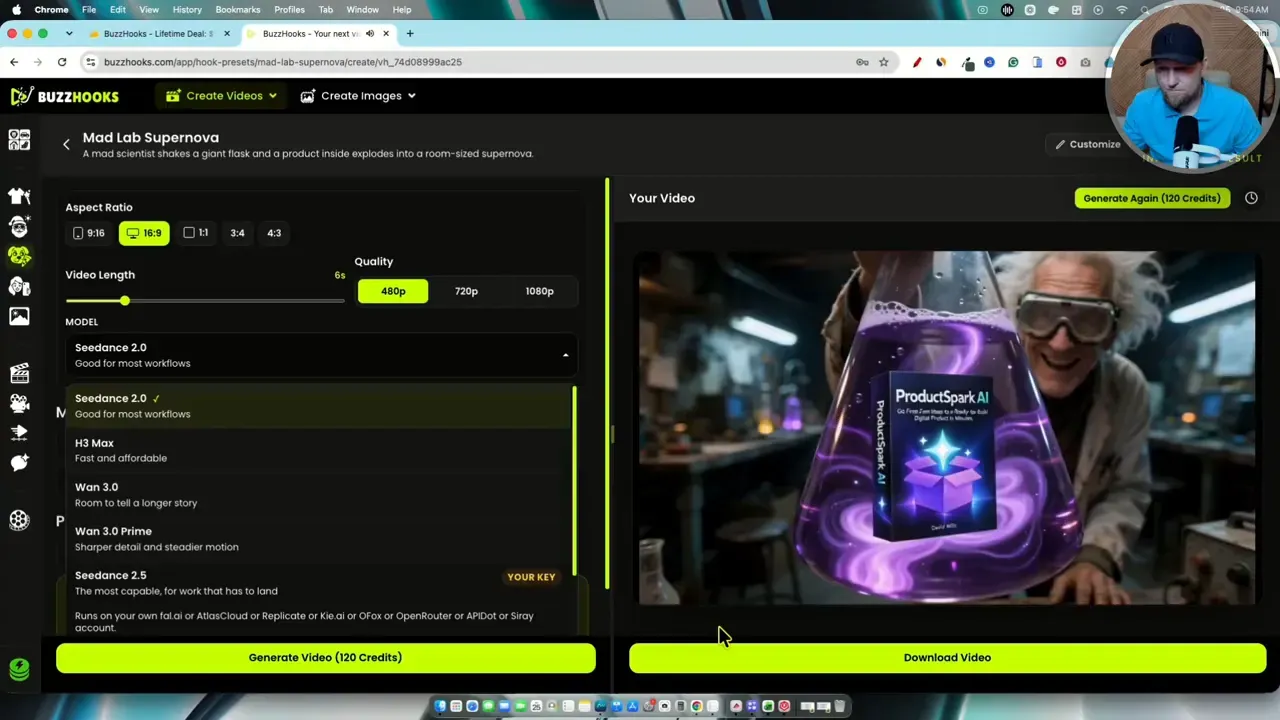
The result looked lively, and the product appeared within a concept that already had a clear visual hook. That is where presets earn their keep. I did not have to invent the camera movement, setting, and action in a long prompt before finding out whether the idea worked.
A second video app took a simpler approach. It generated a person presenting the software box and speaking a short line about knowing what to create next. The speech and product presentation were more grounded than the scientist scene, which gave me a different kind of ad concept from the same product image.
That app also exposed a script field with a word limit tied to the chosen length. Limits vary by template. One preset offered up to 10 seconds, while the speaking example offered up to 15 seconds. I would write for the available time instead of squeezing a full sales pitch into a tiny clip.
Can I control who appears in the video?
BuzzHooks supports uploaded references and optional extra direction. I could see how to reference the product image, and the interface offered ways to save or tag other visual references. I did not, however, fully verify a repeatable workflow for specifying an exact person in the generated scene.
That matters if character consistency is central to a campaign. I would test that feature with a few generations before promising a client that the same person will appear reliably across a series of ads.
Viral scenes can stand out, but they can also look obviously AI-made
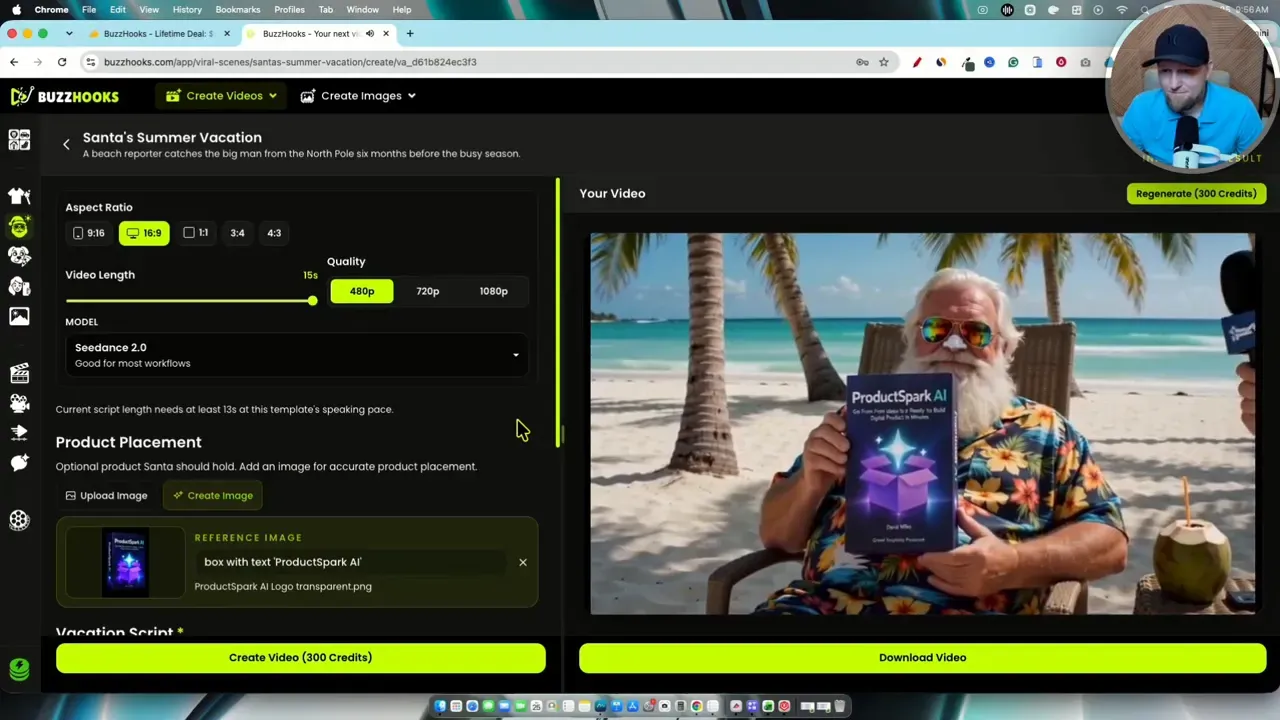
For a more playful example, I generated a beach scene featuring a Santa-like character presenting the software product. The unusual combination made it memorable. It also looked noticeably synthetic to me. Whether that is a problem depends on the campaign: a deliberately strange seasonal ad can embrace the effect, while a realistic testimonial cannot.
Another generation exposed a more practical issue. A scene involving a list of product ideas had an awkwardly oriented object, making the result unsuitable for publishing as-is. I would regenerate or change the concept rather than hope nobody notices.
Those two examples capture the trade-off with AI video. BuzzHooks can get me to a striking first draft quickly, but quality is uneven. I would check hands, product packaging, object orientation, readable text, and whether the action makes sense. A strong opening image is not enough if the rest of the clip feels wrong.
Finding the right preset
The sheer number of options could be overwhelming, but BuzzHooks groups them by creation type and, for some hooks, by theme or industry. I found holiday concepts, including Black Friday-style scenes built around people trying to get hold of a product. That makes the library useful when I know the campaign occasion but do not yet know what the ad should look like.
The UGC section has a different feel. Its examples focus on people handling, showing, or reacting to products in more everyday settings. I would explore those for a product demonstration angle, while treating them differently from a genuine customer testimonial. A generated person showing a product is creative content, not evidence that a real customer used and endorsed it.
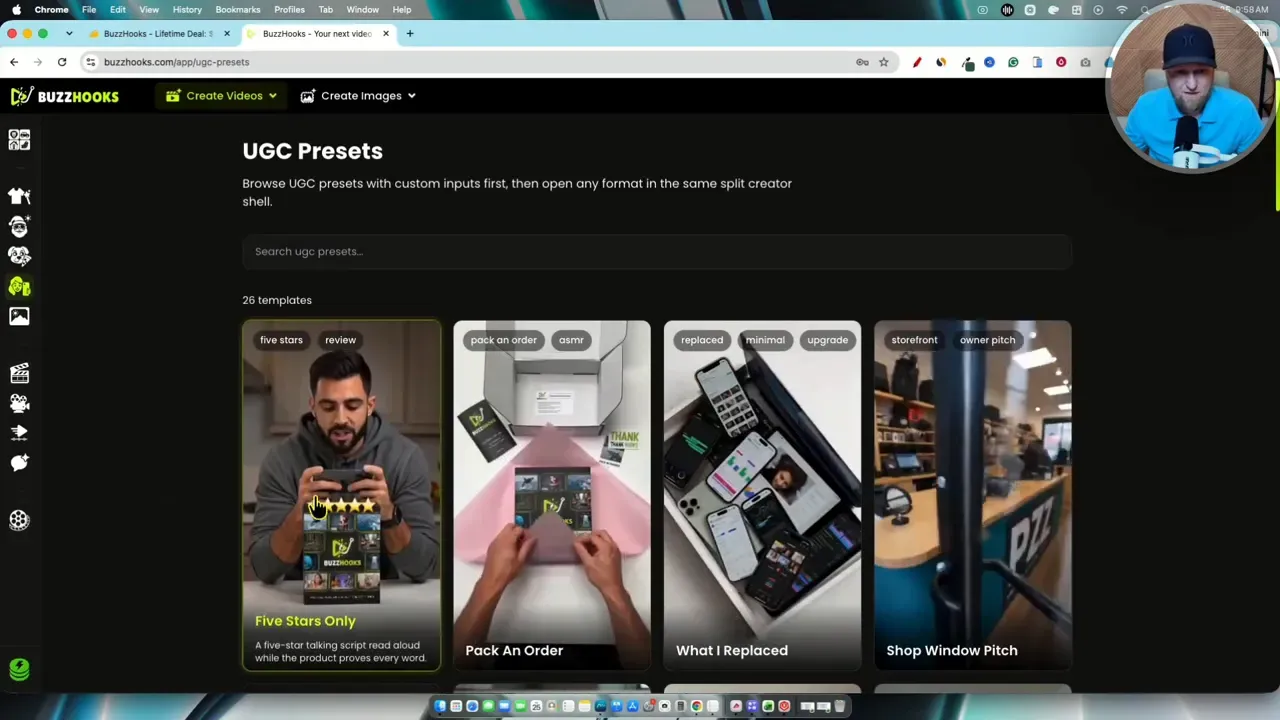
My rule would be to pick the message before picking the most spectacular preset. If I need to show what a product does, a clear demonstration may beat an elaborate cinematic scene. If the goal is to introduce a launch or seasonal offer, an unusual hook may be worth testing.
For campaigns that also need shorter clips cut from existing footage, I would look at a different workflow. My Chopcast review covers repurposing long-form video, while BuzzHooks is more focused on generating new creative.
Ad Director, Cinema, Motion Studio, and Marketing Copilot
The preset library is not the whole product. BuzzHooks also has a creation center for starting with more direction of my own.
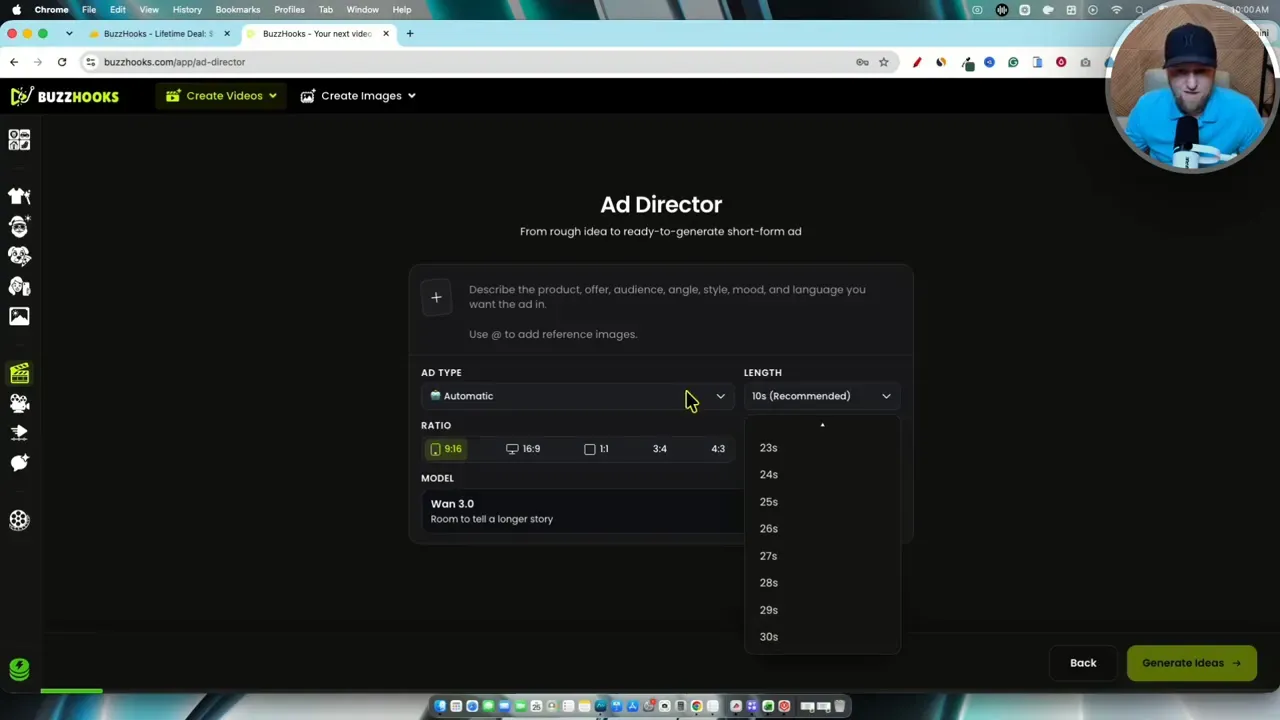
- Ad Director lets me choose an ad approach, such as a problem and solution, then set options including length, format, model, and references.
- Cinema offers a related route for generating a scene with more direct creative input.
- Motion Studio focuses on motion-graphics-style output.
- Marketing Copilot provides a chat-style input where I can describe what I want and upload images rather than beginning with a visual preset.
In Ad Director, I could see options for adding a person reference, adding a product image, and describing the intended video. A longer duration, up to 30 seconds in the demonstrated options, became available when the model selection changed. I would check model availability and credit requirements before building a longer ad around that setting.
I like having both routes. Presets help when I want to move quickly or need inspiration. The more open-ended tools make more sense when I already have a concept and want to specify its ingredients. Marketing Copilot may appeal most if I prefer describing an idea in a chat box instead of working through template fields.
Models and bring-your-own-key options
BuzzHooks includes several model choices within its credit-based workflow. Its account area also lists integrations for bringing API keys from external providers. Some more advanced model options require a key from another service rather than relying only on the included credits.
That flexibility is useful, but I would not assume bringing my own key makes a generation free. An external provider may charge for its usage, and BuzzHooks may still apply some platform credits. The exact economics depend on the model and setup. I would compare both costs before deciding which route to use regularly.
What I like, and what gives me pause
BuzzHooks is strongest when it removes the blank-page problem. The image app gave me a solid product creative with little prompting. The mad scientist preset turned the same software box into a much more dramatic video. Its saved-project area also showed useful details such as the source tool, format, and options to view or download a result.
Its limitations are equally important:
- Results need inspection. One of my video generations contained an object-orientation error, and some scenes looked more convincingly real than others.
- Control varies by workflow. I could supply references and copy, but I had not confirmed precise, repeatable character control.
- Recreating an image may take extra recordkeeping. The finished result did not clearly show every original styling choice.
- The lifetime deal raises a longevity question. Generous recurring credits on a one-time purchase are appealing, but ongoing AI generation has costs. I cannot judge the company’s finances from a product test, so I would treat long-term availability as a risk rather than a certainty.
That last point is not unique to BuzzHooks. I think it is sensible to export finished assets promptly, keep original product images and copy outside the platform, and evaluate a lifetime purchase for the value I can realistically get from it.
My verdict: Is BuzzHooks worth trying?
For my test, yes. BuzzHooks made it unusually easy to go from one product image to several distinct ad concepts. I especially liked the static image generation, the variety of video starting points, and the amount of experimentation the tested credit balance allowed. I would give it 4.5 out of 5 for this hands-on experience.
I would recommend approaching it as a creative production tool, not an automatic source of finished ads. Start with a clear product message, make a few variations, inspect every frame and word, and publish only the results that hold up. If I needed a broader look at another AI short-video creator, I would compare it with the experience in my ZebraCat AI review.
BuzzHooks is most compelling when I need fresh hooks and product visuals quickly but still want the final say over what represents my brand. The speed is real. The judgment step is still mine.