Coursebox
AI course builder with avatar videos and a white label LMS, sold as a lifetime deal.
Watch my full review
- What it is
- Coursebox generates full courses from a prompt or document and delivers them on a white label AI learning management system. It includes AI avatar video lessons, quizzes and Stripe or PayPal selling.
- Pricing
- AppSumo lifetime deal tiers run $89, $189, $399 and $709, with AI credits that are one-time, not monthly.
- Best for
- Course creators, coaches and educators who want to build and sell courses without paying Kajabi, Thinkific or Teachable subscriptions.
- LearnWire's Rating
- 4.1 / 5
My review
Here is my Coursebox review, covering the AI course builder that creates full courses and avatar video lessons from a prompt or document. What jumped out at me was how good the lip sync was on an avatar made from my own photo. If you are searching for the best AI course creator lifetime deal, this one deserves a look.
I went into this one curious because Coursebox had just hit AppSumo and had no reviews yet. It pitches itself as an alternative to Kajabi, Teachable and Thinkific, and it has been around since 2023, so it isn't a brand new startup.
I wanted to build something real, so I made a 10-lesson YouTube SEO course and then tested two different ways to make video lessons.
Setup and the first impression
The onboarding is short. I named my portal, added a logo, pasted in my brand color and watched the portal update right away. I skipped the domain and the payment step, but it offers Stripe and PayPal.
I would like to see one or two more payment options, especially for people in countries where those two don't work well. Support is front and center too, with video tutorials, a user manual, chat and an onboarding session.
Then you land on a dashboard with only four tabs. I love that. It feels like a chatbot, similar to ChatGPT or Claude, and it isn't intimidating.
Generating the course from a prompt
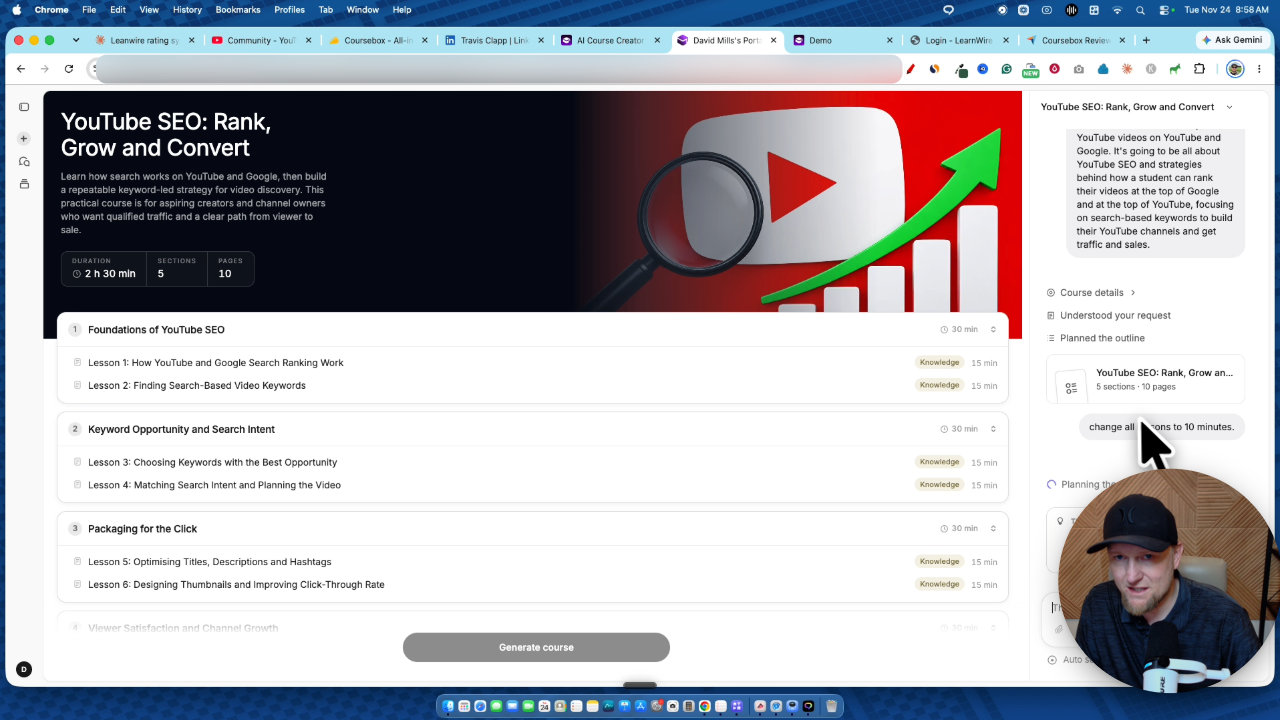
I used Amical to dictate my prompt: a 10-lesson course on ranking videos on YouTube and Google, focused on search-based keywords. Coursebox came back with a roadmap of lessons covering ranking, keyword choice, search intent, retention, titles and descriptions, and measuring SEO.
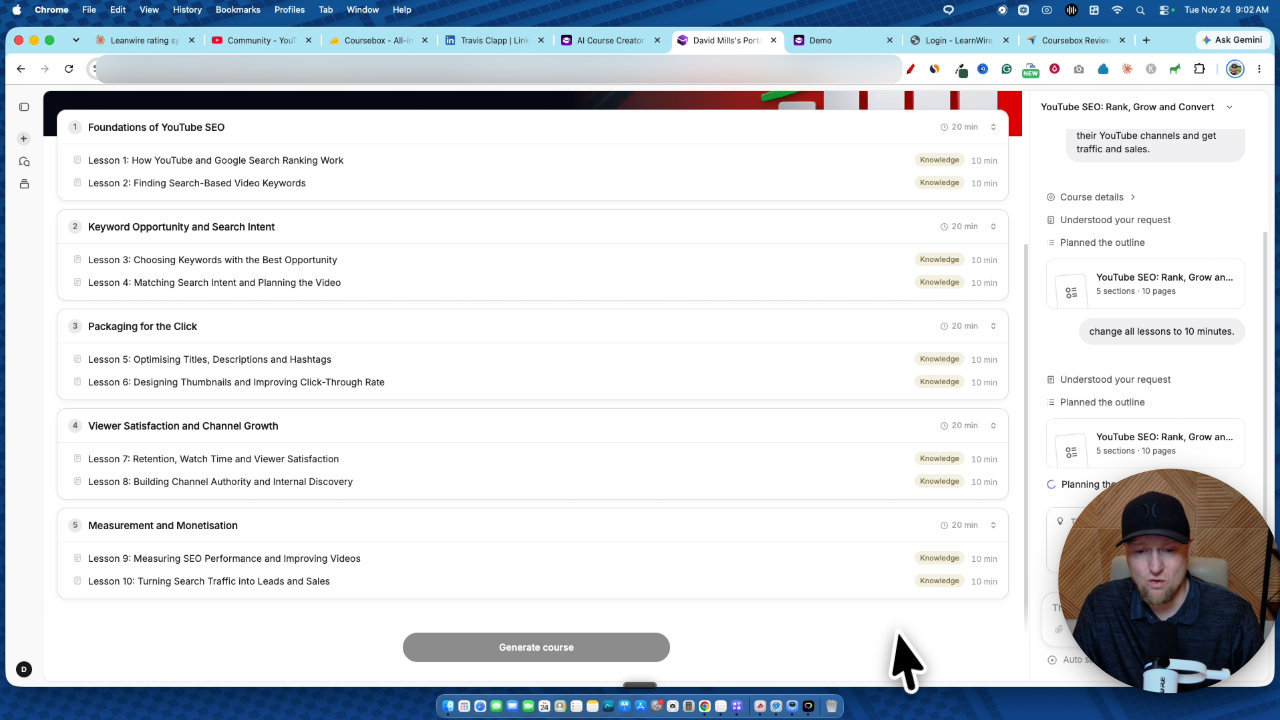
The first outline came in at 15 minutes per lesson. I chatted with it to change every lesson to 10 minutes, and it updated to a 1 hour 40 minute course. It also created a logo and graphic for the course.
Editing lessons
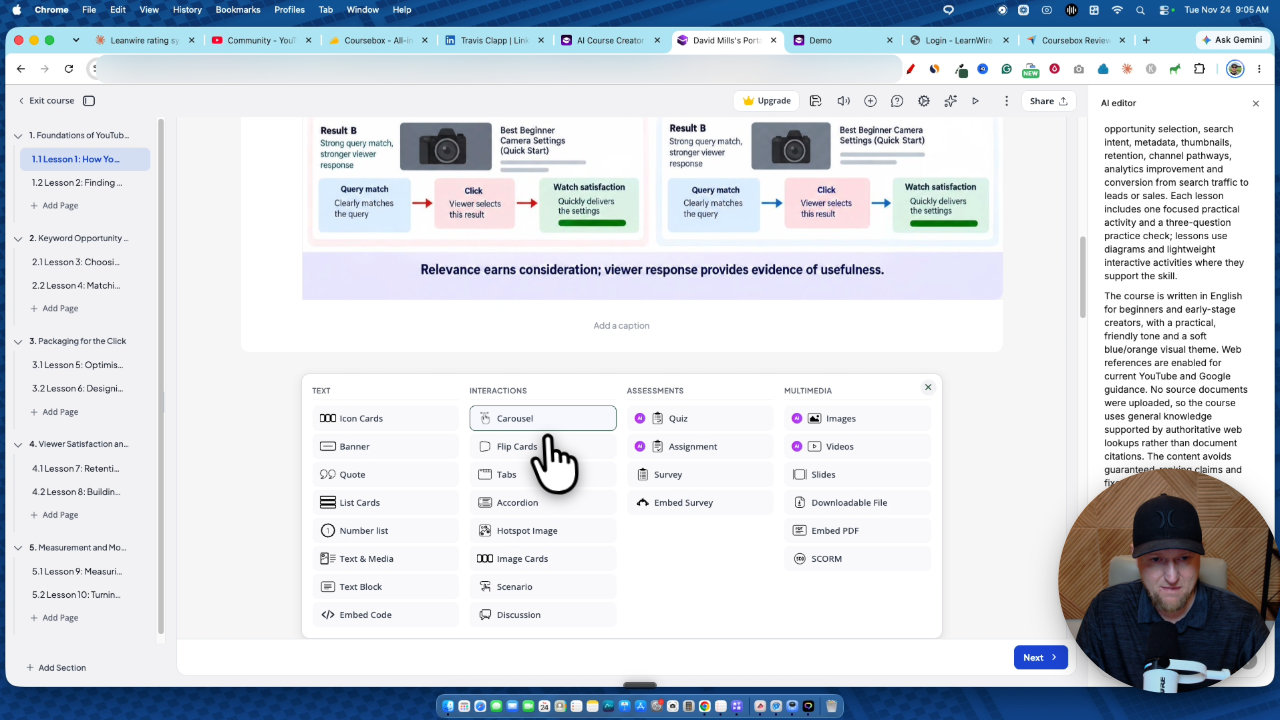
Each lesson opens in an editor where you can change anything, ask AI to rewrite, or add blocks. I added stock media, and the lesson already had interactive questions with hints built in.
You can also add video, surveys, slides, downloadable files and PDFs. The editor has an AI editor, a learner view and layout options too.
AI avatar video from my own photo
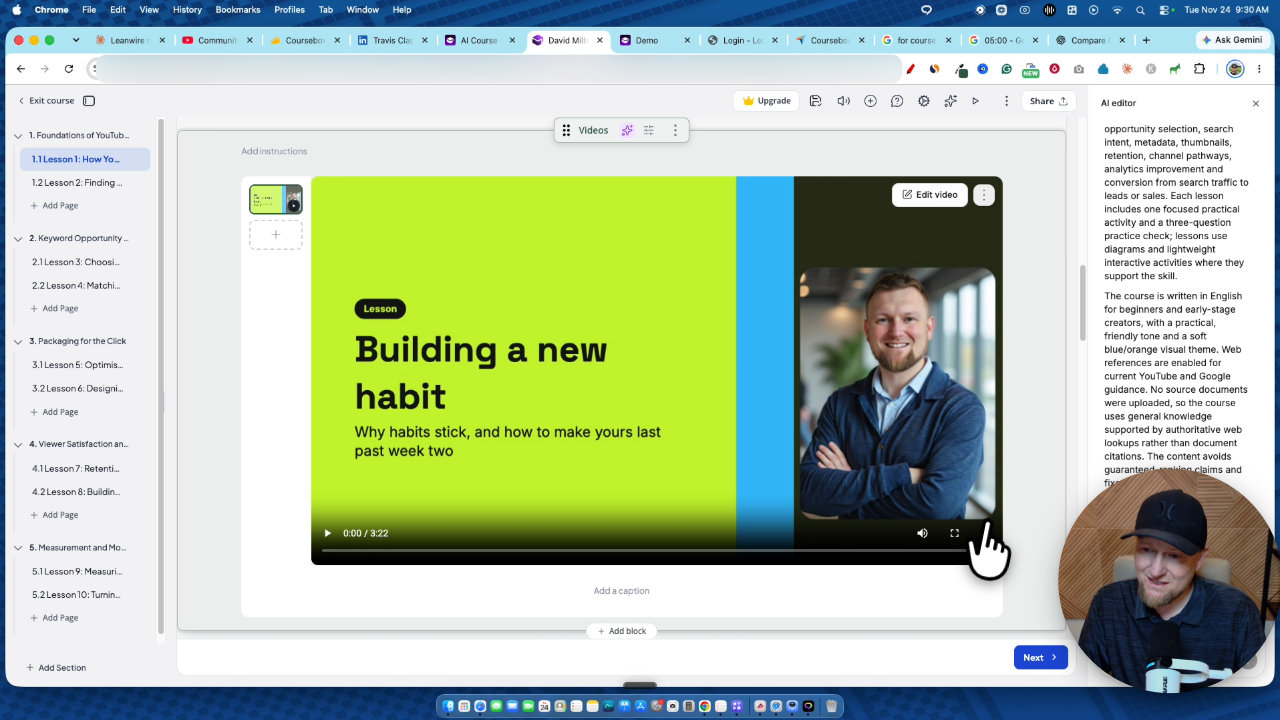
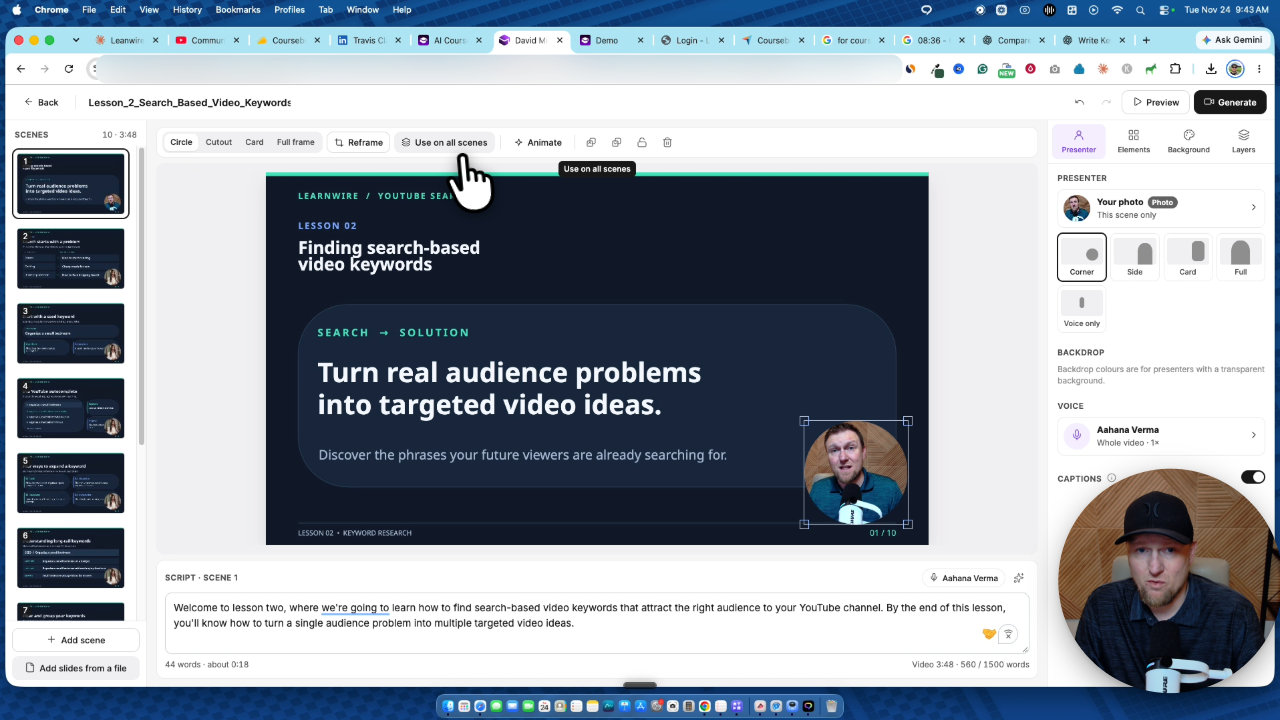
This is what I was hoping they had. I picked a coaching template, uploaded a photo of myself, created a presenter, and chose a male American English voice (Barry). The reframe options let me switch to a card layout, which I liked better than the circle.
One annoyance: the Use on all scenes button didn't behave the way I expected. I had to select every scene and apply the presenter from there.
The finished lesson was 3 minutes 22 seconds. The lip sync was really good. You can tell it's AI, but it still has a personal touch. The smile in my photo was a bit much, so I would use a more neutral picture.
PowerPoint to video, and the time it takes
For the second lesson, I had ChatGPT turn my lesson content into 10 slides with spoken narration, uploaded them, and swapped in my narration. Coursebox's own rewrite with AI button can also write text from the page, which I figured out on the fly.
This was more work. Creating custom scenes isn't a push-button process, and I didn't find an easy way to auto-generate a 10-scene video from a lesson. In total it took at least 25 minutes plus rendering.
Honestly, I like that. It forces you to review and make the course yours instead of releasing AI garbage.
The voice problem and one-time credits
My one real complaint is voice. I couldn't find a way to connect ElevenLabs or upload my own voice clone. Why upload a picture of myself and not use my own voice? That cost it a 5 in features.
On credits, I checked and confirmed that AI images and video minutes are one-time. I would love recurring monthly credits, but I understand the model, since AI costs are real. You can still use the software after credits run out and buy more.
Pricing and my rating
Compared to a one-year offer from Kajabi, Thinkific or Teachable, which would run into the thousands, Coursebox is far cheaper. I scored pricing a 5, UI and UX a 4, speed and features a 4, and software age a 5. Founder confidence got a 3 because they closed a SaaS product in 2024, and customer support got a 3. Website traffic got a 5.
My final LearnWire rating is 4.1 out of 5. I was very impressed, enjoyed using it, and I can absolutely recommend it.
Key features
AI course generation
You chat with it like ChatGPT, give it a prompt or documents, and it builds an outline with sections and lessons. You can adjust things like lesson length by chatting with it before generating.
AI avatar video lessons
You can upload your own photo to create a presenter, pick a template and generate narrated scenes. The lip sync was really good in my test.
PowerPoint to video
Upload slides from PowerPoint, Keynote or PDF and have a presenter narrate them. I tested this with 10 slides made in ChatGPT.
Built-in editor and AI rewrite
Lessons are editable blocks, and you can ask AI to rewrite text, make it friendlier, or write from the page content. You can also add stock media and AI images.
Quizzes and assessments
Questionnaires with hints are built in, so lessons are interactive. There are also surveys, downloadable files and embedded media.
White label LMS
You set up a learning portal with your own name, logo and brand colors. Higher tiers add a custom domain.
Stripe and PayPal selling
You can link Stripe or PayPal to sell courses. I would like to see more options for people in other countries.
Higher-tier community tools
License tier 3 unlocks gamification, resource library, custom domain, posts and newsletters, mini courses, learner communities and an analytics dashboard.
Pricing
- 240 AI images
- 60 minutes of AI video as one-time credits
- More AI images and AI video minutes than Tier 1
- Same credits as Tier 2
- Gamification, resource library, custom domain
- Posts and newsletters, mini courses, learner communities
- Analytics dashboard and user profile permissions
- Double the AI credits of Tier 3
- All features included
Pros and cons
What I liked
- Full courses generated from a simple prompt, with an outline you can tweak by chatting
- AI avatar from my own photo with really good lip sync
- Clean dashboard with only four tabs, not intimidating
- Lifetime pricing is far below Kajabi, Thinkific and Teachable over a year
- Both Stripe and PayPal are supported for selling
What could be better
- No way to connect ElevenLabs or use my own cloned voice
- AI credits are one-time, not monthly, so heavy video users will need to buy more
- Making a custom video from scratch is not automatic and takes real effort
- The Use on all scenes button did not work for me, and I had to set the presenter scene by scene
- Only two payment options
Who it's for
Course creators and coaches
You want a place to build, host and sell courses without monthly platform fees.
Educators and digital entrepreneurs
You want AI to speed up lesson drafting and video, while still adding your own review and touch.
Creators who want avatar lessons
A mix of AI avatar lessons and real screen recordings works well here.
Limitations: when to look elsewhere
- Skip it if you need your own cloned voice on avatar videos, since I couldn't find a way to add it.
- Look elsewhere if you want a one-click full course with finished video, because each lesson takes your time.
- If you want recurring monthly AI credits, this model won't give you that.
FAQ
Reader reviews
Coursebox alternatives
 AppSumo
FlexiFunnels
A funnel builder you can run from a prompt with ChatGPT or Claude through MCP.
 Not on AppSumo now
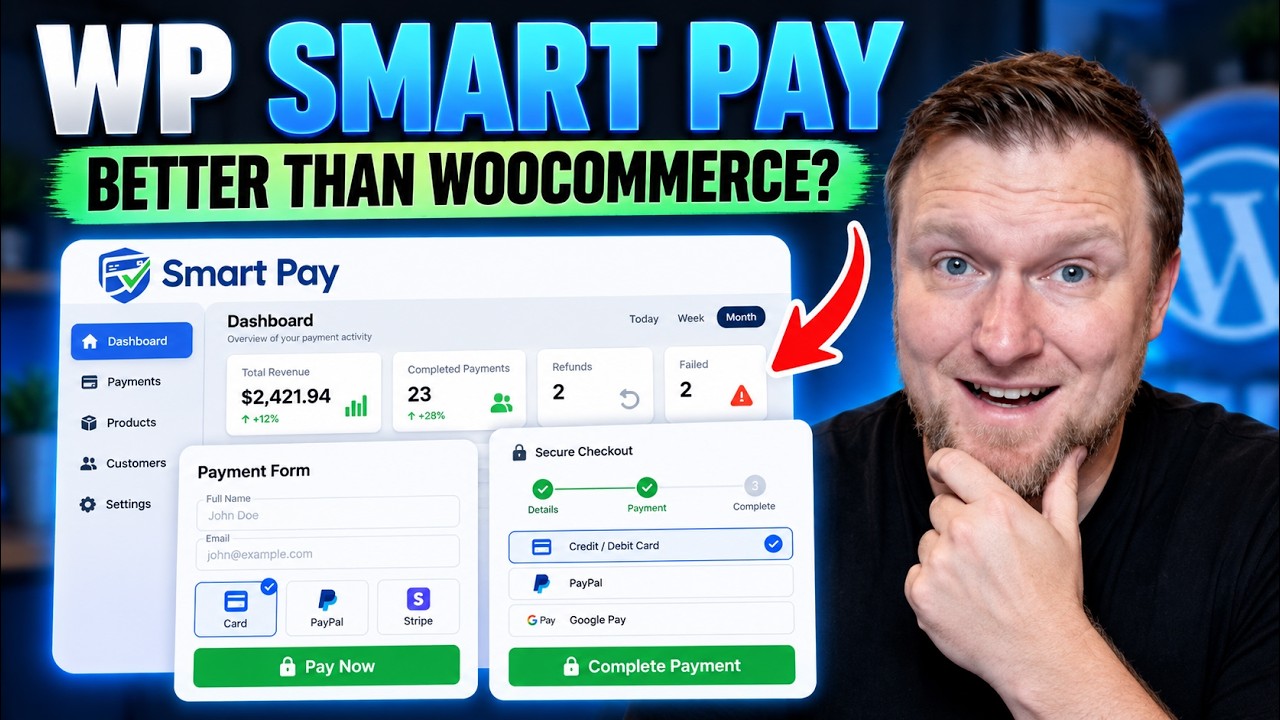
WP Smart Pay
WordPress plugin for payment forms, invoices, subscriptions and coupons without WooCommerce.