WP Smart Pay
WordPress plugin for payment forms, invoices, subscriptions and coupons without WooCommerce.
Watch my full review
- What it is
- WP Smart Pay is a WordPress plugin that lets you build payment forms, send invoices, manage subscriptions and coupons, and connect to many payment gateways and integrations.
- Pricing
- Lifetime deal on AppSumo: Tier 1 is $59, Tier 2 is $99 for 5 sites, and Tier 3 is $199 for 50 sites, with all features on every plan.
- Best for
- WordPress site owners who want simpler payments and a built-in form builder without the weight of WooCommerce.
- LearnWire's Rating
- 4.5 / 5
My review
Here is my WP Smart Pay review, covering the WordPress plugin that lets you build payment forms, send invoices and manage subscriptions. What surprised me most was how many payment gateways and integrations it supports, though a form editor bug got in my way. If you want the best WordPress payment plugin without WooCommerce, here is how it held up.
I tried WP Smart Pay because it launched on AppSumo with strong early reviews, and it promises to take the headache out of WooCommerce. WooCommerce has long been the standard for payments on WordPress, but it can feel like a lot. This plugin goes the other way and keeps things simple.
Getting set up
After you buy, you log in to the Conversion Labs account, where your license code and plugin download live. You install the plugin on your site and WP Smart Pay shows up in the WordPress menu. The company has been around since 2020 and is still small, which is worth knowing with a lifetime deal.
Settings, gateways and integrations
I spent time in settings first. You pick your currency (there are plenty), then payment gateways. I really liked this part. PayPal was active on my site, and the list also includes manual payment, Stripe, Authorize.net, Paddle, Razorpay, Mollie and Paytm.

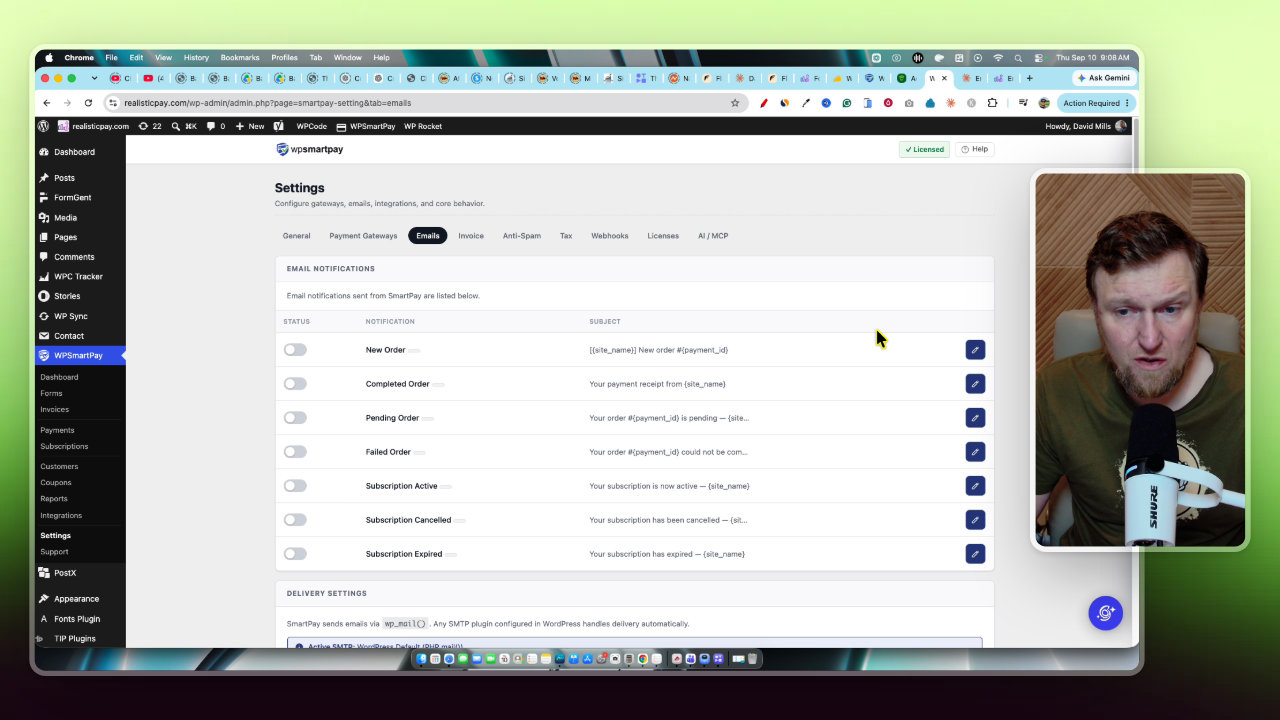
Email connectors let you turn on receipts for new, completed and pending orders. Invoices can carry your logo, brand color and footer text. There is also an MCP option to connect Claude to your site.
The integrations tab is long. I saw Mailchimp, ActiveCampaign, MailerLite, Fluent CRM, WishList Member, LearnDash, Google Sheets, Slack and Telegram. At first I thought Zapier was missing, then found it filed in the wrong category. I was a bit surprised GetResponse was not there, but Zapier covers a lot of that gap.
Reports, coupons and customers
Once payments come in, you get reports you can filter by today, last seven days, this month, last month or a custom range. You can also create coupons, view customers and manage subscriptions. It all felt clean and not clunky.
Building a payment form
This is where I hit the one real problem. When I clicked New Form, the editing box dropped way down the screen and I could not scroll it properly. It happened in Chrome and in Safari, which I rarely have trouble with. It is a bug and an annoyance, but zooming out with Control and minus worked around it.
Once past that, the templates are good: payment forms, donation, registration, event, survey, contact and booking. I picked a simple payment form and used it on a landing page I vibe coded with Claude for a made-up product called Email Ninja.

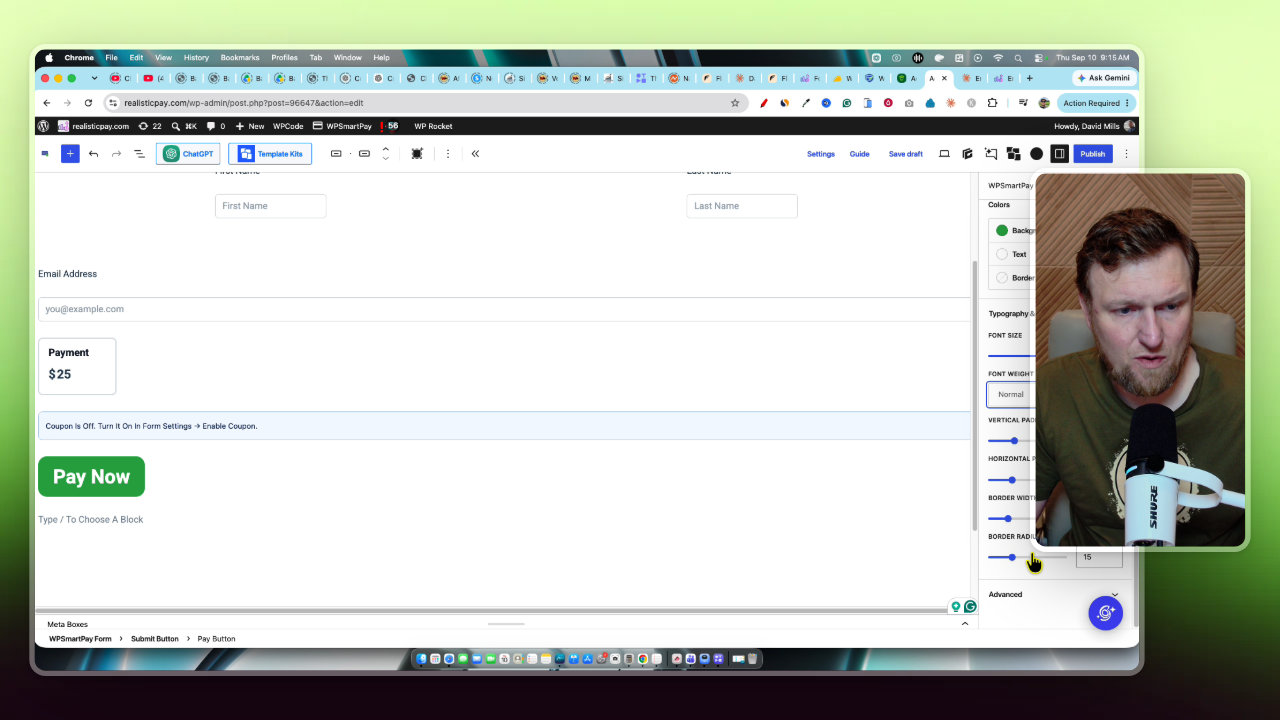
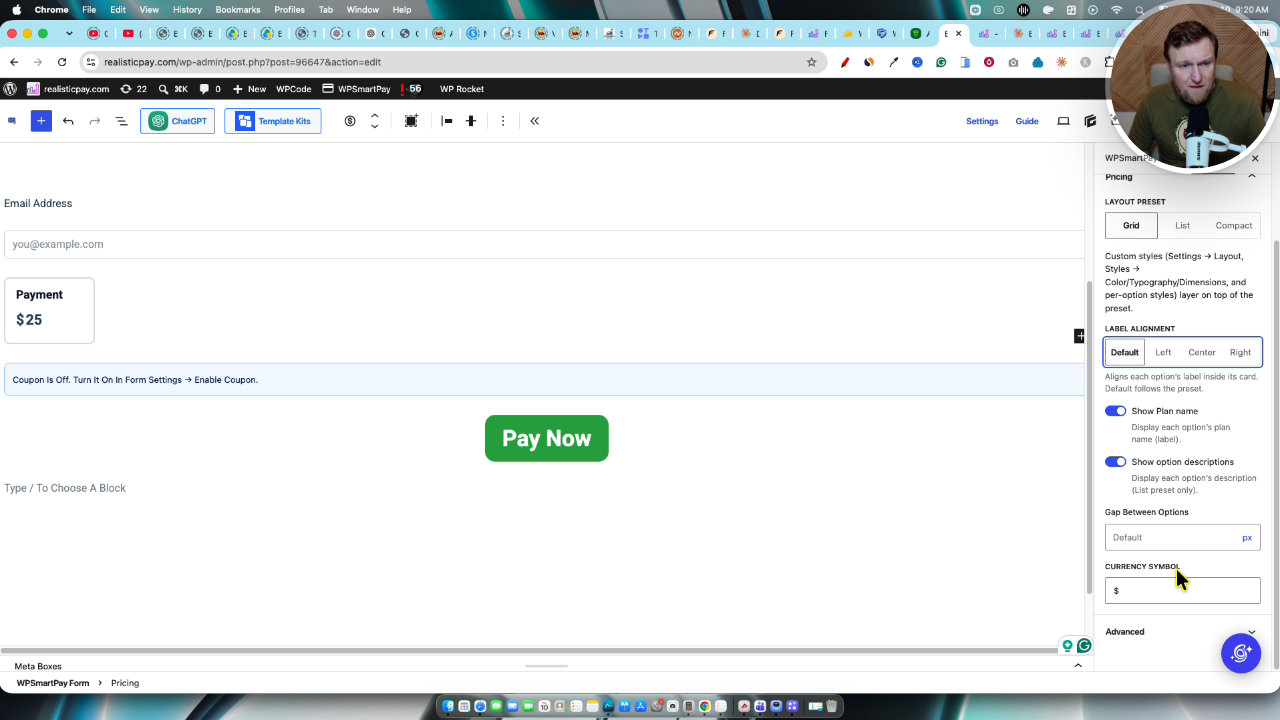
The editor gives you a lot of control. I changed the button text to Buy Now, bumped the font size, border width and padding, set the weight to bold, and found advanced CSS if you want it. You can add another payment button, allow a custom amount, switch between grid and list, and center the labels.
After publishing, the form gives you a short code. I had Claude replace the buy button on my page with it, and the form embedded fine. I centered it in the settings, refreshed, and it looked really good.
Taking a test payment
I filled in a name and email and clicked pay now. It redirected to PayPal, where a customer would complete the payment. Back in the plugin, the payment showed up as a pending one time payment and the person appeared under customers, with full transaction details available.
For me this is easier to manage than digging through PayPal, and it would work well integrated into a site. Because it includes so many form types, you could also skip a separate form builder plugin.
Invoices
The last thing I showed was invoices. You pick a customer, add notes, then save a draft or save and send. You can mark an invoice paid or resend it.
The invoice view has the service, the customer and a payment link you can copy. The customer can pay and download a PDF for their records. That is handy if you sell coaching or other services.
My verdict
WP Smart Pay is easy to use from start to finish, with strong gateway and integration support, flexible forms and clean invoices. The form editor bug is the only thing that held it back for me. I give it 4.5 out of 5 stars. If you need payments, forms and invoices on WordPress, it is a solid tool while the lifetime deal is available.
Key features
Payment form builder
Create forms from templates such as simple payment, product order and subscription plans. You can style the button, typography, spacing and layout, and drop the form into any page with a short code.
Other form types
Besides payment forms, there are templates for donation, registration, event, survey, contact and booking forms. It can double as your general form builder.
Invoices
Create an invoice for a customer, save it as a draft or send it, and mark it paid. Each invoice has a payment link and a downloadable PDF.
Many payment gateways
PayPal, manual payment, Stripe, Authorize.net, Paddle, Razorpay, Mollie and Paytm are among the gateways listed in settings.
Email notifications
Turn on automatic emails for new orders, completed orders and pending orders, and test the deliveries. Invoices can carry your logo, brand color and footer text.
Integrations
Connects to Mailchimp, ActiveCampaign, MailerLite, Fluent CRM, WishList Member, LearnDash, Google Sheets, Slack, Telegram, Zapier and more.
Reports, coupons and customers
Reports can be filtered by today, last seven days, this month, last month or a custom range. You can also create coupons and see customers and subscriptions in one place.
AI MCP connection
Settings include an MCP option so you can connect the plugin to Claude and have it build things on your site.
Pricing
- All features included
- Fewest sites of the three tiers
- All features included
- Use on 5 sites
- All features included
- Use on 50 sites
Pros and cons
What I liked
- Simple alternative to WooCommerce for taking payments
- Long list of payment gateways, not just PayPal and Stripe
- Lots of integrations, including Zapier and major email tools
- Form editor has plenty of styling control and a short code for embedding
- Invoices look clean and include a payment link and PDF
- Every feature is included on all lifetime tiers
What could be better
- The form editor had a layout bug where the editing box sat far down the screen and wouldn't scroll properly
- I had to zoom out the browser to work around it, and it happened in Safari too
- Integrations are not always in the right category (Zapier was misfiled)
- The company is small and still in a growth phase
Who it's for
WordPress site owners
If WooCommerce feels like too much just to take a payment, this keeps things simple inside your own site.
Coaches and service sellers
Invoices with payment links make it easy to bill clients for services.
Agencies and multi-site owners
The 50-site tier gives you a lot of room to use it across client sites.
Creators selling digital offers
It works as a self-hosted alternative to something like Gumroad, with more control.
Limitations: when to look elsewhere
- If you need a full store with a large product catalog, I only showed simple payment forms and invoices, so check that it fits.
- If you rely on an email tool like GetResponse, I did not see it in the integrations list, though Zapier may help.