
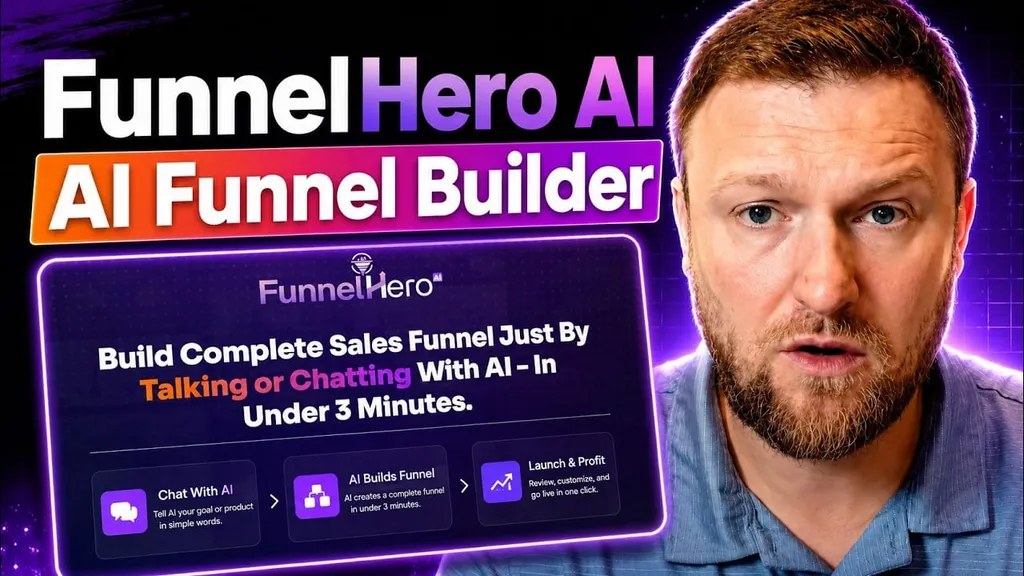
Building a landing page used to mean bouncing between a page builder, an image tool, an email platform, hosting, and a bunch of settings screens that seemed designed to waste an afternoon. What caught my attention here is that FunnelHero AI tries to squash all of that into one place and make the whole process work through chat.
That is the big idea.
You describe what you want, the software builds the funnel or website, and then you either keep editing through AI prompts or switch into a drag and drop editor to fine tune things manually.
For anyone trying to put together a squeeze page, thank you page, or even a full marketing site without wrestling with code, this is a pretty interesting setup.
Table of Contents
- What FunnelHero AI is trying to solve
- A quick look at the kind of page it can build
- Editing the page by chatting with AI
- Creating the thank you page
- You can still use drag and drop editing
- Testing the funnel flow
- SEO settings, hosting, and domain support
- Lead capture and integrations
- Website builder mode is where it gets interesting
- The site design looked surprisingly modern
- How long it takes and what credits actually mean
- Pricing and license options
- Analytics and project tracking
- What I think FunnelHero does best
- Where it still feels limited
- Who this is probably best for
- Final take
What FunnelHero AI is trying to solve
Most funnel tools help you design pages. FunnelHero is aiming for something a little different. It acts more like a chat-based builder that creates:
- Opt in pages
- Thank you pages
- Simple funnels
- Full websites
- AI generated branding elements like logos and images
The standout part is the workflow. Instead of opening dozens of settings and editing each block one by one, I can tell the software what to change in plain English. That includes things like fonts, headings, logo style, button behavior, footer text, and even the destination of a click.
If you have used AI website builders or vibe coding tools before, this will feel familiar. But FunnelHero adds something practical that a lot of those tools miss. Once the AI creates the base structure, I can stop spending credits and move to manual editing.
That matters more than it sounds.
A quick look at the kind of page it can build
The first example is a classic lead capture page for a free guide about making a first $1,000 online with tutorial videos. The page includes all the pieces I would expect on a decent squeeze page:
- A clear headline
- Supporting bullets
- An opt in form
- Social proof
- A coordinated color palette
- A custom logo that matches the offer
- A call to action button
- A footer with copyright info
It even handles extra little touches like smooth scrolling back to the form area when someone clicks a button lower on the page. Those small quality of life details help a page feel more polished.
What I like here is that the page did not come out looking like a rough wireframe. It already had the shape of something publishable. Not perfect, but definitely usable as a starting point.
Editing the page by chatting with AI
This is where FunnelHero starts to separate itself from a typical page builder.
Inside the editor, I can type requests such as:
- Change the headline font
- Rename the offer
- Update the copyright year
- Replace the generic icon with something related to videos and money
- Make a button scroll back to the top form
The software applies those changes directly inside the project. That includes visual elements too, not just text.
One especially useful example is the logo generation. Instead of settling for a placeholder icon, the AI created a more relevant branded image that matched the offer theme. For small businesses or solo creators who do not want to spend extra time in Canva or another design tool, that could save a lot of friction.
This chat-first editing style makes sense for fast iterations. I can imagine knocking out five or six meaningful changes in a couple of minutes instead of clicking through endless settings menus.
Creating the thank you page
A lot of beginners forget that a funnel is not finished after the opt in page. You still need the next step.
FunnelHero lets you create a very simple two-page flow:
- Opt in page
- Thank you page
Once the thank you page was generated, it included a confirmation message, a next-step button, and a short checklist for what the new subscriber should do next. That is exactly what a functional thank you page should do. Confirm the action, lower confusion, and guide the person to the next destination.
I also like that the button can be pointed anywhere. That could be:
- A community page
- A product offer
- A calendar link
- A webinar registration
- A bonus download area
Even the email address shown in the instructions can be updated by simply asking the AI to change it.
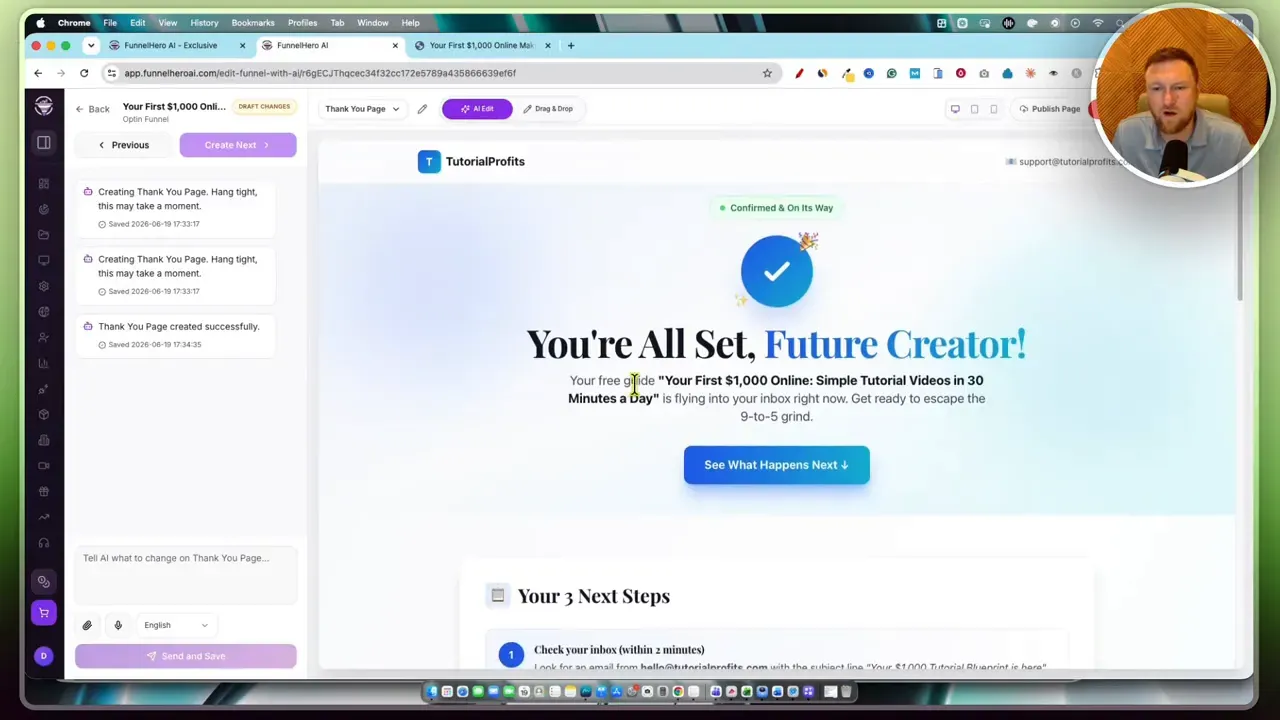
That is a simple thing, but it shows the tool is not just building pretty pages. It is trying to build functional funnel flow.
You can still use drag and drop editing
AI editing is fun right up until it gets one small detail wrong and I want direct control.
That is why the drag and drop editor matters.
At any point, I can jump out of chat mode and manually edit blocks, text, images, links, and layout settings. I can also preview desktop, tablet, and mobile versions, and even access page code if needed.
This hybrid setup is probably the strongest thing about the platform.
I get:
- AI speed for first drafts and bulk changes
- Manual control for precision edits
That balance is a lot more practical than AI-only builders that keep burning credits every time I want to nudge a section.
Testing the funnel flow
After publishing the page, the test submission moved from the opt in page to the thank you page quickly. The pages are hosted inside FunnelHero’s own environment, so there is no extra hassle just to get something live.
That makes it easier to test ideas fast.
If I were building lead magnets, mini offers, webinar registration pages, or affiliate bonus pages, speed like that would matter a lot. I would not want technical setup to be the reason a campaign gets delayed.
For people who publish content regularly, this kind of fast deployment pairs well with tools that help repurpose media into written assets. If that is your lane, a related read is this breakdown of using AI to turn YouTube videos into blog posts.
SEO settings, hosting, and domain support
FunnelHero is not just an editor. It also includes a few supporting pieces you would expect from a real web publishing tool.
You can manage:
- SEO settings for pages
- Hosted project URLs
- Custom domains
- Publishing
- Analytics
On the domain side, I can either use the hosted FunnelHero subdomain or connect my own custom domain by updating DNS records.
That is important because projects usually look more trustworthy on a branded domain. If I were launching something real, I would absolutely move it onto a custom domain.
If you are still figuring out hosting and site setup in general, this guide to website hosting options is worth a look too.
Lead capture and integrations
A funnel builder is not very useful if leads just sit there doing nothing.
FunnelHero includes lead tracking and basic integrations so captured emails can be moved where they need to go. The available integrations shown include:
- GetResponse
- MailChimp
- Zapier
- GoToWebinar
Zapier is the big one here because it opens the door to connecting with a lot of other tools even if they are not natively supported yet.
The platform also keeps a record of funnel leads, and those can be copied or exported if needed. That gives me a backup plan if I want to upload contacts manually into an autoresponder.
I would still like to see more native integrations over time, but this is enough to make the tool usable right now.
Website builder mode is where it gets interesting
Funnels are one thing. Full websites are a bigger test.
FunnelHero also includes an AI website builder that starts with a guided chat flow. I can enter:
- Business name
- What the business does
- Domain choice
- Language
- Sections I want included
- Design style
- AI model preferences
The setup asks the right questions instead of dumping me into a blank canvas.
That matters because blank pages kill momentum.
In the demo, the site being built was for a SaaS style business. The chosen sections included a homepage, about section, blog, testimonials, and FAQ. A creative design preset was selected, then the AI went off and started constructing the page structure.
The site design looked surprisingly modern
The generated website came back with a polished hero section, stylized cards, strong typography, testimonials, FAQ blocks, and interactive design elements. The hero copy rotated between different use cases, which gave the page a much more dynamic feel than a static generic template.
Visually, the design leaned modern and startup-friendly. It included:
- Large serif headline styling
- Soft gradients
- Animated or interactive style elements
- Card based layouts
- One page scrolling structure
Would I publish it exactly as generated? Probably not.
Would I be happy to start there instead of building from zero? Absolutely.
And that is really the right way to judge a tool like this.
How long it takes and what credits actually mean
There is a credit system here, and I think it is important to be realistic about it.
This is not an unlimited AI tool with zero ongoing cost. Since the software is generating copy, structure, and images using major AI models, every meaningful action consumes credits.
The rough testing showed something like this:
- A 10,000 credit starting balance comes with the commercial purchase
- That is enough for about two solid projects, depending on edits
- A couple of funnels or a funnel plus a website seems realistic
- Extra credits can be purchased separately when needed
What I actually appreciate is the pricing model. Instead of forcing a big monthly subscription from day one, the tool is sold as a one time purchase plus optional credit top ups.
That may be a better fit for people who build in bursts instead of every single week.
For people who work heavily with AI content and automation, this pay-as-you-go style can be easier to justify than another recurring bill. If that broader topic interests you, this resource on advanced AI SEO workflows is a helpful companion.
Pricing and license options
The pricing shown was simple:
- Personal license at $27
- Commercial license at $38
If I were buying this, the commercial version would be the obvious pick. The reason is simple. It gives room to build funnels and sites for clients or sell setup as a service.
That is probably where this software has the most upside.
A freelancer or agency could use it to speed up initial builds, then refine the output manually and deliver a polished result. For less than forty bucks upfront, that is not a huge risk if the workflow clicks for you.
If you want to check the current offer, the original promo link is here: FunnelHero AI deal.
Analytics and project tracking
The platform also includes built in analytics for pages and sites. I can see things like:
- Page views
- Visitors
- Conversions
- Project performance
- Lead lists
That is enough for basic funnel validation. I do not need enterprise analytics here. I just need to know whether the page is getting traffic and whether people are converting.
For anyone doing lead generation, that baseline reporting is useful.
What I think FunnelHero does best
After going through the features, the strengths are pretty clear.
1. It removes the blank page problem
Instead of starting with a bare editor, I can describe what I want and get a usable first draft.
2. It blends AI with manual editing
This is the sweet spot. AI gets me speed. Drag and drop gives me control.
3. It handles both funnels and websites
That makes it more flexible than a tool built only for squeeze pages.
4. The output looks modern
The designs shown were not dated or clunky. They had a current startup style that many people would be happy to use.
5. Hosting and domains are built in
Publishing is easier when I do not have to piece together outside infrastructure just to test an idea.
Where it still feels limited
No tool like this is perfect, and there are a few limitations worth noting.
- Credits can disappear fast if I keep asking the AI to revise everything over and over
- Some integrations are still missing and would need Zapier as a workaround
- Generated content still needs review because AI output is rarely final on the first pass
- A full website takes longer to generate than a simple funnel
None of those are deal breakers, but they are real.
If you want clean, compliant, on-brand messaging, you still need to read through everything and make sure the structure fits your business.
Who this is probably best for
I think FunnelHero makes the most sense for:
- Affiliate marketers
- Coaches and consultants
- Freelancers offering funnel setup
- Small business owners who need fast landing pages
- Creators launching lead magnets or mini offers
- People who like AI assistance but still want manual control
If you are deep into complex automation stacks and need advanced enterprise level features, this may feel a little lightweight right now.
But if your goal is to get pages built quickly, connect lead capture, and avoid learning a complicated builder from scratch, it looks promising.
Final take
FunnelHero AI feels like one of those tools that is easiest to appreciate when I stop judging it as a magic button and start judging it as a speed tool.
It is not going to replace strategy.
It is not going to know my exact brand voice perfectly out of the gate.
It is not going to eliminate the need for review.
But it does make it much faster to go from idea to published funnel or website. And the chat driven editing combined with drag and drop cleanup is a smart combo.
If I wanted to launch a simple lead generation funnel today without technical headaches, I would be very willing to test this. If I were offering funnel builds as a service, I would be even more interested.
And if you are trying to figure out which AI tools are actually worth adding to your stack, the AI Software Workflows community could be useful for cutting through the noise.
For more hands on software breakdowns in the same space, the main LearnWire Pro software reviews hub is a good place to keep digging.