Bytes Review 2026: Is This AI Micro-Course Creator Worth It? 🎓

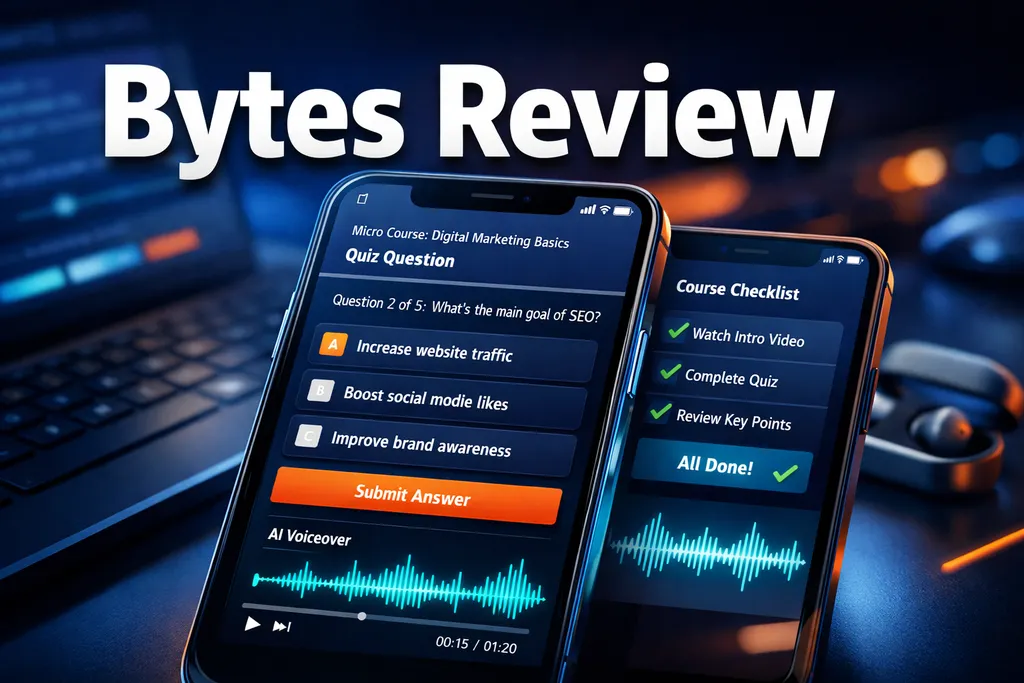
Let me be straight with you — I've tested a lot of AI tools this year, and most of them promise the moon and deliver a flashlight. So when I first heard about Bytes, an AI-powered micro-course creator backed by the Coassemble team, I was skeptical. But after putting it through its paces for this full Bytes review, I have to say: this one actually surprised me. Here's the no-BS breakdown of everything you need to know before you buy.
Key Takeaways 📌
- Bytes is an AI micro-course creator built by Coassemble — a legit company with a real track record in learning platforms.
- Tier 3 is the plan to get if you want to sell courses and unlock all features including Stripe payments and voiceovers.
- The AI generates interactive, mobile-first courses in minutes — complete with quizzes, checklists, and AI narration.
- Best fit for creators, affiliate marketers, and influencers who want to monetize knowledge quickly with low overhead.
- Final score: 4.7 out of 5 — strong value, minor rough edges, excellent for micro-product monetization.
What Is Bytes and Who Made It?
Bytes is an AI-powered micro-course builder created by the team behind Coassemble, an established learning platform with a solid reputation. The idea is simple: feed the AI your ideas, documents, or slides, and it spits out a short, interactive course you can share or sell.
What I like right away is that this isn't some random side project. Coassemble is a real company with real products. That backing lowers my trust risk considerably. Bytes is aimed squarely at influencers, online entrepreneurs, and content creators who want to package their knowledge into sellable digital products — fast.
In 2026, the AI industry has shifted hard toward practical deployment through smaller, specialized tools rather than giant models doing everything [1]. Bytes fits perfectly into that trend. It's not trying to be everything. It does one thing — micro-course creation — and it does it well.
Watch my full Bytes Video Review here:
Bytes Review: Pricing and Which Plan to Pick 💰
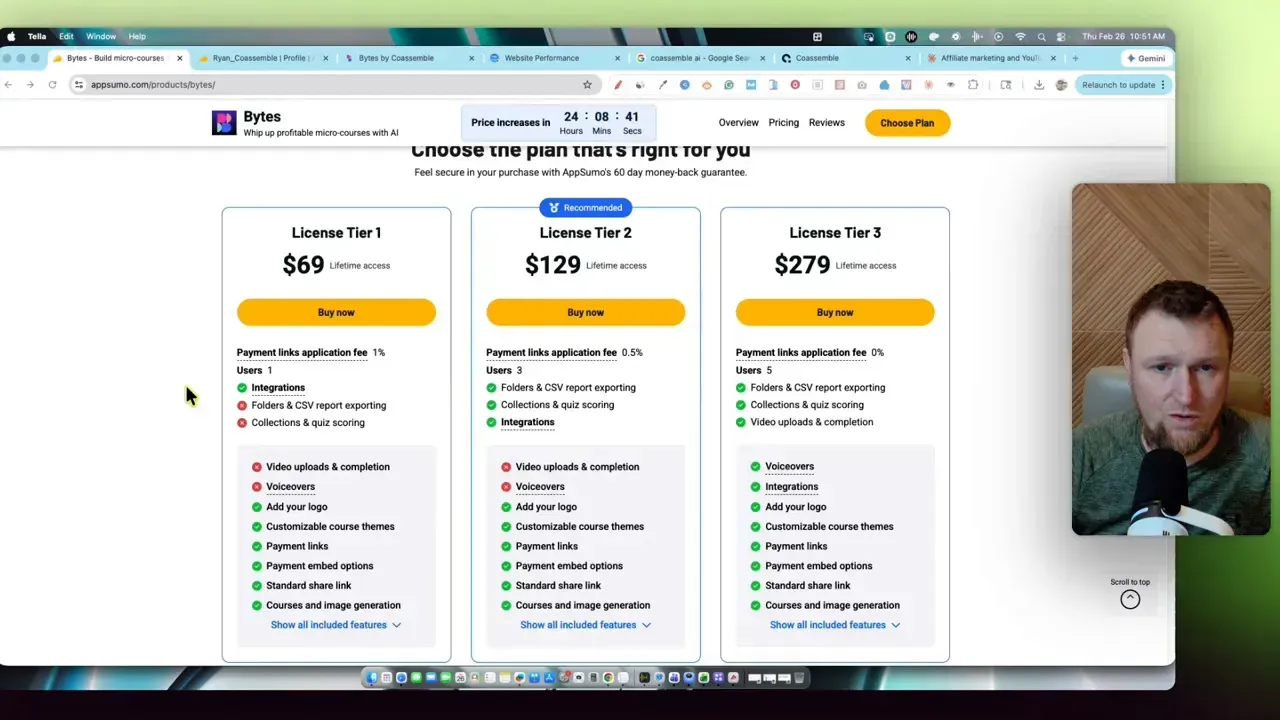
Bytes launched on AppSumo with a lifetime deal across three tiers. Here's the quick breakdown:
💡 Bottom line: If you plan to sell micro-courses and connect Stripe payments, go Tier 3. It's the plan I tested, and it's the one that makes sense for real business use.
The missing features on Tier 1 are not minor — no voiceovers, no video uploads, no CSV exports, and no quiz scoring. Those are core to making a course feel professional. If this becomes a revenue stream for you, the one-time spend on Tier 3 pays for itself fast. That's the whole appeal of lifetime deals — no recurring monthly fees eating into your margins.
How Bytes Actually Works: The Flow I Tested
The interface is clean and beginner-friendly. When you start a new course, you can:
- 📄 Transform a document
- 📊 Convert a presentation
- 🤖 Generate using a prompt
- ✏️ Start from scratch
The prompt path is the fastest. Bytes asks you targeted questions one at a time — your audience, desired outcome, tone, and how many "screens" you want. Screens are the building blocks of every course.
A screen can be:
- Text + image
- Slideshow
- Video
- Document embed
- Accordion
- Process / timeline
Learners move through one screen at a time. Five to ten screens is the sweet spot for a micro-course — mobile-first, bite-sized, and easy to finish.
My Test: A YouTube Affiliate Marketing Mini-Course
I gave Bytes a simple prompt: create a six-lesson micro-course on making money with affiliate marketing and YouTube.
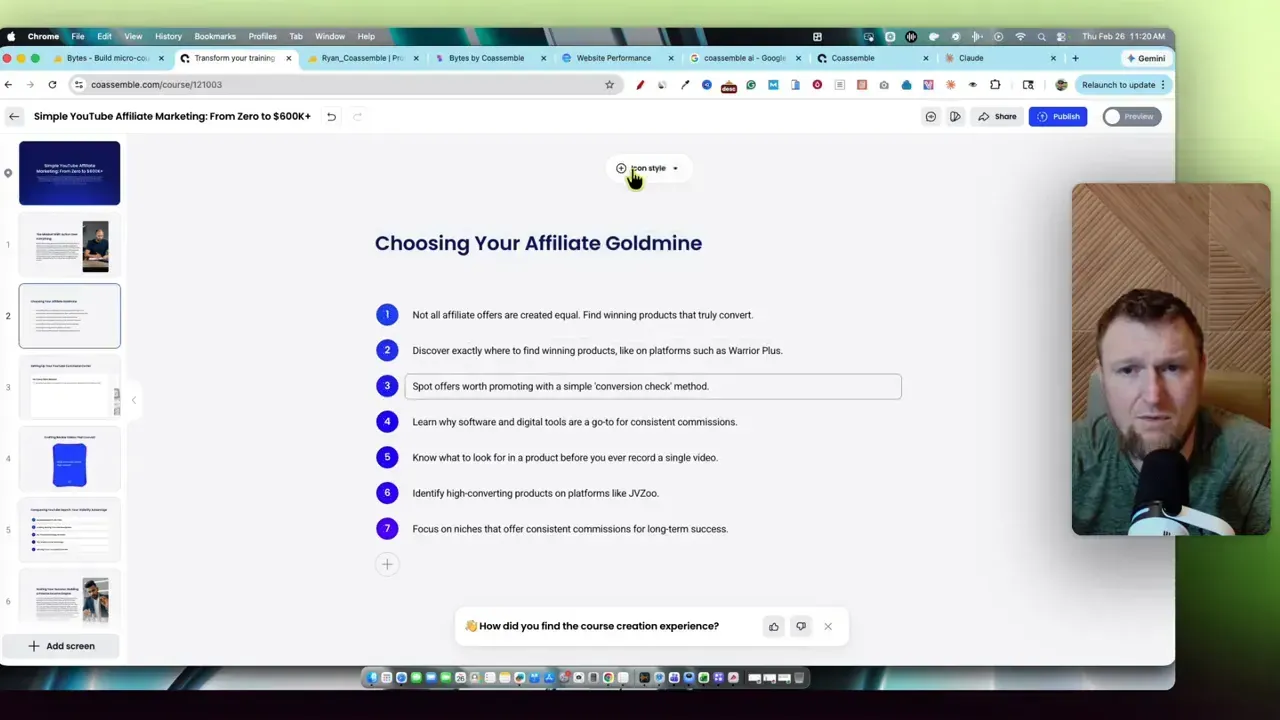
The AI asked me about audience (beginners), outcomes (niche selection, YouTube SEO, channel optimization), tone (informal and conversational), and length. Then it auto-generated a six-module outline:
- Mindset shift
- Choosing the right affiliate niche
- Setting up a YouTube command center
- Crafting review videos that convert
- Conquering YouTube search
- Scaling your income
Honestly? That structure is solid. It didn't just regurgitate my prompt — it built a logical learning journey. If you're already using tools like NeuronWriter for SEO content, Bytes can be the fast lane to packaging that research into a sellable product.
Interactive Features That Actually Impressed Me ✨
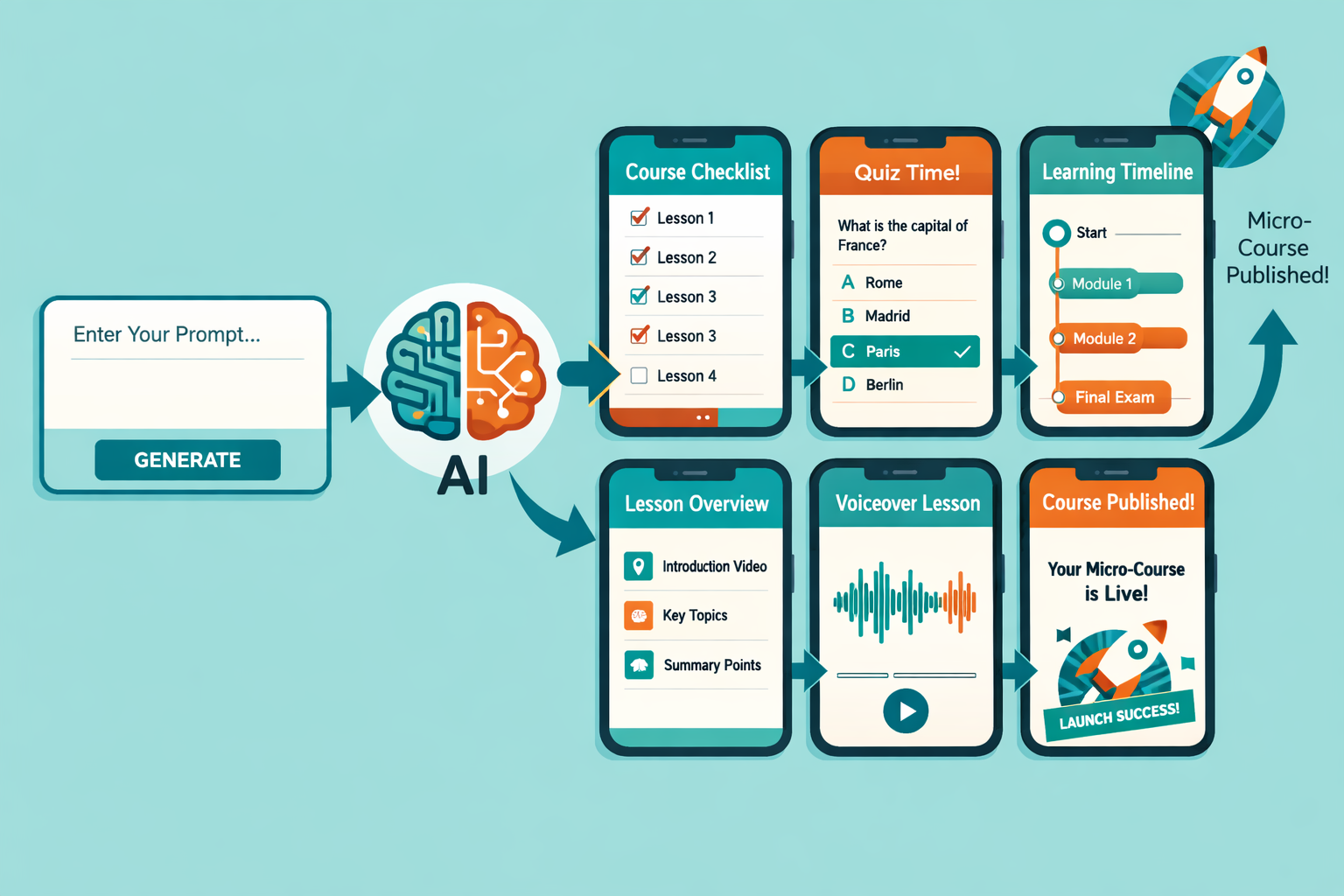
This is where Bytes separates itself from basic slide tools. The interactive elements are genuinely useful:
- Checklists — learners can check off steps as they go, turning passive slides into active tasks
- Quizzes — question-and-answer style with instant feedback (more question types would be welcome)
- Timelines — great for sequential setup steps or content plans
- AI voiceovers — text-to-speech that sounds surprisingly human (think ElevenLabs quality)
The narration feature blew me away. I picked a voice called "Leo," toggled autoplay on, and set it to require listeners to finish before advancing. The course suddenly felt like a real guided lesson — not just a slide deck.
Bytes is also mobile-first, optimized for 9:16 layouts. That's exactly what you need if you're selling on Instagram or TikTok. It respects how people actually consume content on their phones in 2026.
Bytes Review: Pros and Cons
✅ Pros
- Speed — idea to interactive course in minutes
- Interactive components — checklists, quizzes, timelines, embeds
- AI narrations — high-quality voiceovers without recording your own audio
- Mobile-first design — perfect for social selling
- One-time AppSumo pricing — lifetime access beats monthly subscriptions
❌ Cons
- Buggy at times — the generator stalled on the final slide a couple of times; I had to cancel and re-run
- Stripe only — no PayPal option yet, which some creators will miss
- Long paragraphs — the AI sometimes generates chunky text; you'll want to edit down to one sentence per screen
- Quiz depth — more question types and grading options would improve learning outcomes
How I'd Actually Use Bytes in a Creator Workflow 🔧
Bytes is not going to replace a deep, video-heavy course for high-ticket students. But it shines in several real-world use cases:
- Mini products for social — sell a $10 micro-course on Instagram or TikTok as a quick monetization test
- Lead magnets — an interactive course with voiceover has way more perceived value than a PDF
- Course outlines and scripts — use Bytes to generate polished slide-based scripts for longer video courses
- Team onboarding — internal SOPs and training without building a full LMS
Quick tips from my test:
- Chunk content into single-sentence screens for mobile readability
- Listen to the AI narration — it might misread dashes or numbers; small edits fix it fast
- Use checklists and timelines to turn passive slides into active tasks
- Pair a Bytes course with a short personal video to boost trust and justify a higher price
If you're exploring the broader landscape of AI tools for digital marketing, Bytes fits naturally into a creator's tech stack alongside content and SEO tools.
Where Bytes Fits in Your Tech Stack 🧩
Bytes is complementary, not a replacement for your existing tools. Here's how it plays with others:
- Pair it with an AI writing tool to draft course content faster
- Use it alongside Hypotenuse AI for content generation, then package that content into Bytes courses
- Combine with Zebracat AI if you want to repurpose your micro-course content into social video
- Use Koala AI Writer to write SEO landing pages that drive traffic to your Bytes courses
- Need better analytics on who's visiting your course pages? Check out Ribbit Real-Time Analytics for live visitor data
The AI industry in 2026 is moving toward practical, specialized tools that slot into human workflows [1]. Bytes is a perfect example of that shift — it's not trying to be a full LMS. It's a fast, focused tool for one job.
My Verdict: Who Should Buy Bytes?
If you're an influencer, creator, affiliate marketer, or small business owner who wants to monetize knowledge quickly and cheaply, Bytes is a strong fit. The sweet spot is mobile-first micro-products sold through social or embedded Stripe links.
I tested the full Tier 3 feature set. The AI creates genuinely useful, interactive mini-courses, and the voiceover feature brings them to life. There are rough edges — generation sometimes stalls and payment options are limited — but the overall value is high.
⭐ Final Score: 4.7 out of 5
Conclusion: Is Bytes Worth It in 2026?
Short answer: yes, for the right person.
Bytes turned something that usually takes hours and multiple tools into a streamlined process — idea to interactive course in minutes. It's not a replacement for a deep recorded course, but it's an excellent tool for mini products, lead magnets, and quick monetization experiments.
Here's your action plan:
- 🎯 Pick one topic you know well
- ⚡ Run the AI prompt and generate a 6-screen outline
- ✏️ Edit down to single-sentence screens for mobile readability
- 🎙️ Add AI narration and listen through once
- 💳 Connect Stripe and publish a $10 micro-course
- 📊 Test what converts, then iterate
The speed at which you can test ideas is the real power here. Small wins build into sustainable income. If you're serious about selling micro-courses, Tier 3 is worth the investment.
Want more honest software reviews like this? Head over to LearnWire for deep-dive breakdowns of the tools that actually move the needle for digital marketers.
References
[1] Bytes To Insights Weekly News Digest For The Week Of February 1st 2026 - https://www.bearnetai.com/news-digest/bytes-to-insights-weekly-news-digest-for-the-week-of-february-1st-2026/
[4] SpaceX-xAI Merge, Nvidia-OpenAI's Funding, US TikTok's Rough Start - https://www.marketplace.org/episode/2026/02/06/spacex-xai-merge-nvidia-openais-funding-us-tiktoks-rough-start