AffiliateSpark Update: How I Ranked #1 on YouTube With It
I built AffiliateSpark, and I sell it on WarriorPlus, so read this as the creator walking you through his own tool. It's software that scans a product or sales page, pulls keywords with real data attached, checks YouTube competition, and helps you plan the videos. In my video I showed an update with a new bundle, a bigger keyword generator, and a few new controls. Here's the workflow and what I'd want you to know before buying.
Why I built it around keywords, not views
The software is based on the affiliate strategy I've used for years: rank videos for buyer-intent keywords and get free search traffic. It isn't a generic AI wrapper. It has SEO data and YouTube connections running in the back end, so it pulls real search data.
My main argument is that you don't need huge view counts to earn as an affiliate. I'd rather get 1,000 views from the right keyword and have 30 people buy than get 10,000 views and have 2 buy.
On my sales page I showed examples from the last few weeks. One video got about 600 views and earned around $2,000 at a 34% conversion rate. Another got roughly 400 views and made $637. These are my own results, not a promise of what you'll get.
Step 1: Scan a product page
You log in, paste in a product or sales page URL, and hit scan. In my demo I used a page from a site getting about 42,000 visitors a month in the AI search and SEO space.
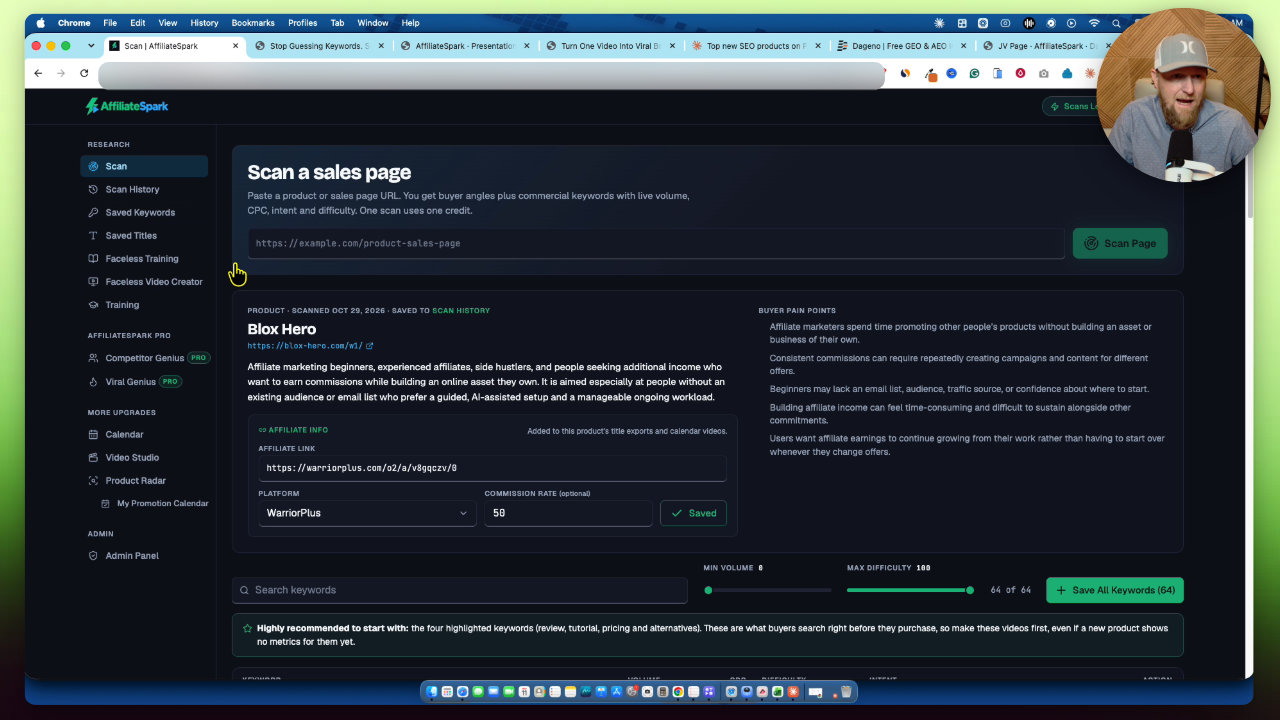
The AI reads the page and works out who the target audience is. It also lists buyer pain points, which is useful marketing info on its own. If you have an affiliate link, you can enter it along with the commission rate and save it. It follows you through the software later.
One limitation: I can't control whether the AI is able to read a given page. If a scan fails, you get an error and a box. Open the page, select all, copy, and paste it in. It works the same way.
Step 2: Filter the keywords
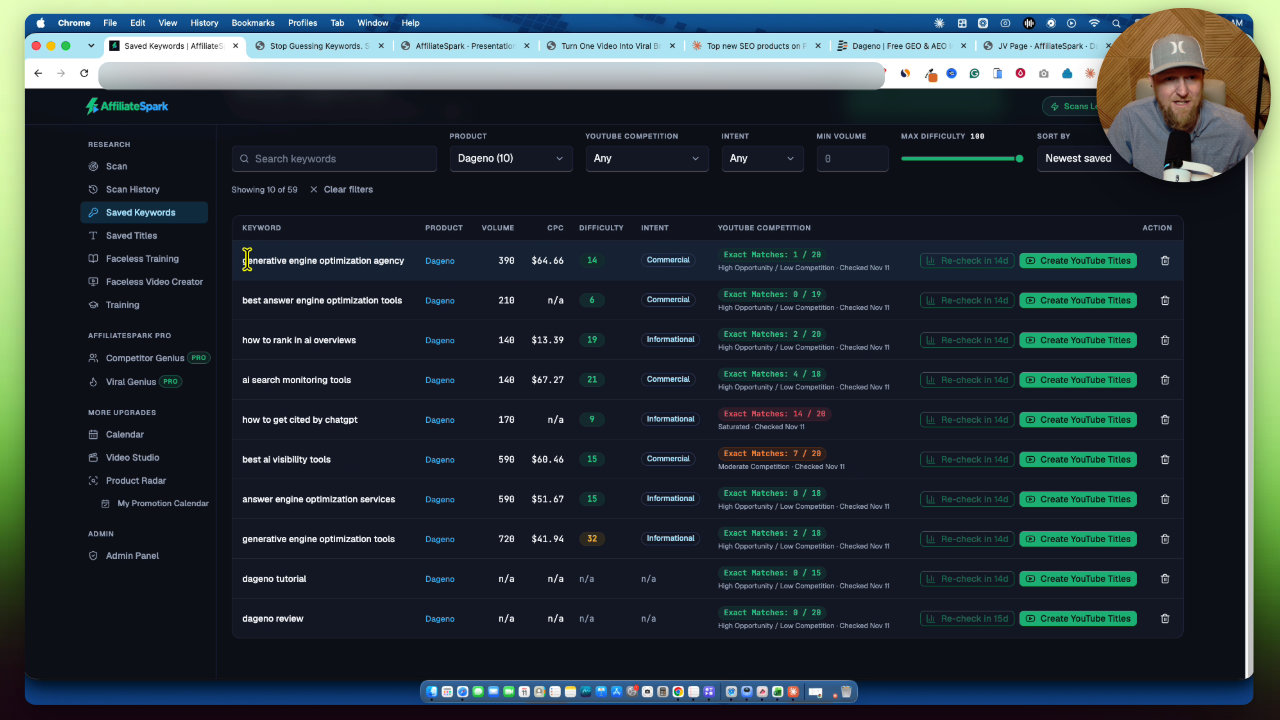
After the scan you get a list of keywords with real data attached. The description of this update mentions the expanded generator, which can produce about 150 keyword ideas from a page. In my demo it found 143.
You can set a maximum difficulty and a minimum volume. I used a minimum volume of 110 and a maximum difficulty of 50. That narrowed the list a lot, and it's far better than sorting through everything by hand.
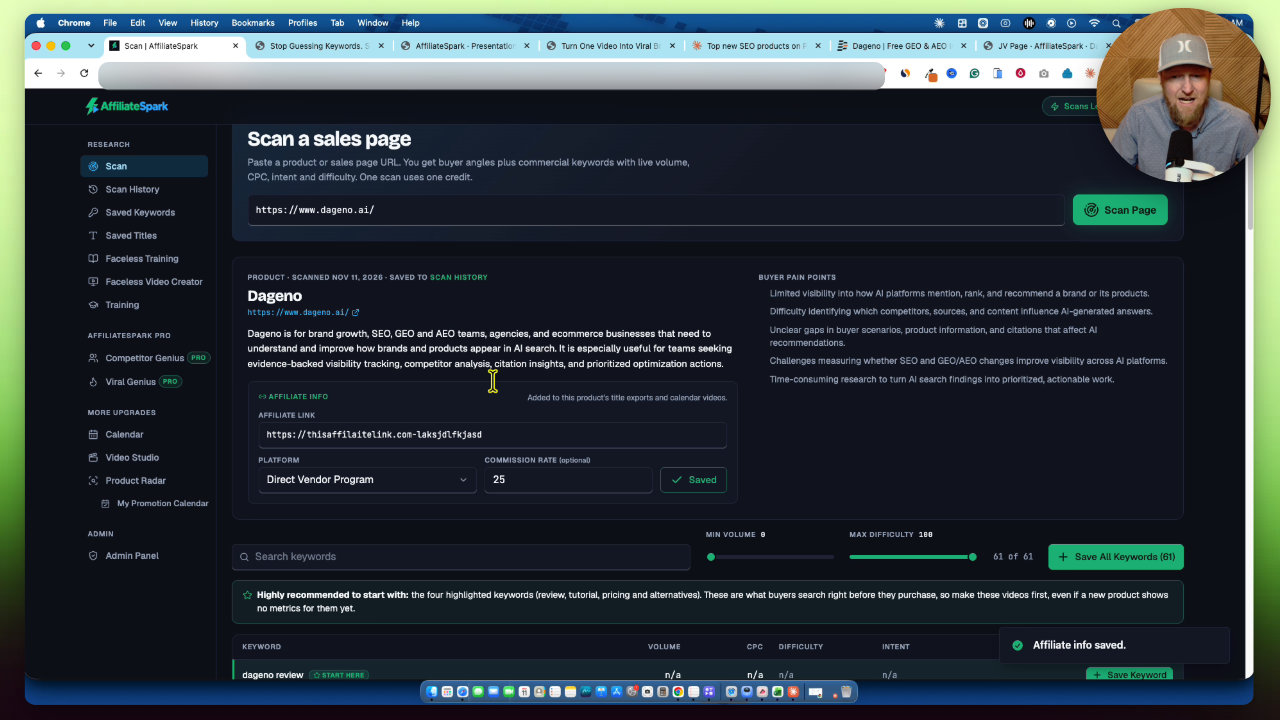
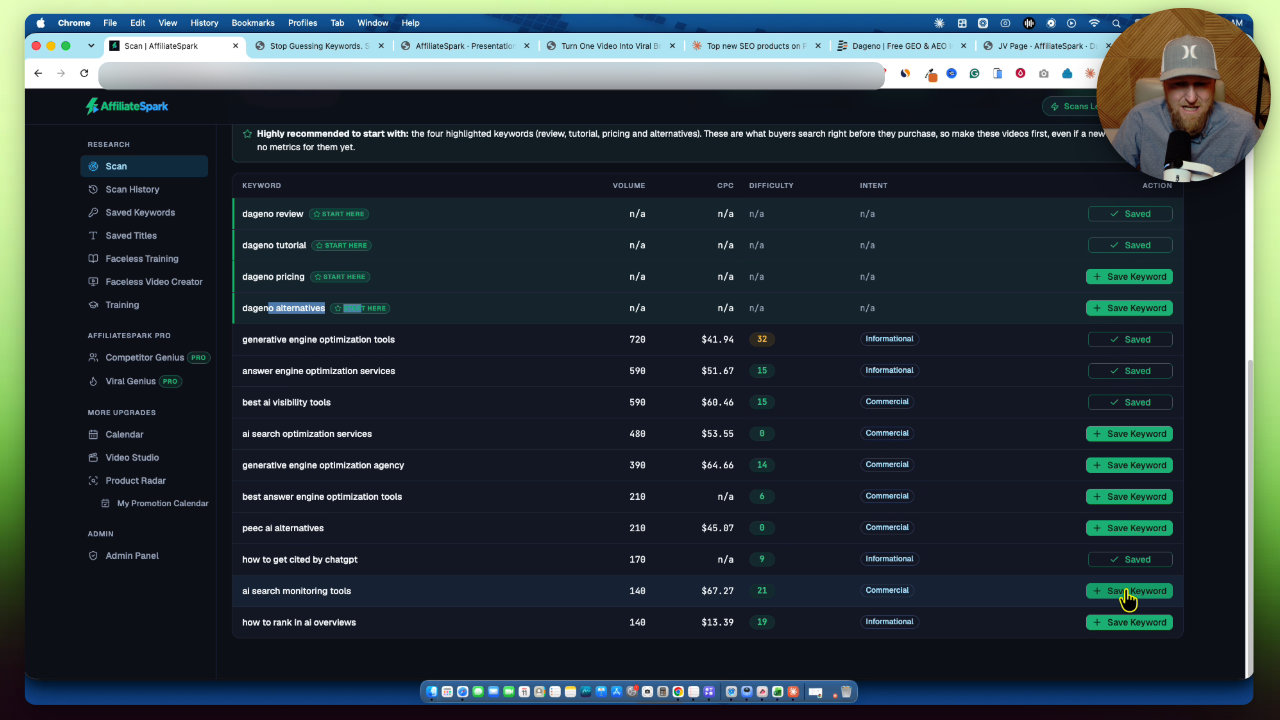
The filtered list had keywords I would never have guessed from the page, like generative engine optimization tools, answer engine optimization services, and best AI visibility tools. That's the value for me: finding what people search for that the product solves, even if the page never says it that way.
It also highlights four starting keywords automatically: review, tutorial, pricing, and alternatives. They often show no volume, but they're very commercial. Someone searching them doesn't own the software yet. I always make the review video first, then follow-ups with different keywords.
Don't ignore keywords with no data. I'd still consider videos on them.
Step 3: Check the YouTube competition
Saved keywords go into a saved keywords section. From there you can analyze YouTube competition. It uses real API connections to look for the exact keyword and see whether any video matching it ranks in the top 20. Keywords that turn green are the go signals.
I also checked one by hand. I pasted the keyword into YouTube, used find on the page, and no video had been made with that exact keyword. That's the kind of gap I look for. This is how I found the low-competition keyword for my ranking test, and my video ranked #1 on YouTube for it.
The difficulty score shown is a Google score. I think that's a plus, because several of my videos got tens of thousands of views from Google search. It might be my best traffic source.
Step 4: Generate titles and plan the calendar
From a green keyword you can generate YouTube titles. They're 70 characters or less with the keyword front-loaded, and you can save one or all of them. You can copy them, export them as CSV, or send them to the calendar.
The calendar is part of the Content Engine and Calendar upgrade. Sent titles come off your list and land on a schedule. I set one video a day, and you can set a custom schedule. Each entry keeps your affiliate link and title, and you can track status from recorded to edited to thumbnail ready to live. You can drag and drop to reschedule.
What the upgrades add
I only gave the other tools a quick tour, and I plan to make follow-up videos covering them in more depth.
- Pro: more scans plus Competitor Genius and Viral Genius. Competitor Genius tracks up to 10 competitor channels through the YouTube API, highlights a top performer, and lets you model a title. Viral Genius makes browse-style titles for the same offer.
- Video Studio: generates an asset pack with hooks, a description, tags, and affiliate call-to-action scripts. It also has a thumbnail section that builds a prompt and layout you paste into ChatGPT.
- Product Radar: shows new products on AppSumo, ClickBank, WarriorPlus, and JVZoo plus upcoming launches, with a separate launch-focused promotion calendar.
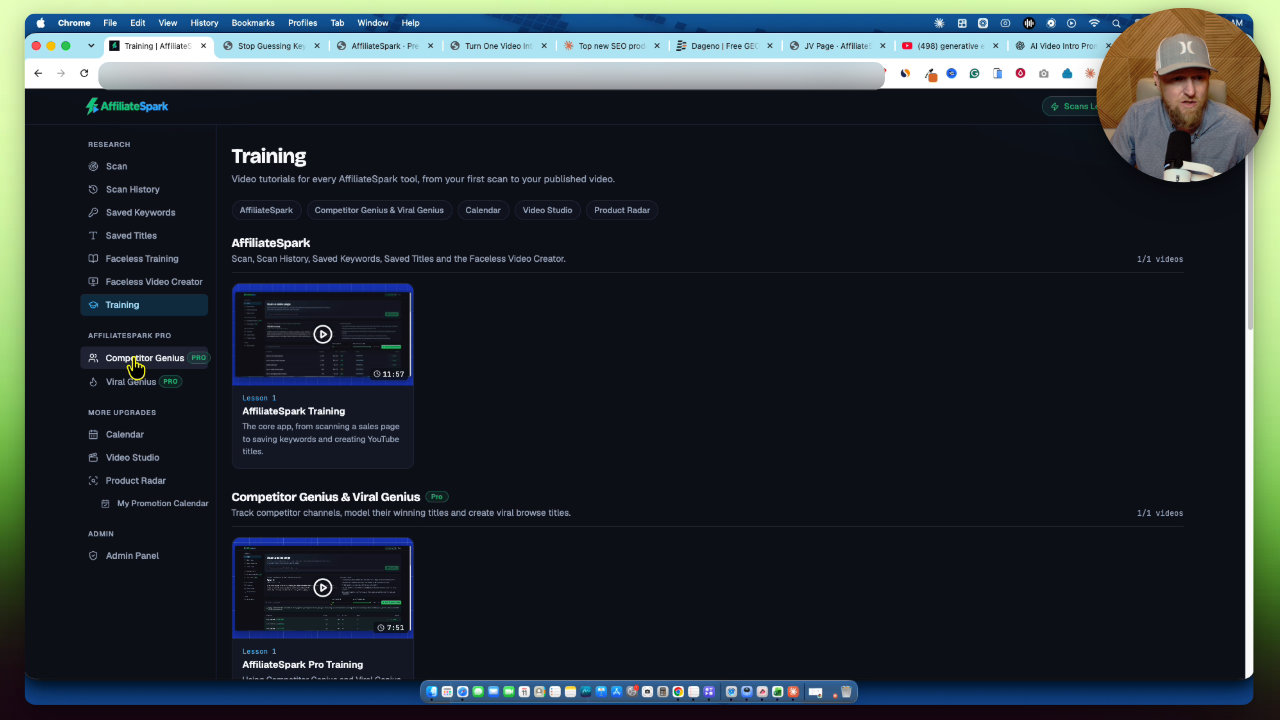
The front end also includes training, including a faceless video workflow. You do have to watch the training first for it to make sense. The faceless video tool writes scripts through prompts you paste into ChatGPT or Claude, and one software it mentions costs extra.
New in this update: bundle, scan history, and support
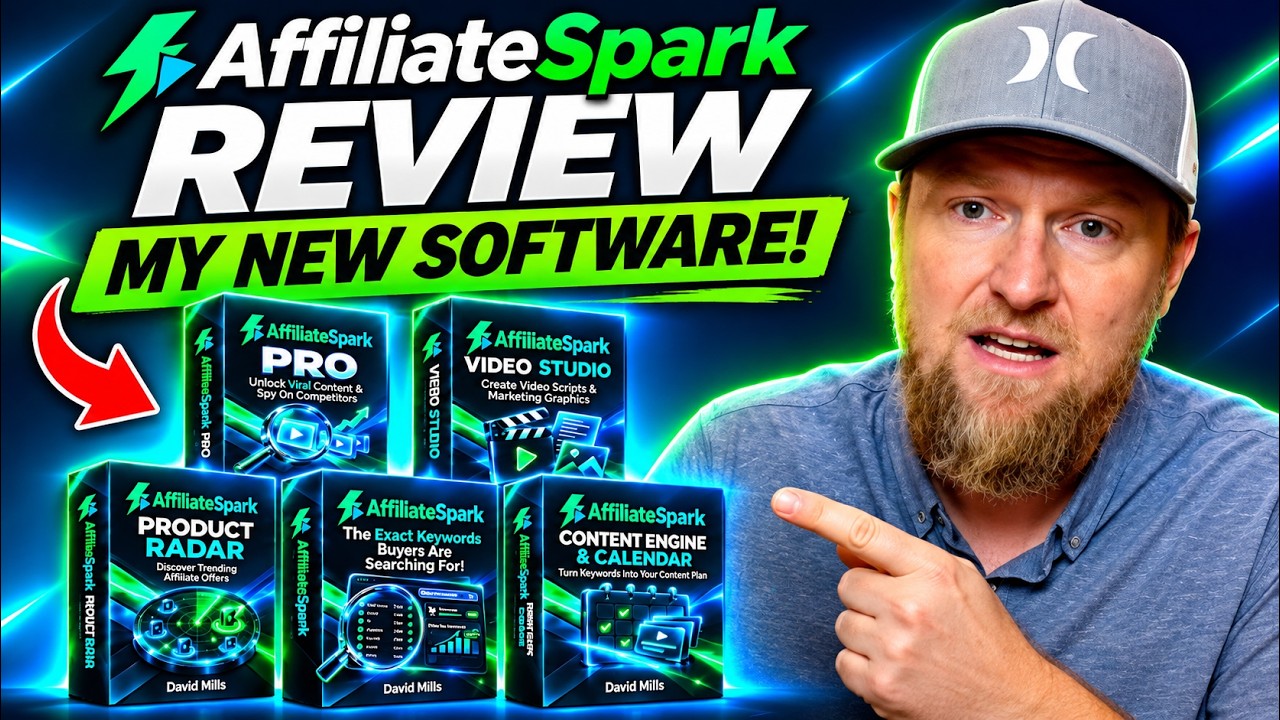
The new bundle is $187 and includes Pro, Content Engine and Calendar, Video Studio, Product Radar, and 250 scans. There's also scan history, where you can now delete old scans and run fresh research, plus a support and update log. During the launch I walked through the funnel at $37 for the front end, $67 for Pro, $37 for Video Studio, and $47 for Product Radar. Prices rise after the launch, so check the current page.
You can get it through my link: AffiliateSpark and the new bundle.
Honest limits
- Scans are not unlimited. The front end gives 100 scans and Pro gives 250. The software uses paid AI and data connections, so more scans cost extra. When I recorded, I was still building the top-up option.
- It's video-first and the training is built around YouTube. You can use the keywords for a website or Pinterest, but that's not what it's optimized for.
- Page scanning sometimes needs the manual copy and paste fallback.
- The case study results are mine. Your results depend on your niche and the videos you make.
The takeaway
If you make affiliate videos and keep guessing at topics, AffiliateSpark is built to replace that guessing. Scan a page, filter by volume and difficulty, check the YouTube competition, then make the video. I'm biased since I built it, so watch the demo and decide if the workflow fits how you work.
My AffiliateSpark review
 WarriorPlusMy Product
AffiliateSpark
Scan product pages for buyer keywords, check YouTube competition, and generate video titles.
More about AffiliateSpark
How I Find Low Competition YouTube Keywords With AffiliateSpark
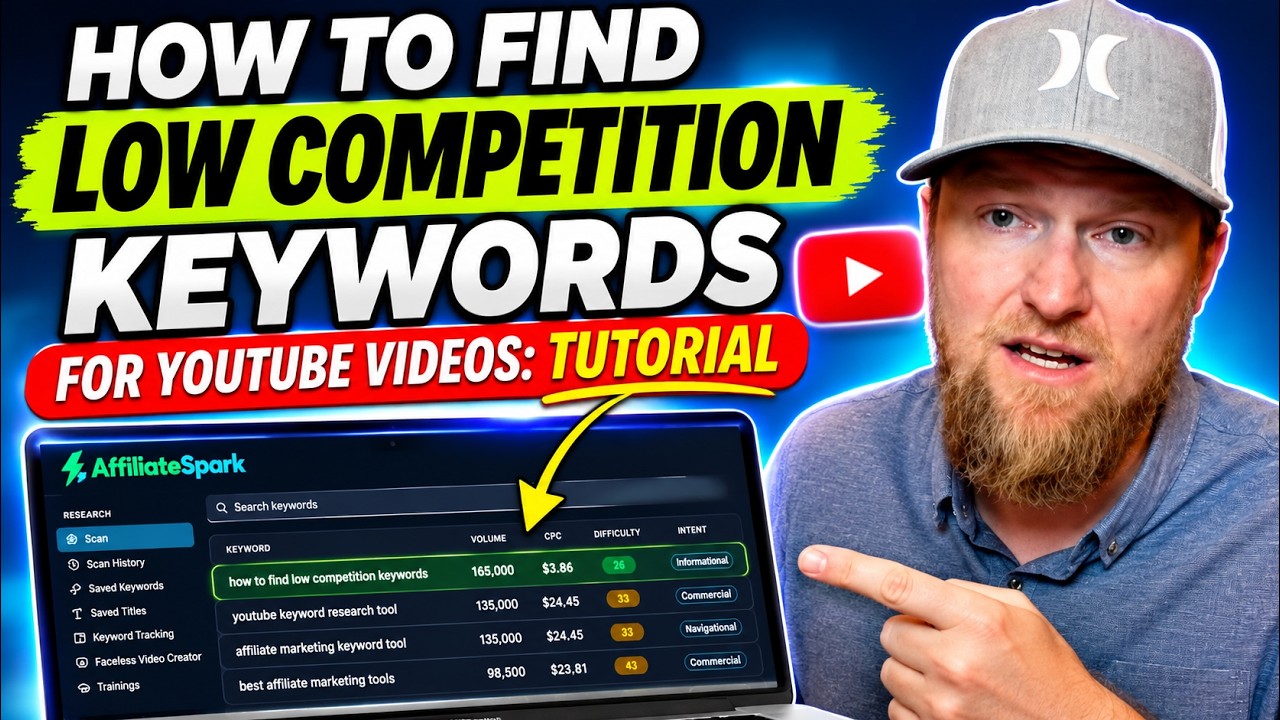
I built AffiliateSpark, and I used it live to find the title of my own tutorial video. Here is the step-by-step keyword workflow, from scanning a page to filling a content calendar.
Other tools in this post

More in Affiliate Marketing & Traffic Generation

Why Your Affiliate Work Disappears and How Blox Hero Fixes It
Most affiliate content stops earning once a launch ends. I walk through the hero page and flip page idea behind Blox Hero, and what it does and does not change.
Pin2Profit After 30 Days: My Real Pinterest Affiliate Results
I'm 30 days into Pin2Profit and checked every Pinterest account. Impressions and views are showing up, but the new test accounts haven't produced outbound clicks yet.
I Rebuilt My Website With AI: Ghost Migration and Autopilot Posts
I moved LearnWire Pro off Ghost and rebuilt it as a software review directory with Claude and Flute. Here is what it does, how I did it, and what it really took.