WarmySender
Cold email outreach with built-in warmup, templates and a 200M contact B2B lead database.
Watch my full review
- What it is
- WarmySender is a cold outreach platform that combines a 200 million contact B2B database, email warmup, templates, campaigns, analytics and a unified inbox.
- Pricing
- AppSumo license tiers run from $49 to $639, and every tier includes email warmup.
- Best for
- Consultants, marketers, agencies and sales managers who want leads, warmup and sending in one place.
- LearnWire's Rating
- 5.0 / 5
My review
Thanks for checking out my WarmySender review, the cold outreach tool that bundles a 200 million contact database with email warmup and campaigns. The dashboard looked overwhelming at first, but setup turned out to be more intuitive than I expected. If you want the best all in one cold email outreach tool with a built-in lead database, this one deserves a look.
I wanted to see whether one tool could really replace the usual cold outreach stack of a lead source, a warmup service and a sending platform. WarmySender is positioned as an alternative to Hunter, Lemlist and similar names, so I set up a mailbox and built a real campaign.
First Look at the Dashboard
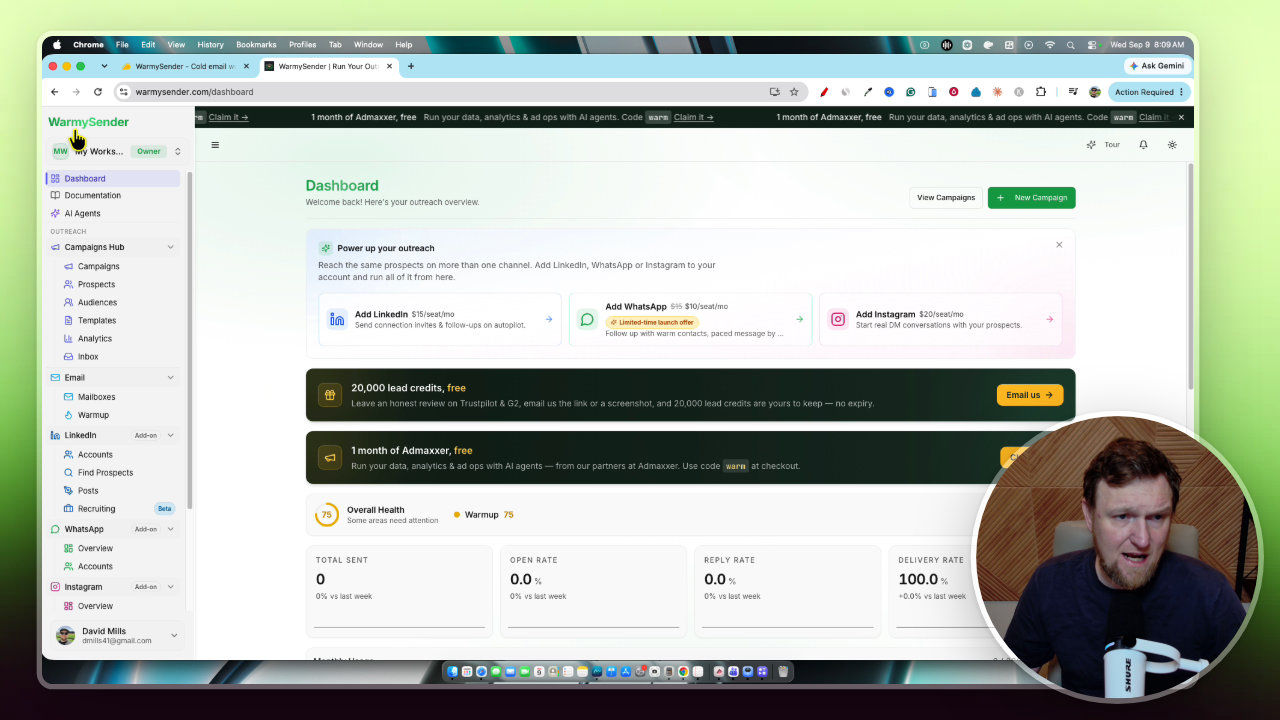
I'll be honest: the dashboard can feel like a lot. The tool is ridiculously powerful, with leads, campaigns, an inbox, analytics, templates and an AI agent section all in the sidebar.
Every page has a short tour that explains what you are looking at, which helps. I also skipped the LinkedIn, WhatsApp and Instagram sections, since those are paid add-ons and would have made this a 45 minute video.
Connecting a Mailbox and Turning on Warmup
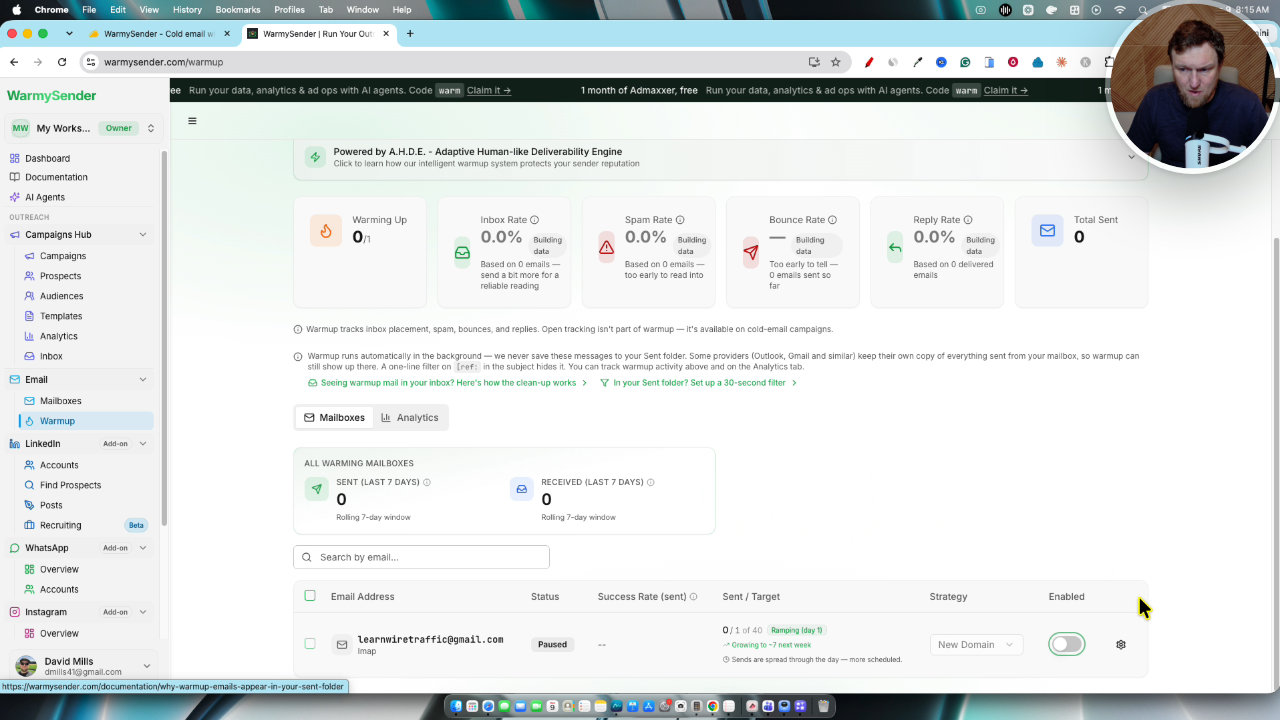
Adding a mailbox is easy. I connected Gmail with an app password, and the app walks you through each step and even links you to the right settings page.
Warmup is not on by default, so you have to enable it. Once I did, it showed the ramp: one to seven emails per day at first, then nine to 15 in week two. It runs in the background and I didn't get a record of the individual sends.
Templates
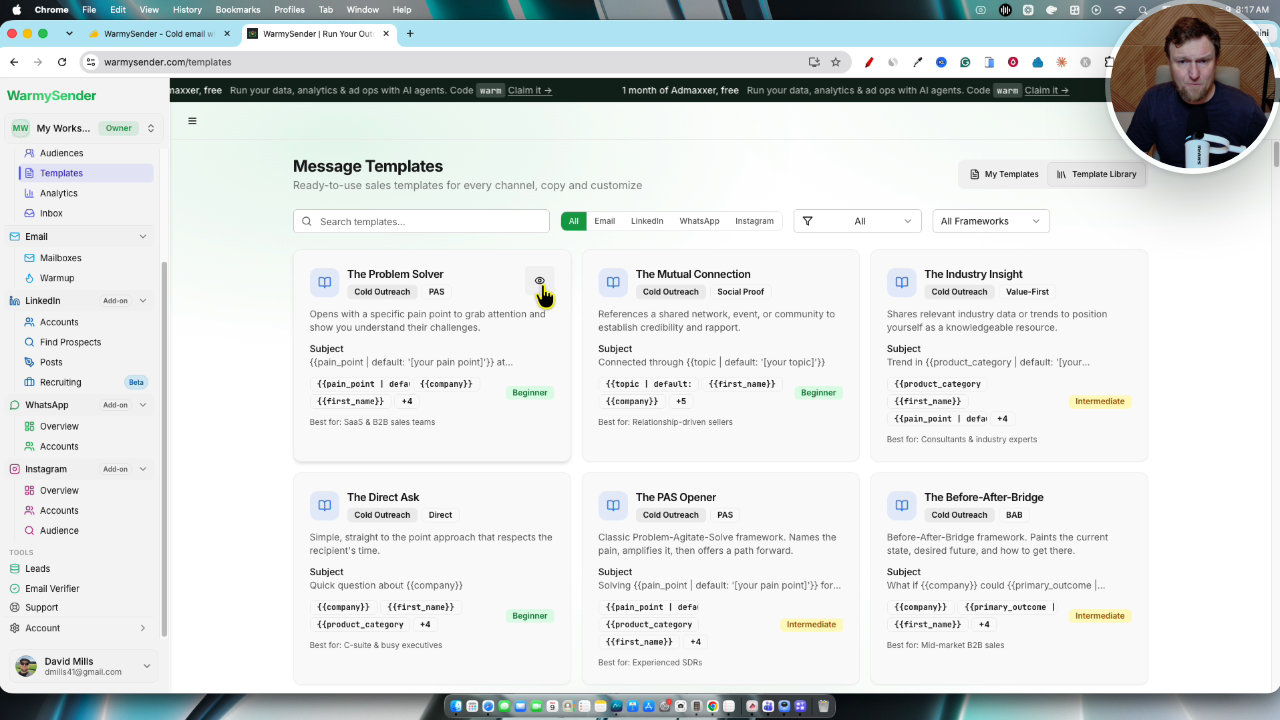
The template library is big. You get options like the problem solver and the direct ask, plus frameworks such as AIDA, direct story and breakup.
I picked the direct ask, edited the variables and signed off with my own details. Since I have 21,000 subscribers, I used it to pitch for traffic. The templates already have variables built in, so it takes a couple of minutes.
Finding and Saving Leads
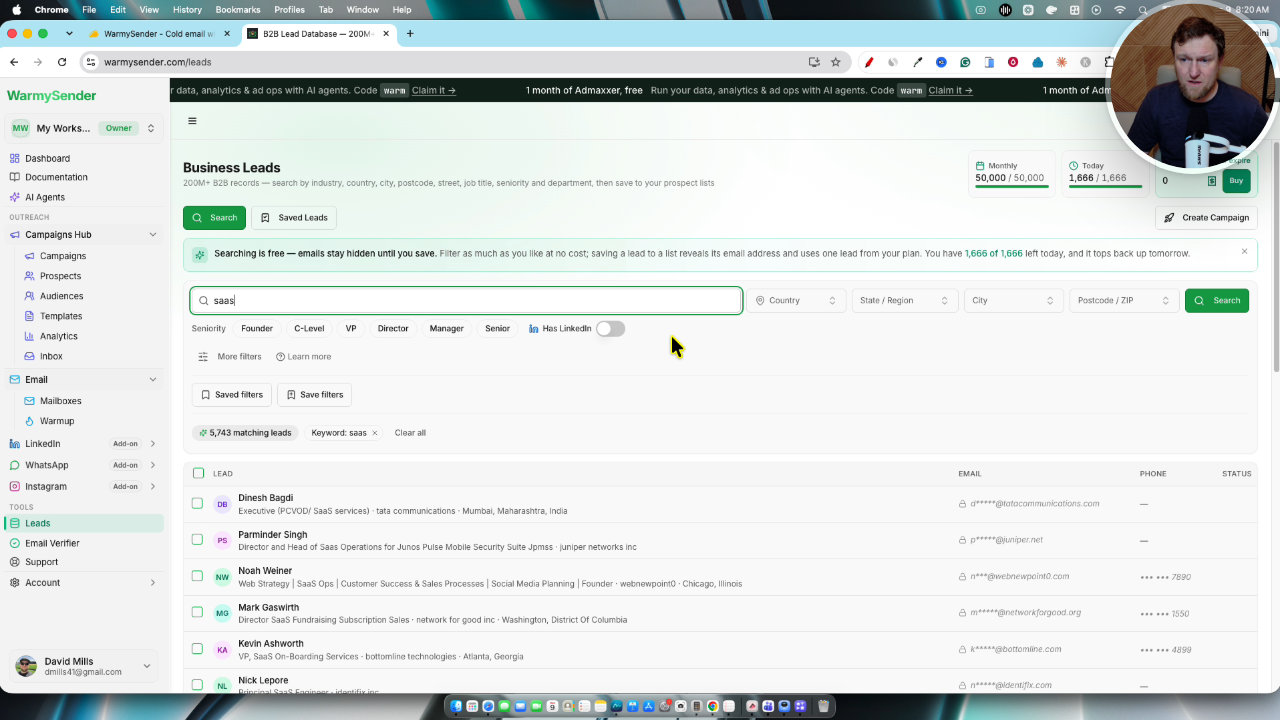
This is the headline feature. I searched for SaaS and got about 5,700 matching leads, then saved them to a list called Sass. Emails unlock when you save a lead, and that counts against your monthly lead pool plus the daily cap.
The big annoyance is that I could only save 25 leads at a time. I would love to select 100 or 200 at once, especially on the higher tiers. I also noticed that nearly everyone has a LinkedIn profile, so that filter isn't very useful.
Building the Campaign
The campaign wizard is clear. I chose email only, selected my list, and checked duplicate detection and exclusions. It showed 217 leads selected with email and an estimated completion time.
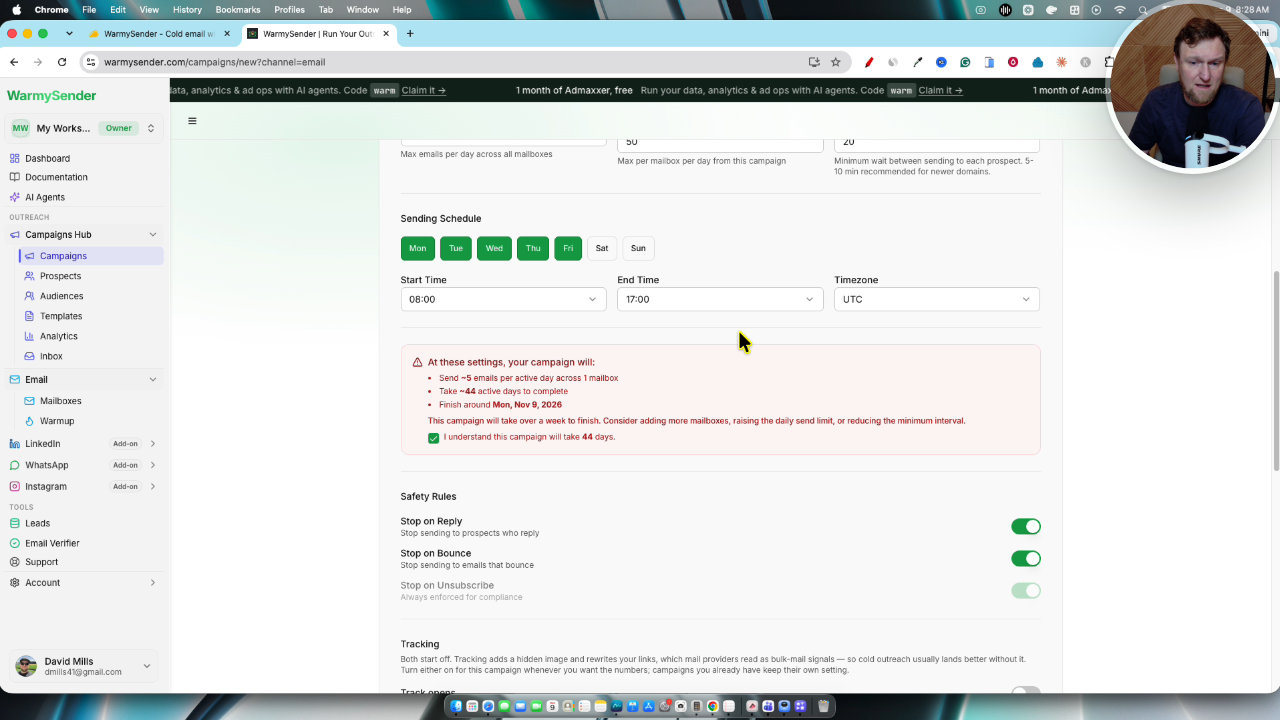
Then I added my direct ask template, and it scored the spam risk automatically. For sending, I kept it very safe because the account is new: five emails per day, 20 minutes between sends, one mailbox. That made the campaign take 44 active days, and the tool suggested adding mailboxes. If you connect more mailboxes, you can spread the volume.
The final review showed no major warnings other than mailbox warmup. I launched it anyway because it's a throwaway address.
The MCP and AI Agent Option
Even tier one includes the MCP. In theory you can tell Claude to create a campaign with specific mailboxes, a template and a leads list, and it builds it for you. I didn't run that live, but it's a nice extra.
My Verdict
I'm very impressed. Everything you need for cold outreach is under one roof, and the database, warmup and campaign flow all work together.
The downsides are small: the 25 lead limit, the overwhelming first look, and the paid add-ons for other channels. I also haven't seen how it performs over time, so I want to follow up on results.
I'm giving WarmySender a 4.8 out of 5. I wanted to give it a 5, but I like leaving some room for improvement.
Key features
200M B2B lead database
You can filter leads by role and industry, save them to lists and unlock their emails. Each tier has a daily and monthly cap on how many you can grab.
Email warmup
Warmup is included on every account and uses peer to peer sends to build sender reputation. It ramps up from 1 to 7 emails per day in week one, then 9 to 15 in week two.
Mailbox connections
You can connect Gmail and Google Workspace with an app password, Microsoft or Outlook, or custom IMAP and SMTP. Bulk CSV import is also available.
Templates and frameworks
There are many templates with variables already built in, plus frameworks like AIDA, direct story and breakup. You edit the variables and sign-off, then reuse the template.
Campaign builder
A step-by-step flow covers audience, duplicate detection, domain exclusions, sequence steps, spam score, send limits and a final review. You can save as draft, schedule or launch now.
Unified inbox
Replies from your campaigns land in one inbox, and you can reply from the mailbox the prospect responded to.
MCP and AI agent connection
The MCP is included even on tier one. It works with Claude, ChatGPT, Cursor, Codex, OpenClaw and Hermes Agent so an agent can build campaigns for you.
Analytics
The analytics tab tracks engagement and delivery rate, and each page has a short built-in tour.
Pricing
- Email warmup included
- MCP included
- Lead and email limits scale by tier
- Email warmup included
- Higher limits than tier 1
- Email warmup included
- Higher limits than tier 2
- Email warmup included
- Higher limits than tier 3
- 200,000 emails per month
- 50,000 leads per month
- Up to about 1,600 leads per day
- Up to 1,000 cold mailboxes
Pros and cons
What I liked
- Leads, warmup, templates, campaigns and inbox all live in one tool
- Large 200M contact B2B database with clear daily and monthly caps
- Warmup is included on every tier
- MCP access even on the cheapest tier
- Mailbox setup is easy, with step-by-step instructions
- Built-in tours on each page help with the learning curve
What could be better
- The dashboard can feel overwhelming at first
- You can only save 25 leads at a time from the database
- LinkedIn, WhatsApp and Instagram outreach are paid add-ons at $15 per seat per month
- The pricing page doesn't clearly show how many mailboxes you can connect
Who it's for
Consultants and freelancers
You can find prospects, send outreach and manage replies without paying for separate lead and email tools.
Agencies
Multiple mailboxes and team members make it workable for client outreach, especially on the higher tiers.
Marketers and sales managers
Templates, sequences and analytics cover the main cold email workflow.
Limitations: when to look elsewhere
- If you want LinkedIn, WhatsApp or Instagram outreach, budget for the $15 per seat monthly add-ons.
- If you need to pull hundreds of leads in one go, the 25 at a time limit will slow you down.
- If you need a long-term track record, note it has been around only since January 2025 from a small company.
FAQ
Reader reviews
WarmySender alternatives
 AppSumo
LeadOcean
B2B lead search inside Claude via MCP, with access to nearly 700M contacts.
 AppSumo
Emailit
SMTP relay, REST API and email marketing campaigns in one developer-friendly platform.