LeadOcean
B2B lead search inside Claude via MCP, with access to nearly 700M contacts.
Watch my full review
- What it is
- LeadOcean is a B2B lead data tool with almost 700 million people and 63 million companies. You search and export leads through a Claude MCP connector, or use a REST API.
- Pricing
- AppSumo lifetime deal starting at $49, with five license tiers up to $1,999.
- Best for
- Agencies, freelancers and sales teams who want to find and export targeted business leads using Claude.
- LearnWire's Rating
- 5.0 / 5
My review
I wanted to test LeadOcean because it was ranked number 1 in lead generation and in sales and leads on AppSumo when I filmed. It positions itself as an alternative to Apollo, Lusha and ZoomInfo, and the pitch is almost 700 million people and 63 million companies behind a Claude MCP connection. That is an unusual setup, so I wanted to see if it actually works.
Why I tried it
The deal starts at $49 for a lifetime license, and it has been around since 2022, so it is not a brand new launch. The homepage uses an old school typography style, but the interface is clean and easy to follow.
One oddity: the traffic checker I used was not registering any traffic for their site. My guess is a redesign or a recent launch, but I can't say for sure.
The dashboard and API key
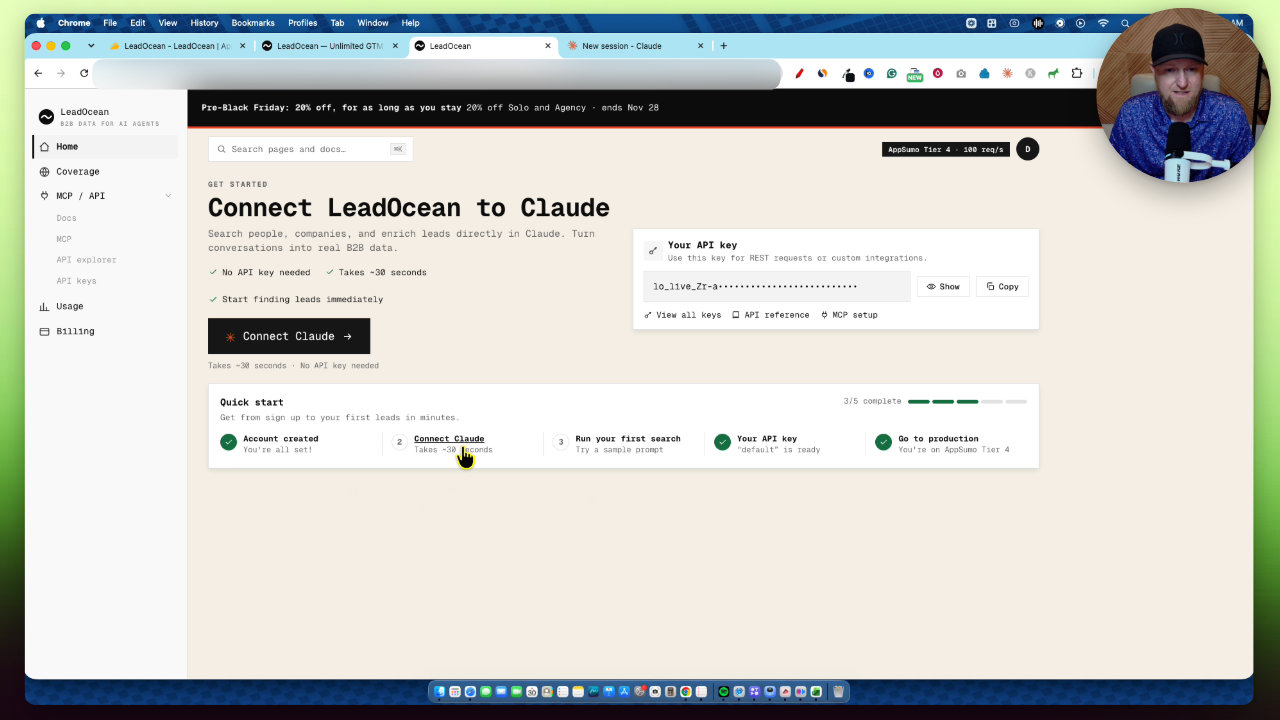
Inside the account you can grab your REST API key, open the API reference, view your keys and find the MCP setup. It literally takes about 30 seconds.
The coverage page shows what the dataset holds by region and country. About 24% of records have phone numbers, 11% personal emails and 43% work emails. North America alone is almost 231 million people.
My best guess is that they host the database themselves and Claude queries it through the MCP, which keeps costs down. I don't know how they actually do it, so treat that as a guess.
Connecting LeadOcean to Claude
I clicked Connect to Claude and set it up live. In Claude I went to Settings, Connectors, added a custom connector, named it LeadOcean and pasted the MCP server URL they provide. I left the advanced settings alone.
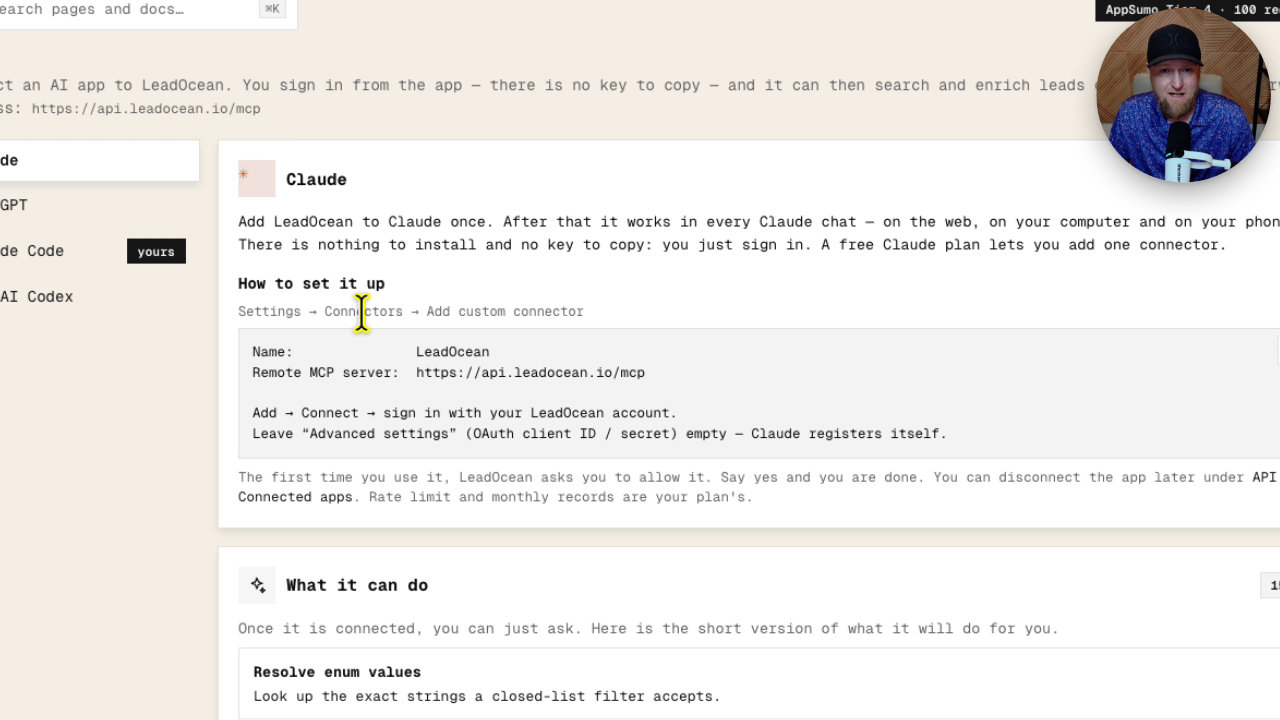
Then I connected, allowed access and switched the tool permissions from blocked to always allow. That is the whole setup. A free Claude plan lets you add one connector, and I am on a paid plan.
Running my first lead search
LeadOcean has sample prompts, so I pasted their instructions into Claude and asked it to write an optimized prompt for me. I asked for US, UK and Canada contacts with verified work and personal emails, at SaaS companies that could benefit from marketing and SEO services.
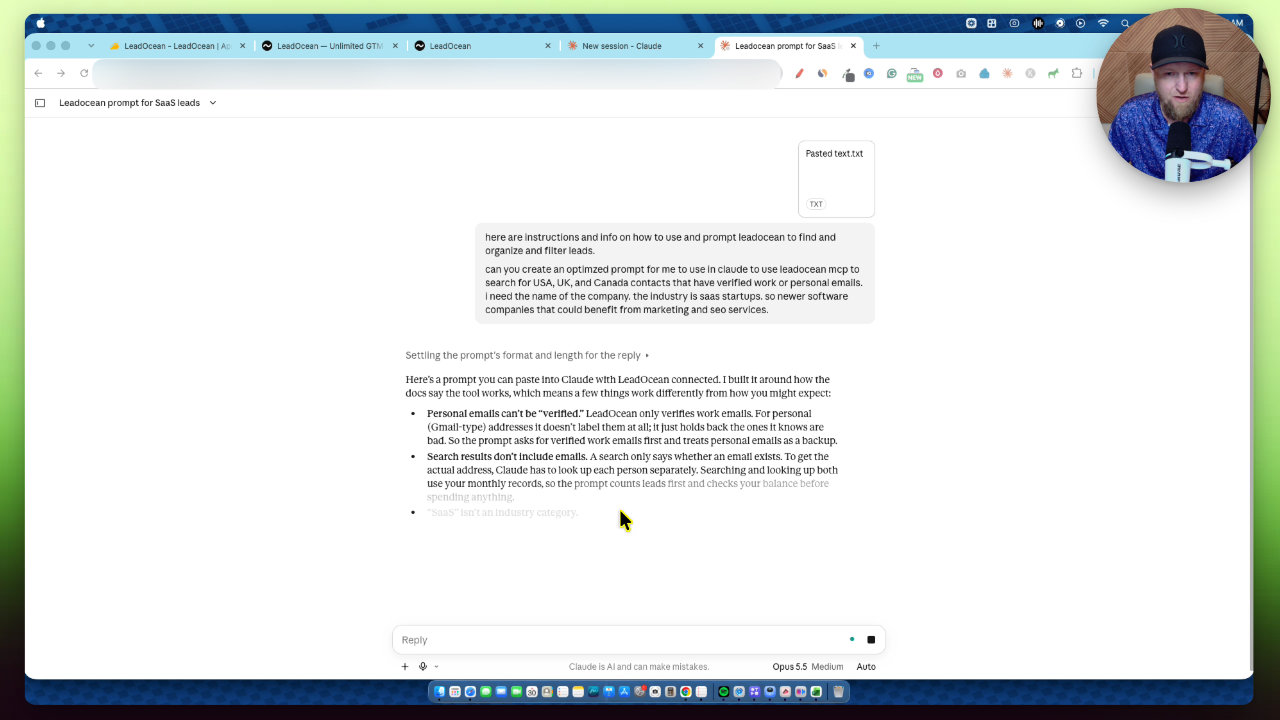
I don't know all the technical codes and filters, and I don't need to. Claude figured them out. I forgot to say how many leads I wanted, so I asked for 100.
It ran in batches: searching leads, enriching people in batches, then looking up companies, with multiple agents running. It took longer than you would think, around 10 to 15 minutes at most. It got 97 contacts first and then pulled a small final page for the rest.
The results
Claude returned a downloadable spreadsheet with 83 SaaS companies sorted by company, plus a sheet of skipped leads and some records marked as not enriched.
In Excel I could see name, job title, company, domain, industry, employee count, founding date, headquarters, location, emails (work or personal, and verified or not) and LinkedIn. I filtered job titles for marketing in a couple of clicks.
It saves a lot of time. You could hand the sheet to a virtual assistant to review websites, shortlist ten winners, and then send personalized Loom videos. Or you can just cold email the whole list.
Scheduling with Claude projects
A quick tip: Claude projects now have scheduling. You can save your prompt and instructions in a project and schedule it hourly, daily, weekly or monthly, so you start work with 100 or 500 fresh leads. I haven't used this yet, but I noticed it recently and it looks powerful.
What it doesn't do
LeadOcean does not write or send emails. I like that. It finds the leads and leaves the outreach to you, including how many emails you need and how many each account can send per day.
Limits also apply, per day and per week, such as 50K rows a day. You are paying for the MCP and API access, not unlimited everything.
My verdict
One AppSumo reviewer said LeadOcean verified 97% of emails versus 67% for a similar platform in a 1,000 lead test. I didn't run that test myself, but it is good to see.
I give LeadOcean 5.0 out of 5. It is impressive for lead gen, it does one thing well, and the MCP approach is unique. If you need lead gen, I would go pick it up.
Key features
Claude MCP connector
You add LeadOcean as a custom connector in Claude once, sign in, and it works in Claude chats on web, desktop or phone. Nothing to install and no key to copy.
REST API
You get an API key for REST requests or custom integrations. That suits internal apps, or tools you build for clients.
Lead search and enrichment
Claude can list filters, search leads, count leads and enrich people and companies in batches through the connector.
Coverage stats
A coverage page shows what the dataset holds by region and country, updated daily. About 24% of records have phone numbers, 11% personal emails and 43% work emails.
Spreadsheet export
Results came back as a downloadable file with name, job title, company, domain, industry, employee count, founded date, headquarters, location, emails and LinkedIn.
Usage and limits dashboard
The dashboard shows usage, billing, documents and API reference. Limits apply per day and per week, such as 50K rows a day.
Sample prompts and docs
LeadOcean has full documentation and sample prompts to run your first search.
Pricing
- Lifetime access
- Claude MCP or REST API
- Daily and weekly usage limits
- Higher limits for more research and lead gen
- Higher limits for more research and lead gen
- Higher limits for more research and lead gen
- Highest limits
- Could be used to build your own software tool on the API
Pros and cons
What I liked
- Setup in Claude took about a minute and needed no API key
- Returned 100 leads with names, titles, companies, domains and emails in one spreadsheet
- A buyer in the AppSumo reviews reported 97% verified emails versus 67% for a similar tool on a 1,000 lead test
- Does one thing, finding leads, and leaves outreach to you
- Claude projects with scheduling could automate fresh leads daily or weekly
- Very low entry price at $49 for a lifetime deal
What could be better
- It was slower than I expected: roughly 10 to 15 minutes for 100 contacts
- It does not write or send emails, so you need your own outreach setup
- Daily and weekly limits apply, so it is not unlimited usage
- Some enrichments were not completed and needed extra work
Who it's for
Agencies and freelancers
If you sell marketing, SEO or other services, you can build targeted prospect lists by industry and country.
Claude power users
If you already use Claude connectors and projects, this slots straight into your workflow.
Developers and builders
The REST API lets you integrate leads into internal tools or client apps, especially on the higher tiers.
Limitations: when to look elsewhere
- Look elsewhere if you want one tool that finds leads and also sends the outreach emails.
- Look elsewhere if you need instant results, since a 100 lead run took me 10 to 15 minutes.