10 Best YouTube Keyword Research Tools: The 2026 Growth Stack That Actually Works

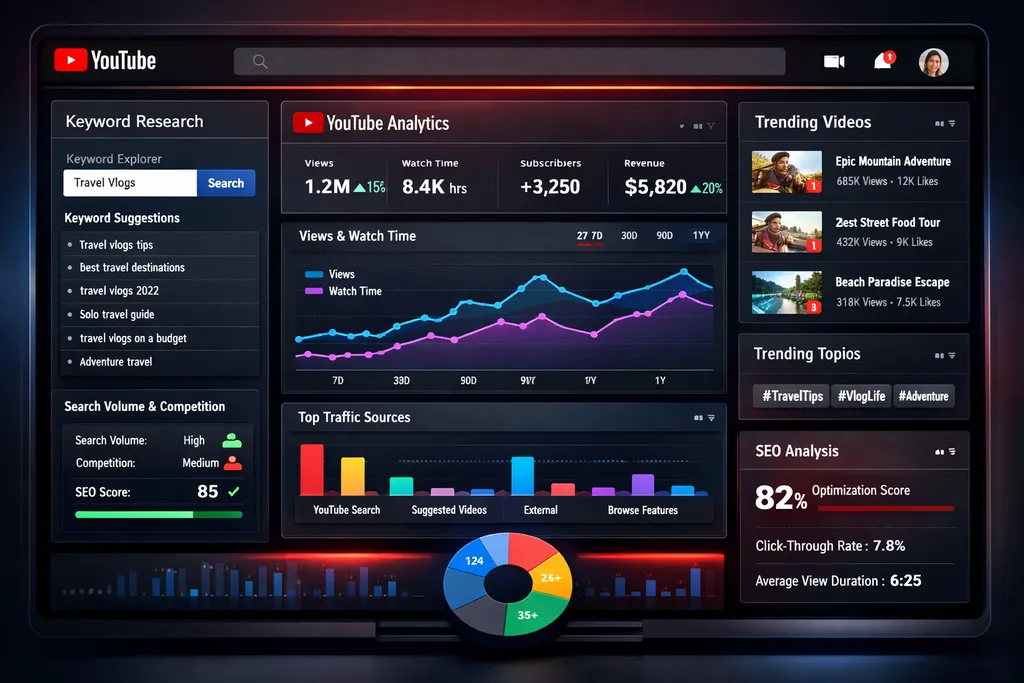
Here's the uncomfortable truth about YouTube in 2026: the creators who are crushing it aren't just using keyword research tools—they're using the right combination of tools at the right time in their content creation process.
I've spent the last six months analyzing channels that exploded from zero to 100K subscribers, and the pattern is clear. The winners aren't choosing between search-based optimization and viral outlier strategies. They're doing both, and they're using specific tools to execute each approach.
This guide breaks down the exact YouTube keyword research tools you need, how they fit into the modern growth playbook, and which combinations actually move the needle. Whether you're a brand-new creator or you're stuck at 10K subscribers wondering why growth stalled, this is your roadmap.
Introduction: The Two Paths to YouTube Success
Let's talk about the two fundamental ways channels grow on YouTube in 2026.
The Librarian Approach (Search-Based Growth): You create videos that answer specific questions people are actively searching for. When someone types "how to change a tire" or "best budget laptops 2026," your video appears. This is predictable, sustainable growth. You're building a library of content that compounds over time.
The Viralist Approach (Outlier-Based Growth): You study videos that are massively outperforming their channel's average views—the "outliers." You identify patterns in these breakout videos, then model your content after what's working right now in the algorithm. This is explosive, unpredictable growth.
Here's what changed: In 2024-2025, you could pick one strategy and succeed. In 2026, the algorithm rewards creators who blend both approaches. You need the steady foundation of search-optimized content AND the occasional viral hit that brings massive subscriber influxes.
This is why your tool stack matters more than ever. The right combination lets you execute both strategies without doubling your workload.
Quick Comparison: YouTube Keyword Research Tools at a Glance
| Product | Starting Price | Best Feature | YouTube-Specific | Best For |
|---|---|---|---|---|
| vidIQ | Free (Boost: $16.58/mo) | Real-time trending opportunities | Yes | Search-based optimization |
| TubeBuddy | Free | Tag suggestions & SEO integration | Yes | Integrated workflow optimization |
| Ahrefs | Paid tiers | Competitive analysis depth | Partial | Competitive research & agencies |
| Keyword Tool Dominator | $28 (90 days) | Popularity scoring | Yes | Budget-conscious creators |
| Keywordtool.io | $89/month | Long-tail keyword generation | Partial | Niche content creators |
| Keywords Everywhere | $300/year | In-browser data display | Partial | Teams & agencies |
| Google Trends | Free | Seasonal trend identification | Partial | Beginners & trend validation |
The "Big Three" Ecosystem: Your Core Growth Stack
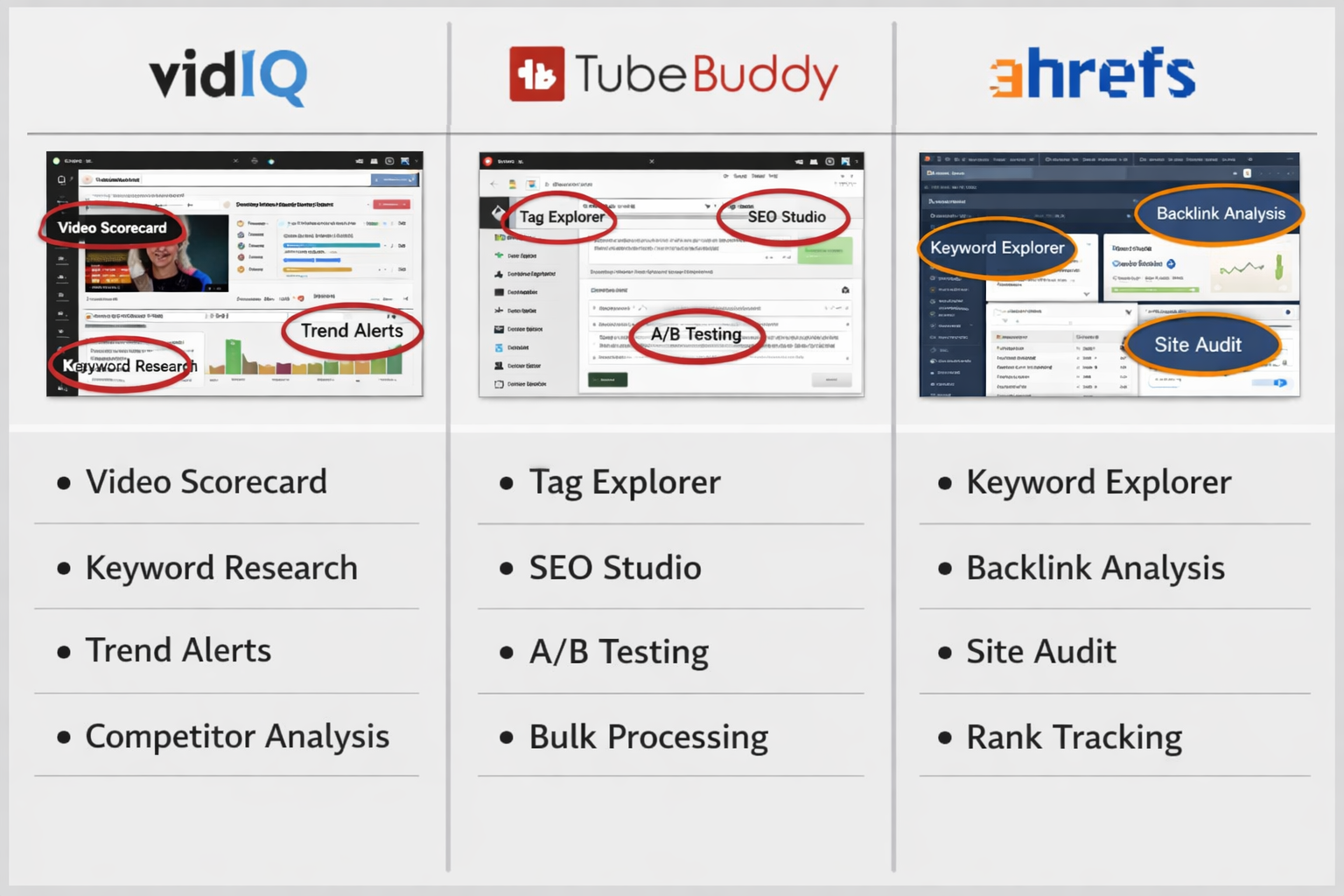
Before we dive into individual tools, let's establish the foundation. Three tools have emerged as the core ecosystem for serious YouTube creators in 2026. You don't need all three immediately, but understanding how they work together is crucial.
The Hybrid Approach Framework
Think of your YouTube growth strategy like building a house:
- 1of10 finds the blueprint (what's working in the algorithm right now)
- vidIQ handles the foundation (search optimization and keyword data)
- Subscribr.ai does the construction (turning insights into high-retention scripts)
Most creators make the mistake of having a brilliant idea (from outlier research or keyword data) but executing it poorly. A great topic with a mediocre script gets 30% average view duration. That same topic with a retention-optimized script gets 60% AVD and gets pushed to millions.
This is why tools like Subscribr matter—they bridge the gap between research and execution. But we're getting ahead of ourselves. Let's break down each tool individually.
Individual Product Reviews
vidIQ: The King of Search and Keyword Data
Price: Free (limited), Boost ($16.58/month), Coaching ($99/month)
vidIQ has been around since the early days of YouTube SEO, and there's a reason it's still the go-to tool for search-based growth. The platform has evolved from a simple keyword tool into a comprehensive growth suite with AI-driven insights.
✅ Pros
- Free keyword generator tool available - You can start using vidIQ without spending a dime, making it perfect for testing whether keyword research actually impacts your growth
- Chrome extension provides real-time insights during video upload - See search volume, competition, and related keywords right when you're optimizing your video
- AI-driven keyword suggestions for faster topic selection - The AI analyzes your channel and suggests keywords that match your niche and have growth potential
- Shows trending opportunities in real-time - The "Trending" tab shows you what's blowing up in your category before it becomes saturated
- Offers both free and paid plans for different user levels - You can scale your investment as your channel grows
❌ Cons
- Paid plans are required for advanced features - The free version is limited; serious features like competitor tracking and advanced analytics require Boost ($16.58/mo)
- Coaching tier is expensive at $99/month - Unless you're making significant revenue from YouTube, the coaching tier is hard to justify
Key Features That Matter
The Daily Ideas feature is vidIQ's secret weapon. Every day, it analyzes your channel's performance, your niche, and current trends to suggest specific video topics. It's not just showing you keywords—it's giving you complete video ideas with estimated search volume and competition scores.
The Competitor Tracking feature (Boost plan) lets you monitor up to 5 competitor channels. You see their most successful videos, their upload patterns, and which keywords they're ranking for. This is invaluable for understanding what's working in your niche.
The Real-Time Stats Bar appears directly on YouTube when you're watching videos. You can see any video's stats (views per hour, subscriber growth impact, engagement rate) without leaving YouTube. This turns casual video watching into competitive research.
Who It's Best For
vidIQ is essential for creators following the "Librarian" approach—building a sustainable channel through search-optimized content. If you're in educational content, tutorials, reviews, or any niche where people actively search for solutions, vidIQ should be your primary tool.
It's also perfect for creators who want data-driven decision making without getting overwhelmed. The interface is cleaner and more intuitive than most alternatives, making it ideal for creators who want insights without becoming data analysts.
Bottom line: If you're only going to use one YouTube keyword tool, make it vidIQ. Start with the free version, and upgrade to Boost ($16.58/mo) once you're consistently uploading and want to accelerate growth.
TubeBuddy: The Integrated Workflow Champion
Price: Free and paid plans available
TubeBuddy approaches YouTube optimization differently than vidIQ. Instead of being a standalone analytics platform, it integrates directly into your YouTube workflow, appearing as tools and features right inside YouTube Studio.
✅ Pros
- Works as easy-to-use Chrome extension - Tools appear exactly where you need them in YouTube Studio
- Provides keyword research and tag suggestions - The Tag Explorer shows you which tags are worth using and which are wasting character space
- Includes comprehensive analytics features - Track your performance over time with detailed reports
- Robust feature set suitable for creators of all sizes - From thumbnail A/B testing to bulk processing, there's something for every growth stage
- Designed specifically for YouTube SEO optimization - Every feature is built around YouTube's specific requirements and best practices
❌ Cons
- Requires browser extension installation - If you work across multiple devices or browsers, you'll need to install it everywhere
- Pricing details not clearly specified in available sources - The pricing structure can be confusing with multiple tiers and features locked behind different plans
Key Features That Matter
The Tag Explorer is TubeBuddy's standout feature for keyword research. Unlike tools that just show you search volume, Tag Explorer shows you the "weighted" score—how likely you are to actually rank for that keyword given your channel's authority. A keyword might have massive search volume, but if your channel is too small to compete, TubeBuddy will tell you.
The A/B Testing feature (available on higher tiers) lets you test different thumbnails and titles to see which performs better. YouTube will automatically show different versions to different viewers, then report which one gets more clicks. This is incredibly valuable for optimizing your click-through rate.
The Best Time to Publish feature analyzes when your specific audience is most active and suggests optimal upload times. This seems minor, but uploading when your subscribers are online can significantly impact your first-hour views, which influences how aggressively YouTube promotes your video.
Who It's Best For
TubeBuddy excels for creators who want optimization tools integrated into their existing workflow. If you prefer working directly in YouTube Studio rather than switching between multiple platforms, TubeBuddy feels more natural.
It's also excellent for creators who do a lot of bulk management—updating cards across multiple videos, finding videos that need tag updates, or managing playlists efficiently.
Bottom line: TubeBuddy and vidIQ overlap significantly in features. Most creators choose based on interface preference. Try both free versions and see which workflow feels more natural to you. For pure keyword research power, vidIQ has a slight edge. For integrated workflow tools, TubeBuddy wins.
Ahrefs YouTube Keyword Tool: Pro-Grade Competitive Intelligence
Price: Tiered plans available (starts around $99/month for standard Ahrefs subscription)
Ahrefs built its reputation as the go-to SEO tool for websites, and their YouTube keyword tool brings that same depth of data to video content. This isn't a YouTube-specific tool—it's part of the full Ahrefs SEO suite, which means you're getting enterprise-level data.
✅ Pros
- Excels in providing extensive search metrics data - You get search volume, clicks, click-through rate, and traffic potential estimates
- Excellent resource for competitive analysis - See which videos rank for specific keywords and analyze why they're winning
- Helps creators outperform rivals with high-potential keywords - The "Keyword Difficulty" score helps you find keywords you can actually rank for
- Supports data-driven decision making - The depth of data available lets you make strategic decisions, not just guesses
❌ Cons
- Requires paid subscription (no free option mentioned) - Ahrefs is a premium tool with premium pricing
- Specific pricing tiers not provided in search results - Plans start around $99/month, making this a significant investment
- Overkill if you only need YouTube keyword research - You're paying for a full SEO suite when you might only use the YouTube features
Key Features That Matter
The Parent Topic feature is brilliant for content planning. When you search for a keyword, Ahrefs shows you the "parent topic"—the broader subject that your keyword falls under. This helps you create comprehensive content that ranks for multiple related keywords instead of narrow, single-keyword videos.
The Traffic Potential metric is more valuable than search volume alone. A keyword might have 10,000 monthly searches, but if the top-ranking video only gets 500 views from that keyword, the actual traffic potential is low. Ahrefs shows you both numbers so you can prioritize effectively.
The SERP Overview shows you exactly which videos rank for your target keyword, along with their view counts, publish dates, and channel authority. This lets you assess whether you can realistically compete. If the top 10 results are all from channels with 500K+ subscribers, you might need to find a different angle or a less competitive keyword.
Who It's Best For
Ahrefs is best for established creators and agencies who need deep competitive intelligence. If you're running multiple channels, managing client channels, or you're at a stage where every video needs to perform because you have a team to support, Ahrefs provides the data depth to make confident decisions.
It's also valuable if you're doing both website SEO and YouTube. The ability to research keywords across both platforms in one tool justifies the higher price point.
Bottom line: Ahrefs is the professional's choice, but it's expensive for individual creators just starting out. If you're already using Ahrefs for website SEO, absolutely use the YouTube keyword tool. If you're only doing YouTube, vidIQ or TubeBuddy will give you 80% of the value at 20% of the cost.
Keyword Tool Dominator: The Budget-Friendly Specialist
Price: Pro Plan ($28 USD - 90 days), Max Plan ($38 USD - 90 days), Unlimited lifetime access available
Keyword Tool Dominator takes a different approach to pricing and features. Instead of monthly subscriptions, you pay for 90-day access periods. It's a straightforward tool focused on one thing: finding what people are actually searching for on YouTube.
✅ Pros
- Simplicity and user-friendly interface - No overwhelming dashboards or complex features; just clean keyword research
- Ranks keywords by popularity score - Quickly see which keywords have the most search demand
- Provides autocomplete position rankings - Understand which keywords appear most frequently in YouTube's autocomplete suggestions
- Affordable one-time payment options (90-day access) - $28 for 90 days is cheaper than one month of most competitors
- Max Plan offers unlimited keyword searches and suggestions - No daily limits or credit systems to worry about
❌ Cons
- 90-day access periods may require repeated purchases - If you use it year-round, the costs add up to more than annual subscriptions elsewhere
- Max Plan pricing ($38) could accumulate over time if renewed frequently - Four renewals per year = $152, which is more than vidIQ's annual cost
- Limited advanced features compared to comprehensive platforms - No competitor tracking, no analytics, no AI suggestions
Key Features That Matter
The Autocomplete Mining is the core feature. Keyword Tool Dominator pulls hundreds of keyword suggestions from YouTube's autocomplete feature. When you type "how to" into YouTube, autocomplete suggests popular searches. This tool automates that process, checking thousands of variations to find what people are actually typing.
The Popularity Score helps you prioritize. Instead of just showing you a list of keywords, it ranks them by how frequently they appear in autocomplete results. Higher scores mean more search demand.
The Multi-Platform Support is a bonus. The same tool works for Amazon, Google, Bing, and other platforms. If you're creating content across multiple platforms, this versatility is valuable.
Who It's Best For
Keyword Tool Dominator is perfect for creators who want simple, effective keyword research without monthly commitments. If you're batch-creating content (shooting multiple videos in one session), you can pay for 90 days of access, do all your keyword research, then let the subscription lapse until you need it again.
It's also great for creators on tight budgets who want better data than free tools provide but can't justify $50-100/month subscriptions.
Bottom line: This is the best "value" tool if you use it strategically. Pay for 90 days, do intensive keyword research for your next quarter of content, then pause. For creators who plan content in batches rather than week-to-week, this approach saves money.
Keywordtool.io: The Long-Tail Specialist
Price: Pro Basic ($89/month), Pro Plus ($99/month)
Keywordtool.io specializes in generating massive lists of long-tail keyword variations. While other tools might show you 20-50 keyword suggestions, Keywordtool.io can generate hundreds or even thousands of variations for a single seed keyword.
✅ Pros
- Generates hundreds of keyword suggestions automatically - Perfect for finding untapped keyword opportunities
- Specializes in long-tail keywords for niche targeting - Find specific, low-competition keywords that bigger channels ignore
- Provides search volume data and insights - Understand which long-tail variations actually have search demand
- Includes cost-per-click and competition data in Pro Plus plan - Valuable if you're also running YouTube ads
- Helpful for brainstorming content ideas - The sheer volume of suggestions can spark ideas you wouldn't have considered
❌ Cons
- Requires monthly subscription - No free tier with meaningful features
- Basic plan has limited features compared to Pro Plus - Search volume data requires the more expensive plan
- Higher price point compared to some alternatives - At $89-99/month, it's more expensive than vidIQ or TubeBuddy
Key Features That Matter
The Question-Based Keywords feature is gold for educational content creators. It shows you all the question-format searches related to your topic ("how to," "why does," "what is," etc.). These question-based searches often have high intent—people are actively looking for answers, making them more likely to watch your full video.
The Preposition-Based Keywords shows searches that include prepositions like "for," "with," "without," "near," etc. These often reveal specific use cases. For example, "best camera" vs. "best camera for beginners" vs. "best camera for vlogging" are different search intents requiring different content.
The Comparison Keywords feature identifies keywords where people are comparing options ("vs," "or," "versus"). These are valuable because comparison searches often indicate people are close to making a decision, which can lead to higher engagement and affiliate conversions if relevant.
Who It's Best For
Keywordtool.io is best for creators in specific niches who want to dominate every possible search variation. If you're in a competitive space like fitness, personal finance, or tech reviews, finding long-tail variations that bigger channels haven't covered yet is your competitive advantage.
It's also excellent for faceless channels or content teams that need to generate large volumes of content. The massive keyword lists can feed your content calendar for months.
Bottom line: Keywordtool.io is a specialized tool that excels at one thing: generating comprehensive long-tail keyword lists. If that's what you need, it's worth the investment. If you want all-in-one YouTube growth features, vidIQ or TubeBuddy are better choices.
Keywords Everywhere: The Real-Time Research Assistant
Price: Gold ($300 annually - 2M credits/year, 20 seats), Platinum ($960 annually - 8M credits/year, 100 seats)
Keywords Everywhere takes a unique approach: instead of being a standalone platform, it's a browser extension that displays keyword data directly in your search results—on YouTube, Google, Amazon, and other platforms.
✅ Pros
- Displays keyword data directly in search results - See search volume and competition without leaving your current page
- Provides real-time metrics like search volume and competition - Data appears instantly as you browse
- Includes SEO Minion access and premium ChatGPT prompts - Additional tools bundled with the subscription
- Multi-user seat options for teams - The Gold plan includes 20 seats, making it team-friendly
- Access to comprehensive RapidLevelUp.com courses - Educational resources included with subscription
❌ Cons
- High annual cost starting at $300 - Significantly more expensive than most YouTube-specific tools
- Credit-based system may limit research volume - Heavy researchers might burn through credits quickly
- Better suited for teams than individual creators - The pricing and features are designed for agencies and teams
Key Features That Matter
The In-SERP Data Display is the core value proposition. When you search for something on YouTube, Keywords Everywhere shows search volume, CPC, and competition data right in the search results. You can evaluate keywords without opening another tool or tab.
The Related Keywords Widget appears on search results pages showing related and long-tail variations. This helps you discover keyword opportunities while you're already researching, making the workflow more natural.
The Multi-Platform Support means you see keyword data on Google, YouTube, Amazon, eBay, and more. If you're creating content across multiple platforms or selling products, this cross-platform visibility is valuable.
Who It's Best For
Keywords Everywhere is designed for teams, agencies, and creators who do extensive research across multiple platforms. The 20-seat Gold plan makes it perfect for content teams where multiple people need keyword data access.
It's also valuable for creators who are deeply integrated with AI tools. The premium ChatGPT prompts and integrations can streamline your research-to-content workflow, especially if you're using AI writing tools like those covered in our best AI writing tools guide.
Bottom line: Keywords Everywhere is overkill for individual creators just doing YouTube keyword research. But for teams, agencies, or creators who research across multiple platforms daily, the convenience of in-browser data display justifies the premium price.
Google Trends: The Free Validation Tool
Price: Free
Google Trends is often overlooked because it's free and doesn't provide the detailed metrics of paid tools. But it serves a crucial role in the modern keyword research workflow: validation and timing.
✅ Pros
- Completely free to use - No limits, no subscriptions, no credit systems
- Analyzes global search interest and trends - See how interest in topics changes over time and across regions
- Helps identify seasonal trends and timely content opportunities - Know when to publish content about tax season, holidays, or seasonal topics
- Compare multiple keywords simultaneously - See which of several topic ideas has more search interest
- Great starting point for keyword research - Perfect for beginners who aren't ready to invest in paid tools
❌ Cons
- Provides less detailed information than specialized keyword tools - No exact search volumes, just relative interest over time
- Not designed specifically for YouTube keyword research - While it has YouTube data, it's not as detailed as YouTube-specific tools
- Limited metrics compared to paid alternatives - No competition data, no keyword difficulty scores
Key Features That Matter
The YouTube Search Filter lets you filter trends specifically to YouTube searches rather than general Google searches. This is crucial because search behavior differs between platforms. Something trending on Google might not be trending on YouTube and vice versa.
The Related Queries section shows you what else people are searching for related to your topic. These are often great secondary keyword opportunities or related video ideas.
The Geographic Data shows where in the world your topic is trending. If you're creating content that's region-specific or you want to know if your topic has global appeal, this data is invaluable.
The Time-Based Trending is perhaps the most valuable feature. You can see if interest in a topic is growing, declining, or seasonal. Creating content about a declining trend is usually a waste of effort. Creating content right as interest is spiking can lead to explosive growth.
Who It's Best For
Google Trends is essential for everyone, regardless of which paid tools you use. It's the validation layer. Before you invest time creating a video based on keyword research from vidIQ or TubeBuddy, check Google Trends to confirm the topic isn't declining in interest.
It's also perfect for beginners who want to improve their keyword research without spending money. Combined with YouTube's own autocomplete suggestions, Google Trends can guide your content strategy effectively.
Bottom line: Google Trends should be in everyone's workflow, even if you're using premium paid tools. It's the reality check that prevents you from creating content about dying trends or missing seasonal opportunities.
Advanced SEO & Niche Discovery: Going Deeper
Once you've mastered the basics with tools like vidIQ and TubeBuddy, advanced creators start asking different questions: "What niches have high CPM rates?" "What search intent is my competition missing?" "How can I find topics that will still be relevant in 6 months?"
This is where professional-grade SEO tools and specialized niche discovery platforms come in.
Using Semrush for YouTube Strategy
While Semrush is primarily known for website SEO (check our Semrush One AI SEO review for details on their AI features), its keyword research capabilities translate powerfully to YouTube strategy.
The key is understanding search intent. Semrush excels at categorizing keywords by intent:
- Informational ("how to change a tire") - Tutorial content
- Commercial ("best budget laptops") - Review/comparison content
- Navigational ("MrBeast latest video") - Brand/personality searches
- Transactional ("buy iPhone 15 cheap") - Product-focused content
Understanding intent helps you create the right type of content for each keyword. A keyword with commercial intent needs a different video structure than one with informational intent.
Semrush's Keyword Gap tool is particularly valuable. You enter your channel and competitor channels, and it shows you keywords they're ranking for that you're not. This reveals content gaps in your strategy.
Finding High-CPM Niches with Nexlev.io
For creators focused on monetization—especially faceless channel operators—finding high-CPM niches is crucial. Nexlev.io specializes in identifying topics and niches where advertisers pay premium rates.
A video about "meditation music" might get millions of views but earn $1-2 CPM. A video about "best business credit cards" with 10,000 views might earn $30-50 CPM. Same effort, vastly different revenue.
Nexlev.io helps you identify:
- Which topics have high advertiser demand
- Which niches are underserved (low competition, high CPM)
- What content formats work best in high-CPM categories
This is particularly valuable if you're building faceless channels or you're in the position to pivot your content strategy. Understanding the economics of different niches helps you make strategic decisions about where to invest your time.
Real-Time Research & Validation: The Outlier Strategy
Here's where we shift from the "Librarian" approach to the "Viralist" approach. Instead of finding what people are searching for, we're finding what's working in the algorithm right now.
Using ViewStats to Study Beast-Style Growth Patterns
ViewStats is a Chrome extension that shows you real-time analytics for any YouTube video. When you're watching a video, ViewStats displays:
- Views per hour (VPH) in the first 24 hours
- Subscriber gain/loss from specific videos
- Engagement rate trends
- Traffic source breakdowns
This is invaluable for studying "outliers"—videos that massively outperform their channel's average. When you find a small channel (10K-50K subscribers) with a video that got 1M+ views, ViewStats helps you understand how it happened.
Did it get pushed by the algorithm immediately (high early VPH)? Did it slowly build momentum over weeks (long-tail search traffic)? Did it get shared externally (high external traffic source percentage)?
Understanding these patterns helps you model your content after proven winners rather than guessing what might work.
The 1of10 Advantage: Outlier Research at Scale
While ViewStats helps you analyze individual videos, 1of10 automates the process of finding outliers across YouTube. It scans millions of videos to identify those that are outperforming their channel's typical performance.
The platform categorizes outliers by:
- Niche/category - Find outliers in your specific content area
- Channel size - See what's working for channels similar to yours in subscriber count
- Recency - Focus on recent outliers to catch current algorithm trends
The real power is in the pattern recognition. When you see 20 different small tech channels all having outlier success with "I used [product] for 30 days" format videos, that's a signal. The algorithm is currently favoring that format in that niche.
This is how you find the "Big Idea" that vidIQ's search data might miss. Search data tells you what people are looking for. Outlier data tells you what the algorithm is promoting even when people aren't specifically searching for it.
Validation with Google Trends and Keywords Everywhere
The danger with outlier-based content is chasing one-time flukes or dying trends. This is where you bring back your validation tools.
Before you invest in creating content based on an outlier you found:
- Check Google Trends - Is interest in this topic growing, stable, or declining?
- Use Keywords Everywhere - Are there related search terms with decent volume?
- Verify with vidIQ - Even if it's not search-based content, is there any search interest?
The sweet spot is finding outliers that also have search interest. This gives you the best of both worlds: algorithm push from the viral format AND long-tail search traffic after the initial push dies down.
From Idea to Script: The Subscribr Advantage
Here's where most creators fail: they find a great keyword or identify a winning outlier pattern, then create a mediocre video that doesn't retain viewers.
YouTube's algorithm in 2026 cares about one thing above all: average view duration (AVD). A video with 50% AVD will get promoted exponentially more than a video with 30% AVD, even if they have the same topic and keywords.
This is where Subscribr.ai enters the workflow. It's not a keyword research tool—it's a script optimization tool that turns your research into retention-focused scripts.
How to Feed Outlier Data into Subscribr
The workflow looks like this:
- Find your Big Idea using 1of10 or outlier research
- Validate and optimize with vidIQ keyword data
- Input into Subscribr with context about the outlier pattern you're modeling
Subscribr's AI analyzes high-retention script patterns and generates scripts that incorporate proven retention techniques:
- Hook patterns that prevent early drop-off
- Pacing that maintains engagement through the middle (where most videos lose viewers)
- Pattern interrupts that re-engage viewers when attention wanes
- Payoff structures that encourage watching to the end
The difference between a good idea and a good video is execution. Subscribr bridges that gap.
Using "Channel Voice" to Maintain Authenticity While Scaling
One concern with AI-generated scripts is losing your unique voice. Subscribr addresses this with "Channel Voice" training—you feed it examples of your best-performing scripts, and it learns your style, pacing, and personality.
This means you can scale content production (creating more videos, hiring writers, building a team) without losing the authentic voice that made your channel successful in the first place.
For creators using AI writing tools in their workflow (see our best AI tools guide for more options), Subscribr integrates naturally. You're not replacing your creativity—you're augmenting it with data-driven retention optimization.
The Optimal Stack: Putting It All Together
Let's synthesize everything into actionable recommendations based on your specific situation.
For Beginners (0-1K Subscribers)
Start with:
- Google Trends (Free) - Validate topic ideas
- vidIQ Free - Basic keyword research
- YouTube's own autocomplete - Find what people are searching
Why: You're in the learning phase. Invest time, not money. Focus on understanding what content your audience wants and developing your on-camera presence or editing skills. Premium tools won't help if you haven't mastered the basics.
Upgrade when: You're uploading consistently (1+ video per week) and you've identified your niche. At that point, upgrade to vidIQ Boost ($16.58/month) for better keyword data and daily video ideas.
For Growing Channels (1K-10K Subscribers)
Core stack:
- vidIQ Boost ($16.58/month) - Primary keyword research
- TubeBuddy (Free or paid) - Workflow optimization
- Google Trends (Free) - Trend validation
Optional additions:
- Keyword Tool Dominator ($28/90 days) - Use quarterly for batch keyword research
- Subscribr.ai - If you're struggling with retention or want to scale production
Why: You've proven your content works, now you need to scale efficiently. vidIQ helps you find more topics that work. TubeBuddy streamlines your upload process. Subscribr helps you maintain quality while increasing output.
Strategy: Focus on search-based growth (the Librarian approach). Build a library of content that compounds over time. Use vidIQ's competitor tracking to see what's working in your niche.
For Established Channels (10K-100K Subscribers)
Core stack:
- vidIQ Boost or Coaching ($16.58-99/month) - Comprehensive analytics
- 1of10 - Outlier research for breakthrough videos
- Subscribr.ai - Script optimization for maximum retention
- ViewStats - Competitive analysis
Optional additions:
- Ahrefs (if you also do website SEO) - Deep competitive intelligence
- Keywordtool.io ($89/month) - If you're in a competitive niche and need long-tail dominance
Why: You're past the basics. You need the hybrid approach—consistent search-based content for steady growth PLUS occasional outlier videos for subscriber surges.
Strategy: Use vidIQ for your "bread and butter" content (70% of uploads). Use 1of10 to identify outlier opportunities for your "swing for the fences" videos (30% of uploads). Use Subscribr for all scripts to maintain high retention across all content.
For Agencies and Teams (Multiple Channels)
Core stack:
- Keywords Everywhere Gold ($300/year) - Team access to keyword data
- Ahrefs - Comprehensive SEO across all channels
- 1of10 - Outlier research at scale
- Subscribr.ai - Maintain consistent quality across multiple creators
Why: You need tools that scale across multiple channels and team members. Keywords Everywhere's 20-seat Gold plan gives your whole team access. Ahrefs provides the depth needed for strategic decisions. Subscribr maintains quality as you scale.
Strategy: Implement systematic research processes. Have researchers use Ahrefs and 1of10 to identify opportunities. Have writers use Subscribr to execute. Use Keywords Everywhere for quick validation during ideation sessions.
What to Consider When Choosing Your Tools
Before you start subscribing to tools, ask yourself these questions:
1. What's Your Growth Strategy?
If you're focused on search-based growth: vidIQ or TubeBuddy should be your primary investment. These tools excel at finding what people are searching for and helping you rank.
If you're focused on viral growth: 1of10 and ViewStats help you identify and model outlier content. You're less concerned with search volume and more interested in what the algorithm is pushing.
If you're doing both (recommended for 2026): You need a combination—vidIQ for search foundation, 1of10 for outlier opportunities, and Subscribr to execute both types of content with high retention.
2. What's Your Budget?
Under $20/month: vidIQ Boost ($16.58) is your best value. It covers most needs for individual creators.
$50-100/month: Add TubeBuddy or Keywordtool.io to vidIQ, depending on whether you need workflow tools or long-tail keywords.
$100-200/month: You can afford the full stack—vidIQ, 1of10, and Subscribr. This is the "serious creator" tier where you have all the tools to execute both search and viral strategies.
$200+/month: Add Ahrefs for deep competitive intelligence, or Keywords Everywhere for team access. This is agency/professional tier.
3. How Much Time Do You Spend on Research?
If you spend 5+ hours per week on keyword research and competitive analysis, premium tools save you time, which is worth the investment.
If you only research once per month when planning content, consider tools with 90-day access periods (like Keyword Tool Dominator) that you can use intensively then pause.
4. Are You Monetized Yet?
If you're not monetized (under 1K subscribers or 4K watch hours), invest in free tools and focus on content quality. Premium keyword tools won't help if your content doesn't retain viewers.
If you're monetized and earning revenue, invest 10-15% of your monthly YouTube revenue back into tools. If you're making $500/month, a $50-75 tool budget is reasonable.
5. Do You Need Team Features?
Individual creators can use free or low-cost tools. Teams need:
- Multi-seat access (Keywords Everywhere Gold)
- Collaboration features
- Centralized data access
- Consistent workflow tools (TubeBuddy for standardized optimization)
Frequently Asked Questions
What's the best free YouTube keyword research tool?
Google Trends combined with vidIQ's free tier is the best free combination. Google Trends helps you validate topic interest and identify trends, while vidIQ's free version provides basic search volume and competition data. YouTube's own autocomplete feature is also underrated—start typing your topic and see what YouTube suggests. These suggestions are based on real search data.
For creators just starting out, this free stack is sufficient. Invest your money in better equipment (audio quality matters more than you think) and focus on improving your content quality before paying for premium keyword tools.
Should I use vidIQ or TubeBuddy?
Both are excellent, and your choice comes down to workflow preference. vidIQ has a slight edge in keyword research depth and AI-driven suggestions. TubeBuddy integrates more seamlessly into YouTube Studio and offers better workflow tools like A/B testing and bulk processing.
Try both free versions for a month and see which interface feels more natural. Most creators find they prefer one over the other based on how they work, not necessarily which has better features.
If forced to choose one: vidIQ for pure keyword research power, TubeBuddy for integrated workflow optimization.
Are expensive tools like Ahrefs worth it for YouTube creators?
Only if you're also doing website SEO or you're running a professional channel/agency. Ahrefs costs $99+/month, which is hard to justify if you're only using it for YouTube keyword research. vidIQ or TubeBuddy will give you 80% of the value at 20% of the cost.
However, if you're running a website alongside your YouTube channel (many successful creators do), Ahrefs becomes incredibly valuable. You can research keywords for both platforms, understand how your video content can support your website SEO, and vice versa. Check our guide on what is Semrush for another professional-grade SEO alternative.
For YouTube-only creators, Ahrefs is overkill unless you're managing multiple channels or you need the deepest competitive intelligence available.
How important is keyword research compared to just making good content?
Both are essential, but good content is the foundation. Here's the reality: perfect keyword research with mediocre content will fail. Good content with poor keyword research will grow slowly but can still succeed through the algorithm's recommendation system.
The ideal approach: Create genuinely good content (high retention, valuable, engaging) AND optimize it with keyword research. Keyword research doesn't replace quality—it ensures your quality content gets discovered.
Think of it this way: keyword research is the signpost that leads people to your content. But if your content doesn't deliver on the promise, the signpost doesn't matter. Invest in both.
Can I rely entirely on AI tools like ChatGPT for keyword research?
AI tools are helpful for brainstorming but shouldn't replace data-driven keyword research. ChatGPT and similar AI tools (see our Claude vs ChatGPT comparison) can suggest topic ideas and help you think of keyword variations, but they don't have access to real-time search volume data or competition metrics.
The best workflow: Use AI for ideation and expansion, then validate with actual keyword tools. For example:
- Ask ChatGPT for 20 video ideas in your niche
- Run those ideas through vidIQ to see which have search volume
- Use Google Trends to verify they're not declining trends
- Use Subscribr to turn the validated idea into a high-retention script
AI augments your research; it doesn't replace it. Tools like vidIQ have real data from YouTube's API. ChatGPT is making educated guesses based on training data that may be outdated.
Final Verdict: Your 2026 YouTube Keyword Research Stack
After testing these tools extensively, here's my definitive recommendation:
The Search Strategy (Librarian Approach)
If your goal is building a sustainable channel through search-based content:
Primary tool: vidIQ Boost ($16.58/month)
Supplementary: Google Trends (free) for validation
Optional upgrade: Add Keywordtool.io ($89/month) if you're in a highly competitive niche
This stack gives you comprehensive keyword data, daily video ideas, and trend validation. You can find what people are searching for, assess competition, and make data-driven decisions about what content to create.
The Viral Strategy (Viralist Approach)
If you want to find outliers and model what's currently breaking the algorithm:
Primary tool: 1of10
Supplementary: ViewStats (Chrome extension) for individual video analysis
Validation: Google Trends (free) to ensure you're not chasing dead trends
This stack helps you identify videos that are massively outperforming expectations, understand why they're working, and model your content after proven winners. You're not guessing what might go viral—you're studying what is going viral.
The "All-In" Recommendation for Serious Creators
If you're committed to YouTube as a business and want maximum growth:
Core stack:
- vidIQ Boost ($16.58/month) - Search optimization foundation
- 1of10 - Outlier research for breakthrough videos
- Subscribr.ai - Script optimization for maximum retention
- Google Trends (free) - Trend validation
How to use this stack:
- Use 1of10 to find your "Big Idea" (the outlier pattern that's working now)
- Use vidIQ to optimize that idea with keyword data (make it searchable too)
- Feed both into Subscribr to generate a high-retention script
- Validate timing with Google Trends before you film
This is the hybrid approach that wins in 2026. You're combining the best of search-based and viral strategies, then executing with optimized scripts that actually retain viewers.
Total monthly investment: Approximately $100-150/month depending on specific plans. For a monetized channel, this should pay for itself many times over through better-performing videos.
The Budget-Conscious Alternative
If you can't invest $100+/month yet:
Core stack:
- vidIQ Free - Basic keyword research
- Google Trends (free) - Trend validation
- YouTube autocomplete - Manual keyword discovery
- ViewStats (free Chrome extension) - Competitive analysis
Upgrade path: When you can afford $20/month, upgrade to vidIQ Boost. When you can afford $50/month, add Subscribr for script optimization. When you can afford $100/month, add 1of10 for outlier research.
This stack costs nothing but requires more manual work. You're trading time for money, which is fine when you're starting out.
The Bottom Line
YouTube keyword research in 2026 isn't about finding one perfect tool. It's about building a stack that supports your specific strategy—whether that's search-based growth, viral outlier content, or the hybrid approach that combines both.
For most creators, vidIQ Boost is the starting point. It's affordable, comprehensive, and specifically designed for YouTube. From there, you add tools based on your growth stage and strategy.
The creators who are crushing it aren't just using better tools—they're using tools strategically, at the right time, for the right purpose. They use 1of10 to find the Big Idea, vidIQ to optimize it for search, Subscribr to execute it with high retention, and Google Trends to validate the timing.
That's the formula. The tools are just enablers. Your strategy, consistency, and content quality are what actually drive growth.
Now stop researching tools and start researching keywords. Your next viral video is waiting to be discovered.