Pin2Profit
Pinterest automation software that builds pins, affiliate pages and schedules for Amazon offers
Watch my full review
- What it is
- Pin2Profit AI is Pinterest automation software that generates pin images, pin copy, an affiliate page and a posting schedule for an Amazon affiliate campaign.
- Pricing
- I didn't walk through exact prices, but there is a front-end offer, a Pro upgrade and an All Access Bundle Pass that I mention at $247 during checkout.
- Best for
- Affiliate marketers who want a simple, product-driven Pinterest workflow without designing pins and pages by hand.
My review
I wanted to see if Pin2Profit AI holds up beyond the first review, so I set up a brand new Pinterest account, a new niche and a new campaign from scratch. I also checked how my first campaign was doing.
Early results from my first campaign
My coffee bar campaign from the first video had 3 pins published. Inside Pinterest, those pins were already getting impressions and clicks on a brand new account.
That tells me the scheduling and pin creation worked fine. It is a small sample, but it is a good sign.
Finding a niche with Pin Niche Miner
I found the idea in Pin Niche Miner, the bonus tool you get from me if you pick up Pin2Profit. I browsed all niches, filtered to micro and easy difficulty, and still had almost 200 niches to look through.
I picked barn jacket outfits because of the opportunity score. The listing shows the audience (women 22 to 45, into country and equestrian style), growth information and extra keywords.
Setting up the Pinterest account
I used the account setup tool for the first time here. I entered the niche, category, Amazon as the offer and my tracking ID, then generated an optimized account.
It gave me an account name, handle, tagline, boards and SEO keywords. I copied those into Pinterest and upgraded to a business account, which is free but required.
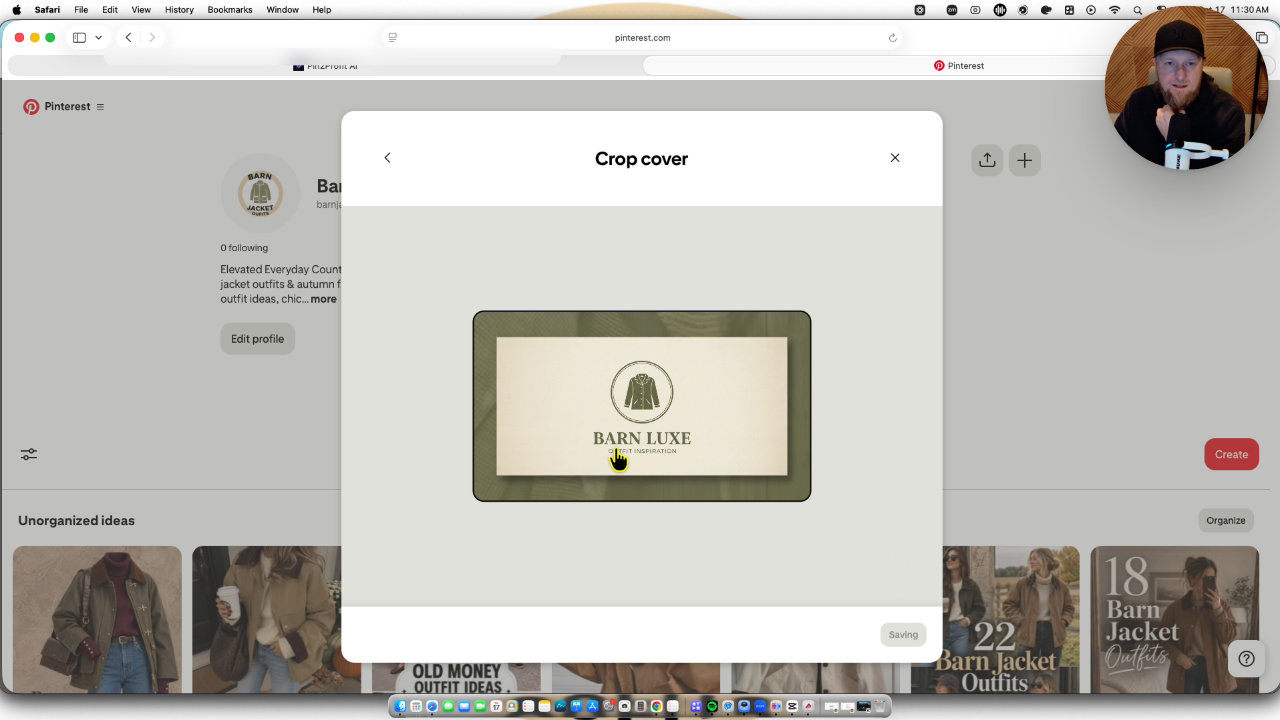
It also generated a profile picture and cover banner. What you are paying for is simplicity and efficiency, and this saves real time if you are trying to scale. I used Safari because Chrome has issues with Pinterest for me.
The strategy view gives a 30 day plan with content mix and pinning times. The PDF button saves boards and keywords, but not the images, so download those before you leave.
Creating the campaign
I created a campaign with Amazon affiliate as the offer and casual barn jacket ideas as the keyword. I picked a product, added my tracking ID and uploaded a product image myself. I believe Pro automates that part.
I set 3 pins per day, a 7 day schedule and let it run. It reported progress as it went: campaign record, pin images, AI pin copy and an affiliate product page, ending with 21 pins.
The pin images and affiliate page
The AI images mostly came out really well, with mannequins and real people wearing the jackets. A couple failed, so I recreated them. I didn't like the purple curated finds pin.
The affiliate page image wasn't great either. I swapped in pins with people, split them around the features and pros and cons, and the images are pinnable.
Publishing and scheduling
I published the page to Netlify with the Pro button. The affiliate page URL filled back into the campaign automatically, which I liked. With only the front-end offer, you download the page and do extra manual steps.
For scheduling, I picked the board and a 3 day warmup. Same day scheduling failed because the start date must be in the future, so I started the next day at 9 AM with 18 pins scheduled.
My verdict
Pin2Profit does what it promises: research, account setup, pins, a page and a schedule in one flow. The built-in page is fine for simple pages, but I would build better homepages and affiliate pages separately.
I didn't give a rating in my video. I'm optimistic about the high quality, product driven approach, with a few pins per day, but the account is brand new so results are still early.
Key features
Account setup helper
You enter a niche, category, offer and audience, and it generates an optimized account name, handle, tagline, boards, SEO keywords and a 30 day strategy.
Profile picture and banner generation
It creates a logo and cover banner for the Pinterest account that you download and upload yourself.
Automated campaign creation
Pick an Amazon product and a keyword, and it generates 21 pins over a 7 day period, including images and AI written pin copy.
Affiliate page builder
It builds an affiliate product page in the background, with SEO metadata, pinnable images and links back to your Amazon affiliate link.
Netlify publishing
On the Pro version you can publish the page to Netlify with one button, and the affiliate page URL fills back into the campaign automatically.
Pin scheduling
You choose a board, pins per day, a warmup phase and a start time, then schedule the pins to Pinterest.
Promote button
With the All Access Pass or paid ads training, you can create promotions to run paid advertising on your pins.
Pricing
- Pin2Profit AI advanced training bonus from me
- Full site setup and advanced prompts
- Promote button for paid ads
Pros and cons
What I liked
- The campaign setup is fast: product, keyword and audience in, 21 pins and an affiliate page out.
- Scheduling worked flawlessly and my first 3 pins on a new account were already getting impressions and clicks.
- The AI pin images mostly looked good, with a mix of mannequin shots and real people wearing the jackets.
- The affiliate page URL fills back into the campaign automatically after publishing to Netlify.
- The account setup tools save a lot of work on keywords, boards, descriptions and branding.
What could be better
- Some generated images failed and needed to be recreated, and the affiliate page image didn't come out well.
- The curated finds pin design didn't impress me.
- Without the Pro upgrade you have to find the product image and SiteStripe ID manually, and publish the page by hand.
- The start date has to be in the future, so I couldn't schedule pins for the same day.
Who it's for
Amazon affiliate marketers
If you want to promote physical products on Pinterest with a simple, repeatable workflow, this fits well.
Beginners to Pinterest
The account setup, boards, keywords and strategy are done for you, so you aren't starting from a blank page.
People scaling multiple accounts
Generating the logo, banner and strategy quickly helps when you are setting up several niche accounts.
Limitations: when to look elsewhere
- If you want a polished homepage and high quality affiliate pages, you will need to build those separately, since the built-in page is better for simple pages.
- If you don't want a Pinterest business account, look elsewhere, because the tool requires one.
FAQ
Pin2Profit alternatives
 WarriorPlus
RHIMS 10
A pay-per-call affiliate course on building call-tracked local sites that earn per lead.